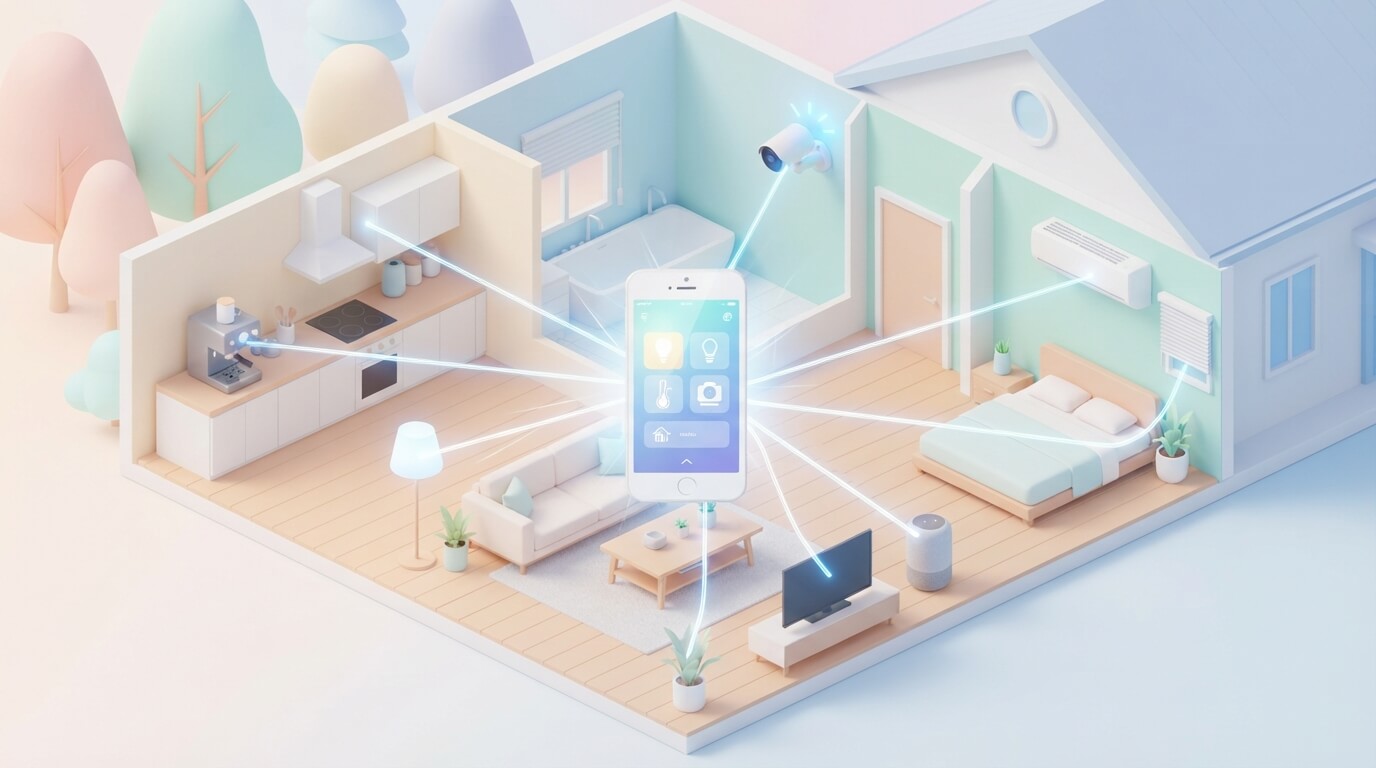
How to Control Your Smart Home With Your Phone?
Let’s face it—the future is here, and it’s right in your pocket. Your smartphone isn’t just for scrolling through social media anymore. It’s become the remote control for your entire house. Imagine turning off all your lights from bed, adjusting your thermostat while you’re still at work, or checking your security cameras from anywhere on Earth. This isn’t science fiction. This is real life, and it’s easier than you think.
If you’ve been curious about home automation but didn’t know where to start, you’re in the right place. This guide walks you through everything you need to know about controlling smart home devices with your phone. No tech degree required.
What Exactly Is a Smart Home?
A smart home is basically a house filled with devices that talk to each other and respond to your commands. These devices connect to the internet and communicate through apps on your smartphone. Your home becomes intelligent because it learns your habits and makes life simpler for you.
Think of it this way: instead of manually flipping light switches, adjusting your air conditioner, or unlocking doors, you use your phone to do it all. You can control these devices from your couch, your car, or even from another country. It’s like having a personal assistant who never sleeps.
The beauty of home automation systems is that they work together. Your phone becomes the master control center for everything happening in your house. You don’t need ten different remote controls scattered around. One app on your device handles it all.
Why Control Your Home With Your Phone?
There are tons of reasons why smartphone control for your home makes sense. Let’s explore some real benefits.
Convenience and Comfort
The biggest perk is convenience. Want to turn on your bedroom lights before you walk in at night? Done. Need to warm up your house before you arrive home on a cold day? Your phone’s got you covered. This level of control transforms how you live.
You can set routines that happen automatically. Tell your phone that you’re leaving for work, and it shuts off lights, locks doors, and adjusts your thermostat all at once. No more wondering if you left the lights on.
Energy Savings
Smart home technology helps you save money on energy bills. You control exactly when devices run. No more heating an empty house or keeping lights on in rooms you’re not using. You adjust your home’s temperature from your phone based on real-time conditions.
Many people report saving hundreds of dollars each year just by automating their lighting and heating systems. That’s money back in your pocket.
Home Security
Controlling your home with a mobile app means better security. Lock your doors from anywhere. Check security camera feeds in real time. Get instant notifications if someone enters your home. You have complete peace of mind knowing you can watch your house at any moment.
Accessibility
For people with mobility issues, home automation is life-changing. Instead of walking across the house to adjust something, they tap their phone. Elderly family members can control their environment without straining themselves. It promotes independence and safety.
Getting Started: What You Actually Need
Before you dive into smart home automation, let’s talk about what’s required to make this work.
Your Smartphone
First, you need a smartphone. Any modern phone works—iPhone or Android. Your device becomes the hub for controlling everything. The processor in today’s phones is powerful enough to handle multiple connections without breaking a sweat.
Internet Connection
Your home needs stable wifi. This is the backbone of your entire smart home system. All your devices communicate through your internet connection. A weak wifi signal means unreliable control. Most homes work fine with standard router speeds, but a strong connection makes everything faster.
Smart Devices
Obviously, you need actual smart devices to control. These range from simple smart bulbs to advanced security systems. You don’t need to buy everything at once. Start with one or two devices and expand as you get comfortable.
Hub or Bridge (Sometimes)
Some devices need a central hub to work. Think of a hub as a translator that helps your phone talk to your devices. Some smart home systems require this middle step, while others connect directly to your wifi. We’ll talk more about this later.
Types of Smart Devices You Can Control From Your Phone
The variety of available smart devices keeps growing. Here’s what’s actually out there and what you can do with each one.
Smart Lighting
Smart bulbs are often the first purchase for most people. You screw them in just like regular bulbs, but they connect to your phone. You control brightness, color, and turn lights on or off remotely.
Some smart bulbs sync with music. Others adjust based on time of day to help your sleep cycle. A few even create scenes where one button press sets multiple lights to specific levels and colors. It’s like having a professional lighting designer in your phone.
Smart Thermostats
These devices learn your temperature preferences and adjust accordingly. You can set them from your phone to warm or cool your home before you arrive.
Smart thermostats track your energy use and show you exactly what you’re spending on heating and cooling. Many connect to weather services and automatically adjust based on outside temperature. Some even know when you leave home and switch to energy-saving mode.
Smart Locks
Never fumble for keys again. Smart locks let you unlock your door from your phone. You can also give temporary access to family, friends, or service workers without handing over physical keys.
Imagine your friend arriving while you’re at work. Instead of giving them a spare key, you open the lock through your phone for a set time period. No more hidden keys under doormats.
Smart Speakers
Devices like smart speakers let you control your home with voice commands. But here’s the thing—you also control them through your phone’s app. You set up routines, adjust volume, and manage multiple speakers throughout your home.
Smart speakers act as hubs for many home automation systems. They coordinate with all your other devices and make the whole setup work smoothly.
Security Cameras and Doorbells
Watch your home in real time from your phone. Smart doorbell cameras show you who’s at your door even when you’re not home. You can talk to visitors through the camera. Regular security cameras let you monitor any room.
These devices send alerts to your phone when they detect motion or people. You get instant notifications and can review footage anytime.
Smart Plugs and Outlets
These simple devices make regular appliances smart. Plug your coffee maker into a smart plug, and you can turn it on from your phone. Same works for fans, heaters, or any appliance with a power cord.
Smart outlets are great for testing the waters with home automation. They cost less than other devices but give you genuine control.
Smart Appliances
Modern refrigerators, washing machines, and ovens often come with smart features. You can preheat your oven while you’re driving home or get notifications when laundry is done. Some refrigerators even show you what’s inside through your phone’s camera.
How to Set Up Your Smart Home System
Alright, you’re ready to begin. Here’s the actual process for getting your smart home running.
Step One: Choose Your Platform
Different manufacturers use different systems. Amazon’s Alexa, Google Home, and Apple’s HomeKit are the three biggest platforms. Each has pros and cons.
Alexa is the most popular and works with the widest range of devices. Google Home integrates beautifully with Google services. Apple HomeKit prioritizes privacy and security.
You don’t have to pick just one. Many devices work with multiple platforms, so you can mix and match. However, having one main platform makes management easier.
Step Two: Get a Hub if You Need One
Some systems require a hub to work. This is a small device that acts as a bridge between your phone and your smart devices. Amazon Echo devices, Google Home speakers, and Apple HomePod serve as hubs.
If you’re going for a simpler setup, skip the hub initially. Many devices connect directly to wifi without needing one.
Step Three: Set Up Your Wifi Network
Make sure your home wifi is strong and stable. If you have dead zones where the signal is weak, consider a mesh wifi system. These multiple routers work together to blanket your entire home with strong internet.
Test your connection by running a speed test on your phone. If your speeds are reasonable and consistent, you’re good to go.
Step Four: Download the Apps
Download the app for your chosen platform and any specific device apps. Create accounts and log in. Each app becomes a control center for that piece of technology.
Most apps automatically detect devices on your network. This makes setup quick and painless.
Step Five: Add Your Devices One at a Time
Start with a single device. Follow the manufacturer’s instructions to connect it to your wifi. Once it connects to your home network, your phone’s app should recognize it.
Give each device a clear name—like “bedroom light” or “living room thermostat”—so you remember what you’re controlling.
Step Six: Group and Organize
Once you have a few devices, organize them by room. Most apps let you create groups or zones. This lets you control all the lights in one room together.
Set up scenes—groups of actions that happen with one tap. A “goodnight” scene might turn off all lights, lock doors, and adjust the thermostat. A “movie” scene dims lights and closes blinds.
Using Your Phone to Control Devices
Now that everything’s set up, it’s time to actually use it. Here’s how to control your smart home from your phone.
Through Mobile Apps
Each device or system has its own app. Open the app, and you see all your devices. Simply tap to turn things on or off, adjust settings, or get information about device status.
Most apps show live information. Your smart thermostat app displays the current temperature. Your security camera app shows video in real time. Your smart lock app tells you whether your door is locked.
Through Voice Commands
If you have a smart speaker, you can speak commands: “Turn off the bedroom lights” or “Set the thermostat to seventy degrees.” The speaker processes your voice and controls the devices.
You can also use voice commands through your phone with the app for your platform. Just press the microphone icon and speak your command.
Through Automation and Routines
This is where home automation becomes truly smart. Create routines that happen automatically based on triggers.
Time-based routines run at specific times. Your lights turn on at sunset. Your coffee maker starts brewing every morning at 6 AM. Your garage door closes at 10 PM.
Location-based routines trigger when you arrive or leave home. Lights automatically turn on as you approach your house. Your thermostat switches to away mode when everyone leaves.
Sensor-based routines respond to conditions. Motion sensors trigger lights. Temperature sensors adjust your thermostat. Water leak sensors send alerts and shut off water.
Through Voice Assistants
Beyond simple commands, voice assistants understand complex requests. You can ask your smart speaker to show you camera footage, tell you your weather, or create shopping lists while controlling your home.
The assistant learns your preferences over time and gets better at understanding what you want.
Choosing Your Devices Wisely
Not all smart devices are created equal. Some work better than others, and compatibility matters a lot.
Check Compatibility First
Before buying any device, verify it works with your chosen platform. Most product pages clearly state which systems they support. Buying incompatible devices wastes money and causes frustration.
Start Small
Don’t rush out and buy your entire smart home setup at once. Start with one or two devices. Get comfortable with the technology. Expand once you understand how everything works.
Read Reviews
Real user reviews tell you about reliability and ease of setup. Pay attention to reviews from people without technical skills. If they can set it up easily, you probably can too.
Consider Your Budget
Smart home technology ranges from cheap to expensive. Budget-friendly options usually work fine, but higher-end devices often offer better reliability and more features.
Think About Future Expansion
Buy devices that work with popular platforms. This keeps your options open for adding more devices later.
Automation Examples That Actually Work
Let’s look at real-world routines that make daily life easier.
Morning Routine
Wake up to your favorite music playing through smart speakers. Lights gradually brighten to simulate sunrise. Your coffee maker starts brewing. Your thermostat increases temperature to your comfort level. By the time you’re out of bed, your home is ready for you.
Leaving for Work
One tap of your phone’s “leaving home” button locks all doors, turns off lights, closes blinds, arms security cameras, and switches your thermostat to away mode. Everything happens simultaneously.
Coming Home
As you approach your house, your phone’s location triggers a “coming home” routine. Front lights turn on, your door unlocks, the thermostat returns to comfort temperature, and a gentle playlist starts playing.
Movie Night
Your entertainment routine dims all lights to ten percent, closes window blinds, and ensures nobody accidentally walks in disturbing your movie. One tap handles everything.
Bedtime Routine
All lights turn off except a dim path light to guide you to bed. Doors lock, blinds close, thermostat lowers to sleep temperature, and security system arms. No need to walk around checking everything.
Away from Home
When you’re on vacation or at work all day, your routine creates the illusion someone’s home. Lights turn on and off at different times. Security cameras monitor everything. You get instant alerts if anything seems wrong.
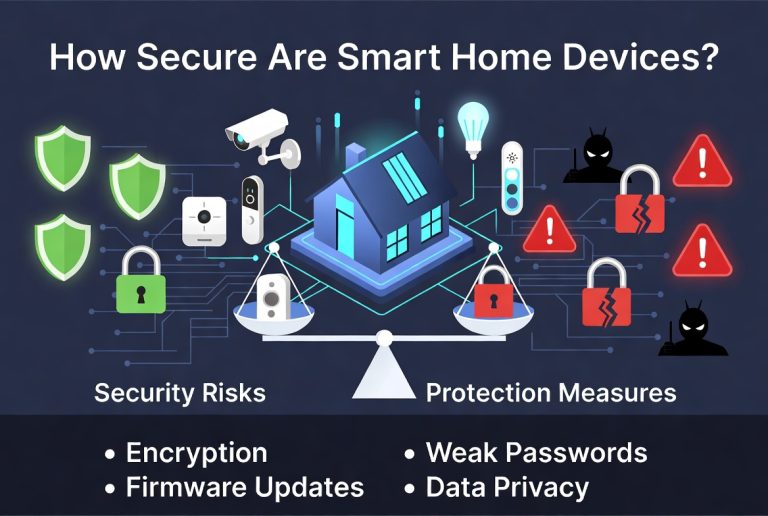
Keeping Your Smart Home Secure
Security matters when you’re giving your phone control over your home. Here’s how to stay safe.
Use Strong Passwords
Create unique, complex passwords for each account. Use combinations of letters, numbers, and symbols. Avoid obvious words or patterns. A password manager helps you keep track of multiple strong passwords.
Enable Two-Factor Authentication
Many apps offer two-factor authentication. This means you need your phone to confirm login attempts. Even if someone knows your password, they can’t access your account without your phone.
Keep Software Updated
Always update your apps and device firmware. Manufacturers release updates to fix security vulnerabilities. Ignoring updates leaves your system exposed.
Use a Secure Home Network
Set a strong password for your home wifi. Use the security option your router offers—usually WPA3 or WPA2. This prevents unauthorized access to your network.
Don’t Share Passwords
Avoid sharing login credentials through text or email. If family members need access, most apps let you invite them securely without sharing passwords.
Review Connected Devices Regularly
Check your app occasionally to see which devices are connected. Remove any devices you no longer use. Disconnect devices that seem suspicious.
Be Careful With Guest Access
If you give temporary access to guests or service workers, set time limits. This ensures they can only access your system when needed.
Troubleshooting Common Problems
Things sometimes go wrong with smart home systems. Here’s how to fix typical issues.
Devices Won’t Connect
Check your wifi connection first. Restart your router. Make sure devices are within wifi range. Try unplugging the device for thirty seconds and plugging it back in. Usually, this resets the connection.
App Crashes or Freezes
Close the app completely and reopen it. Restart your phone. Update the app to the latest version. Clear the app cache if it keeps freezing.
Delayed Response
Slow responses usually mean weak wifi signal. Move your router to a central location. Remove obstacles between your router and devices. Consider adding a mesh system for better coverage.
Devices Show as Offline
This typically means the connection dropped. Restart the specific device. Check if your wifi is working. Make sure you haven’t exceeded your internet bandwidth.
Voice Commands Don’t Work
Make sure your smart speaker is connected to the same wifi network. Check that microphone permissions are enabled in the app settings. Speak clearly and use exact phrases that the system understands.
Can’t Access Devices Remotely
Verify your phone has good cellular or wifi connection. Check that push notifications are enabled for your app. Make sure your hub is online and connected properly.
Tips for Getting the Most Out of Your Smart Home
Once you’re comfortable with basics, these tips enhance your experience.
Use Geofencing
Set location-based triggers so your home responds as you approach. Your phone’s location becomes the trigger for automations.
Create Scenes for Different Moods
Set up scenes for various situations. Energy saving, entertaining guests, date night, and focused work mode. Switch between them with one tap.
Monitor Your Energy Use
Most smart devices show energy consumption data. Review this information to find ways to save even more. Cut back on devices that use surprising amounts of power.
Combine Devices for Greater Control
Connect multiple devices so they work together. Your security camera, smart lock, and doorbell all send information to one app where you see it together.
Use Seasonal Adjustments
Automatically change settings with the seasons. Winter routines might run heating longer. Summer routines cool your home more aggressively.
Experiment With Voice Routines
Go beyond simple voice commands. Create voice-activated routines that trigger multiple actions with one sentence.
Keep a Device Inventory
Write down what devices you have and where they are. Note their model numbers and purchase dates. This helps with troubleshooting and warranty claims.
The Future of Home Automation
Smart home technology keeps evolving rapidly. New capabilities and devices appear constantly.
Artificial intelligence improves how your home responds to your needs. Systems learn your habits better than you might predict your own behavior. Your home adjusts lighting, temperature, and security without you asking.
Energy management becomes more intelligent. Your home coordinates with your power company to use electricity when it’s cheapest and most available.
Integration across platforms improves. Systems that currently don’t work together will become compatible. Controlling your entire home through one seamless interface is coming.
More affordable options emerge. As technology spreads, prices drop. What costs hundreds today will cost tens tomorrow.
Final Thoughts
Controlling your smart home with your phone isn’t complicated. It’s not expensive if you start small. It’s not just for tech enthusiasts. Anyone can do it.
Start by identifying what would make your life easier. Maybe it’s controlling lights, adjusting temperature, or checking security cameras. Pick one area and master it. Add more devices as you become comfortable.
Your smartphone is already in your pocket. It might as well work harder for you. Turn your house into a smart home, and you’ll wonder how you ever lived without it. The technology is ready. The only question left is whether you’re ready to make the leap.
Your future smart home awaits. The control is literally in your hands.

Hi, I’m Mary, the founder of Homygear.com. I’m passionate about creating a comfortable, smart, and beautiful home. I share practical insights and real-world experience on home gear that makes everyday life easier. Behind the scenes, my dedicated research team studies products in depth, and our writers craft honest reviews using trusted, authentic sources—so you can choose home gear with confidence.