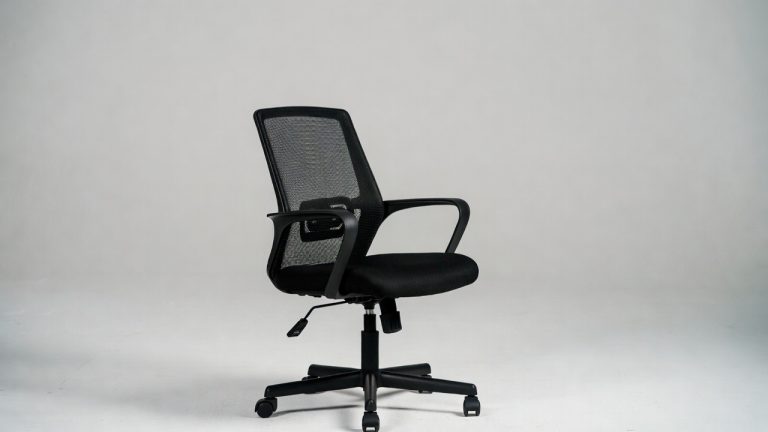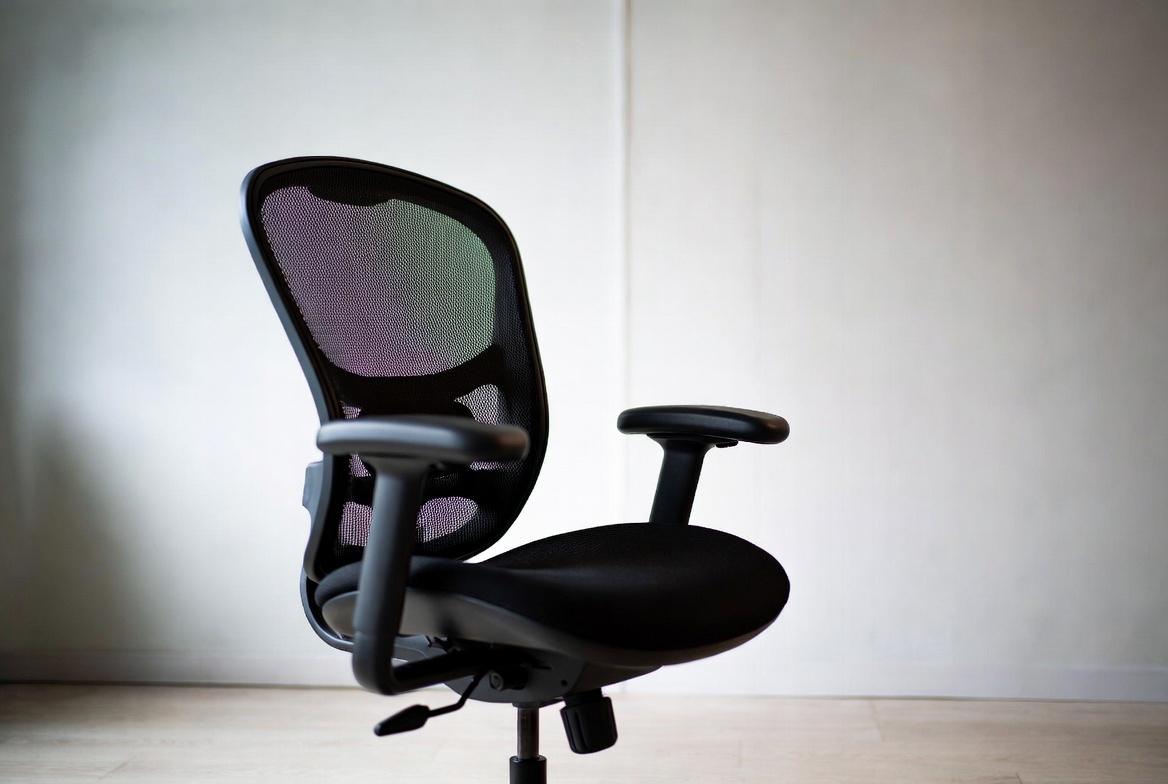
5 Best Desk Chair for Herniated Disc In 2026
Back pain can completely derail your workday. When you’re dealing with a herniated disc, sitting becomes a challenge that demands real solutions. The wrong chair makes everything worse. The right one? It changes everything.
A herniated disc happens when the soft material inside your spine pushes through a crack in the tougher outer layer. Sitting puts pressure on your lower back, which is why choosing the right office chair isn’t just about comfort—it’s about protecting your spine while you work.
The best desk chair for a herniated disc needs specific features. It must support your natural spine curve. It needs adjustable lumbar support that you can customize to your body. Good armrests matter. Your feet need proper support too. The seat must be responsive without being too soft or too firm.
Finding a chair that actually delivers on these requirements takes research. You need to know what you’re looking for. You need honest information about what works and what doesn’t. That’s exactly what this guide provides.
Over the next sections, I’m walking you through five of the most talked-about ergonomic office chairs on the market. Each one addresses back pain differently. Some focus on advanced lumbar technology. Others prioritize bigger seat sizes for larger frames. A few balance everything in the middle.
Let’s find out which chair might be your solution.
What to Look for in a Herniated Disc Chair
Before diving into specific products, you need to understand the essential features that make a real difference for your spine health.
Lumbar Support Quality: This is non-negotiable. Your lower back has a natural curve that keeps your spine aligned. A herniated disc chair must maintain this curve when you’re sitting. Look for adjustable lumbar support that lets you dial in the right amount of pressure. Fixed lumbar support helps, but adjustable systems win because everyone’s spine is different.
Seat Design: The seat needs to be firm enough to support your weight properly but comfortable enough that you can sit for hours. A seat that’s too soft collapses under you and ruins your posture. A seat that’s too hard puts pressure on your sitting bones and backside. The sweet spot keeps your hips level with your knees at a 90-degree angle.
Headrest Options: Your neck shouldn’t be forgotten. When your upper spine is properly supported, it takes pressure off your lower back too. An adjustable headrest helps your whole spine align correctly.
Armrest Functionality: Good armrests reduce shoulder and neck strain. They should adjust in multiple directions—up and down, forward and back, and ideally rotate or flip up when you don’t need them. Bad armrests are worse than no armrests.
Material Breathability: Mesh fabric keeps you cooler than solid materials. When you’re sitting for long stretches, cooling matters for comfort and circulation.
Height and Weight Capacity: A chair that doesn’t fit your body won’t help you. Make sure the seat height range works for your desk setup. Check the weight capacity too.
1.HOLLUDLE Ergonomic Mesh Office Chair: The All-Arounder
Product Overview
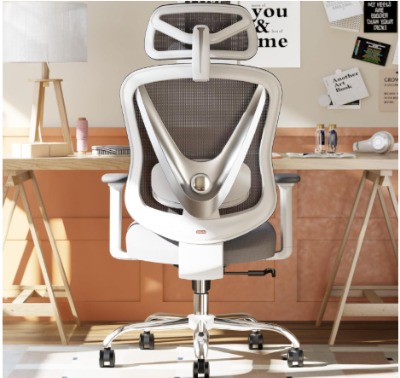
The HOLLUDLE comes in white and focuses on 3D adjustments across multiple points. It features a V-shaped back design, which is an interesting approach to spinal support. The 3D adjustable lumbar support system and 3D armrests give you flexibility to dial in your perfect fit.
This chair targets people who want comprehensive adjustability without premium pricing. It’s a middle-ground option that tries to address back pain through multiple adjustment points rather than one super-specialized feature.
Key Features Explained
V-Shaped Back: The V-shaped design creates a curved surface that mirrors your spine’s natural form. This shape helps distribute pressure more evenly across your back instead of concentrating it in one spot. The V curves inward at the waist, which targets lumbar support specifically.
3D Adjustable Lumbar Support: You can move this system up and down, forward and backward, and adjust the firmness. This three-directional approach means you’re not stuck with one lumbar depth. You can dial it in for your exact spine curve.
3D Armrests: These adjustable arms move vertically, horizontally, and rotate inward or outward. This flexibility helps people with different body frames find their comfortable position. Your shoulders shouldn’t be hunched or stretched when you’re typing.
Mesh Material: The breathable mesh keeps heat and sweat from building up during long work sessions. This matters for comfort during extended sitting.
Seat Dimensions: The chair offers a decent seat depth and width for average to larger frames. The seat pan doesn’t cut off circulation behind your knees.
Best Use Cases
This chair works well for:
- Office workers with varying body sizes in a shared space
- People who need maximum adjustability options
- Those who prefer white furniture that matches modern office aesthetics
- Back pain sufferers who aren’t sure what lumbar depth they need
- Budget-conscious buyers who want solid features without overspending
Real-Life Usage Insight
Users report that the V-shaped back feels different from traditional rounded backs. Some find this curve more supportive for lower back pain. Others say it takes a few days to adjust. The 3D armrests get consistent praise for their flexibility—being able to position them just right makes a huge difference for arm and shoulder tension.
The white color stays clean when you take care of it, but it shows dust more obviously than black. People appreciate having adjustable controls in convenient locations that don’t require tools or complex procedures.
Honest Pros and Cons
Pros:
- Multiple adjustment options mean you can customize nearly everything
- White color fits modern office designs
- V-shaped back provides concentrated lumbar support
- Mesh material keeps you cool
- Reasonable price point for the features offered
- Easy to adjust without tools
Cons:
- White material requires more frequent cleaning
- The V-shape takes adjustment time—not immediately comfortable for everyone
- Armrests have many adjustment options but can feel a bit stiff initially
- Weight capacity is adequate but not exceptional for bigger users
- No headrest included (some people need this)
- Customer reviews mention durability concerns after extended use
Performance for Herniated Disc Support
The HOLLUDLE performs adequately for herniated disc sufferers. The V-shaped back targets the right area. The adjustable lumbar system lets you find your comfort zone. Most users with back pain report improvement after adjusting the settings properly. The combination of adjustability and moderate support puts this in the solid range, not the premium range.
Ease of Use
Setup takes about an hour if you follow the instructions carefully. Assembly is straightforward—nothing overly complicated. Once assembled, the adjustment mechanisms are accessible without requiring special tools. The controls respond intuitively, though the variety of options might overwhelm someone who just wants simple adjustments.
Value for Money
At its price point, this chair delivers solid features. You’re getting multiple adjustment options that you’d normally pay more for. The white color is unique in this price range. However, you’re not getting premium materials or exceptional durability. You’re getting decent features at a reasonable cost. For someone managing herniated disc pain, the adjustability provides genuine value because you can dial in your specific needs.
2.ELABEST X100 Ergonomic Mesh Office Chair: The Big and Tall Solution
Product Overview
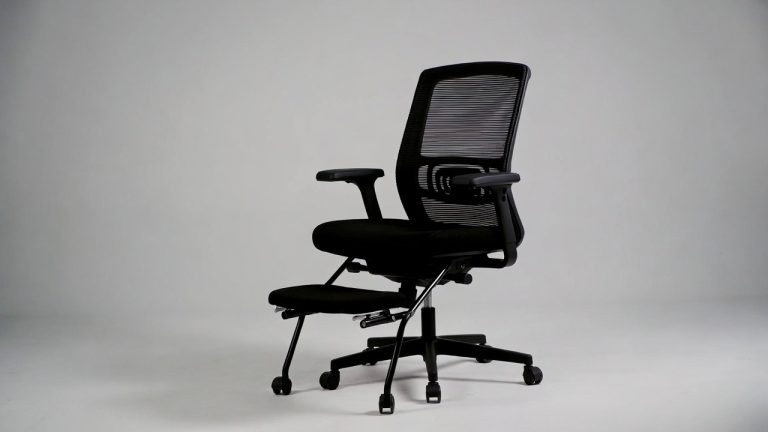
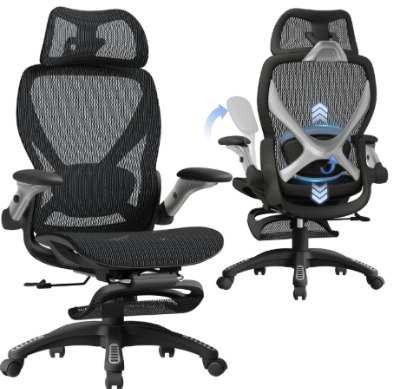
The ELABEST X100 is built for bigger bodies and longer sitting sessions. It features a footrest, which is uncommon in this price range. The 5D flip-up arms offer more adjustment directions than most competitors. The 3D lumbar support system works specifically for executive and gaming setups.
This chair targets people who need extra space and support. If you’re on the taller side, larger frame, or simply want executive-level features, the X100 enters the conversation.
Key Features Explained
Footrest: This built-in footrest lets you rest your feet during long work sessions. When your feet are supported, your lower back gets relief because you’re not stretching your legs under your desk. This contributes to better posture and reduced strain.
5D Flip-Up Arms: Five directions of adjustment means up/down, forward/back, rotational, width adjustment, and the flip-up function that moves them out of the way completely. This is exceptional flexibility for arm positioning. Flip-up functionality is perfect when you need to move in and out of your chair frequently.
3D Lumbar Support: Adjusts in height, depth, and firmness. This system targets your lower back with precision. You can position support exactly where your herniated disc area needs it.
Big and Tall Design: Wider seat, taller backrest, increased weight capacity. Everything about the frame is sized up. The seat pan is deeper and broader, accommodating larger body frames without the discomfort of squeezing into an undersized chair.
Breathable Mesh: Keeps air flowing through the chair material, essential for longer sitting sessions where heat buildup becomes a real problem.
Best Use Cases
This chair is ideal for:
- Taller individuals who need more legroom
- Bigger body frames seeking executive-level support
- Remote workers sitting 8+ hours daily
- Gamers who need long-lasting comfort for extended sessions
- People who want footrest support as standard equipment
- Users who change positions frequently and need flip-up arms
Real-Life Usage Insight
Bigger users consistently report that this chair finally gives them space without cramping. The footrest becomes surprisingly valuable once you start using it—providing foot support reduces lower back tension. The 5D arms are genuinely useful, not just marketing hype. Users appreciate the flip-up function when they need to stand up quickly or adjust their position dramatically.
The lumbar support system gets positive feedback from people with herniated discs. The adjustability lets them position support right at the problem area. Gaming communities specifically praise the X100 for marathon sessions because the footrest and lumbar support combination genuinely maintains comfort longer than alternatives.
Honest Pros and Cons
Pros:
- Footrest is a genuine comfort feature, not just a gimmick
- 5D arms offer exceptional flexibility
- Bigger frame accommodates taller and heavier users comfortably
- 3D lumbar system works well for disc pain management
- Excellent for long-duration sitting
- Executive appearance works in professional settings
- Good weight capacity for larger individuals
Cons:
- Larger frame takes up more space in home offices
- Heavier than average chairs, more difficult to move
- 5D arm system has a steeper learning curve than simpler options
- More expensive than basic ergonomic chairs
- Mesh material requires regular vacuuming because dust settles in the weave
- Not ideal for small spaces or shared offices
- Assembly complexity increases with the additional features
Performance for Herniated Disc Support
The X100 performs exceptionally well for herniated disc management. The 3D lumbar system is responsive and powerful. The footrest addresses an often-overlooked issue—feet hanging or being unsupported actively damages your back posture. The bigger frame means you’re not fighting the chair to get comfortable. Users with herniated discs specifically report that this chair allows them to sit without aggravating their condition. The footrest alone contributes measurable relief.
Ease of Use
Assembly takes 90 minutes to 2 hours due to the additional features and bigger components. The footrest requires careful installation. Once assembled, everything operates smoothly. The controls are logical and intuitive. The flip-up arms take a learning moment, but after a few uses, it becomes second nature.
Value for Money
This chair costs more than budget options, but the value is genuine. You’re getting footrest functionality, more adjustments, bigger frame, and premium materials. The added cost reflects added features, not marketing fluff. For someone with a herniated disc who needs to sit all day, the footrest and lumbar system justify the investment. You’re paying for something that actually works.
3.Ergalithic Ergonomic Office Chair: The Executive Option
Product Overview
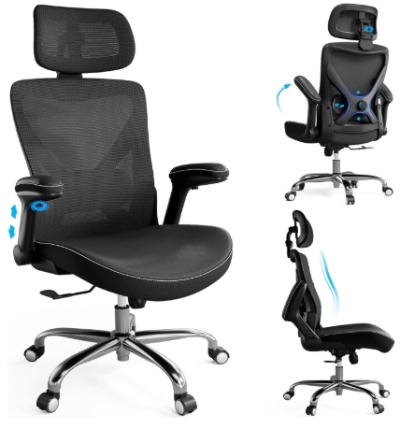
The Ergalithic comes in black and combines mesh with PU leather. The X-shaped chair frame is a distinct design choice. It includes a headrest, which is notable since many budget options skip this feature. The high-back design prioritizes neck and shoulder support alongside lumbar support.
This chair targets professional environments where appearance matters. It also serves people who need comprehensive spinal support from neck to lower back.
Key Features Explained
X-Shaped Frame: The X-shaped structural frame isn’t just aesthetic—it’s functional. This design creates a pyramid-like support structure that distributes your weight across four points instead of two. This stabilizes the chair and reduces wobbling. Better stability means better support for your spine.
Mesh and PU Leather Combination: Mesh breathability paired with PU leather trim creates a professional appearance while maintaining cooling ability. The leather accents look upscale without sacrificing air circulation.
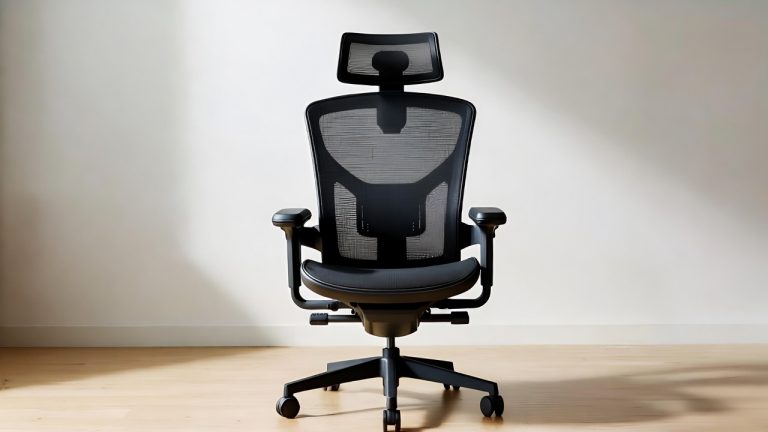
High-Back Design with Integrated Headrest: The high back extends up to support your entire spine, not just your lower back. The integrated headrest supports your cervical spine (neck). When your neck is properly supported, it reduces strain on your shoulders and upper back, which translates to lower back relief.
Adjustable Lumbar Support: Dial in the depth and positioning of lower back support. The system targets the exact area where herniated disc pain originates.
Flip-Up Arms: These arms rotate up and out of the way when you need to access your sides or move in and out of the chair. This functionality proves useful for people who shift positions frequently.
Best Use Cases
This chair works best for:
- Executive offices where furniture style matters
- People who experience neck and shoulder pain alongside back issues
- Professionals who spend 6-8 hours daily in one chair
- Users who need full spine support, not just lumbar
- Anyone concerned with appearance and functionality equally
- People who work from professional settings where the chair’s appearance influences perceived credibility
Real-Life Usage Insight
Users in office environments appreciate the executive appearance. The chair looks refined and professional, unlike some ultra-sporty gaming designs. The headrest makes a real difference—people with cervical (neck) pain specifically mention relief. The X-shaped frame feels sturdy and stable. When you move or shift your weight, the chair doesn’t wobble or tip.
The lumbar support system gets consistent praise for adjustability. The combination of headrest and lumbar support addresses the whole spine, not just one area. People report decreased tension in their neck, shoulders, and lower back simultaneously.
Honest Pros and Cons
Pros:
- Professional appearance works in corporate environments
- High-back with headrest supports entire spine
- X-shaped frame provides excellent stability
- Mesh and leather combination looks upscale
- Adjustable lumbar support targets herniated disc area
- Flip-up arms offer flexibility when needed
- Sturdy construction feels reliable long-term
- Great for people with multi-region back pain
Cons:
- Higher price point reflects executive positioning
- Leather requires occasional cleaning and conditioning
- Heavier weight due to sturdy construction
- X-shaped frame takes up slightly more space
- Assembly complexity is moderate to advanced
- May be overkill for casual home office use
- PU leather can feel plastic-y initially, needs time to soften
- Not adjustable as comprehensively as some competitors
Performance for Herniated Disc Support
The Ergalithic excels at herniated disc support, particularly if your pain extends beyond the lower back. The integrated headrest prevents compensatory neck strain that worsens disc issues. The high-back design maintains spinal alignment top to bottom. The X-shaped frame stability means you’re not fighting against the chair while managing your pain. The lumbar support system is precise and effective.
Ease of Use
Assembly takes 60-90 minutes with moderate complexity. The X-shaped frame requires careful alignment. Once set up, the chair operates intuitively. All adjustments are accessible and require no tools. The headrest angle adjusts smoothly. The lumbar support responds quickly to adjustments.
Value for Money
This chair costs more due to executive positioning and comprehensive features. The value justifies the cost if you spend significant time in the chair and want professional appearance. The headrest and high-back design add genuine functional value beyond aesthetics. For someone with herniated disc pain spanning multiple spine regions, this chair’s comprehensive support structure provides better value than basic lumbar-only solutions.
4.ProtoArc EC200 Ergonomic Office Chair: The Premium Pick
Product Overview
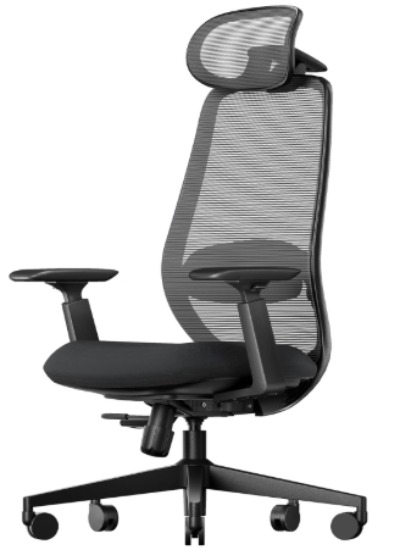
The ProtoArc EC200 is the premium option in this lineup. It’s built for people willing to invest in their back health. The high-back mesh design prioritizes cooling and long-duration comfort. The 3D adjustable headrest is a premium feature often reserved for expensive chairs. The lumbar support system is more responsive than budget options.
This chair targets serious back pain sufferers and professionals who sit all day. It’s built for durability and performance, not just basic comfort.
Key Features Explained
High-Back Mesh Design: The extensive mesh material maximizes airflow and breathability. For someone sitting 8+ hours daily, cooling matters significantly. The high back supports your entire spine, not just lumbar area.
3D Adjustable Headrest: Height, angle, and rotation adjustments let you position the headrest precisely for your neck. A well-positioned headrest prevents neck strain that cascades down to your lower back.
Lumbar Support System: This isn’t just adjustable—it’s responsive. The system adapts to your movements and maintains support as you shift position. This responsiveness is key for herniated disc support because your pain point needs consistent backing.
Sliding Seat: The seat pan slides forward and backward. This adjusts your sitting angle and changes how your weight distributes. Forward sliding reduces strain on your lower back for some people. Backward sliding increases it. The flexibility accommodates different body types and preferences.
Big and Tall Capability: Designed to accommodate larger frames and taller individuals without cramping.
Best Use Cases
This chair serves:
- People with significant herniated disc pain requiring premium support
- Professionals working 8+ hours daily from a desk
- Taller individuals seeking premium long-duration comfort
- Back pain sufferers willing to invest in quality
- People who value durability and plan to use the chair for many years
- Anyone needing maximum cooling for hot office environments or climates
Real-Life Usage Insight
Users consistently praise the responsiveness of the lumbar support. It actually changes and adapts as you move, rather than being static. The 3D headrest gets rave reviews from people with neck issues. The sliding seat is a game-changer for some users—the ability to adjust your sitting angle without changing the chair position is elegant.
The premium build quality is apparent. Materials feel substantial, and mechanical components operate smoothly. Users with herniated disc pain report genuine relief, noting that the chair supports their back without requiring constant adjustment. The extensive mesh cooling is particularly appreciated by people in warm climates or offices.
Premium users note this chair’s superiority compared to budget alternatives. It’s not just more comfortable—it’s noticeably more durable and responsive.
Honest Pros and Cons
Pros:
- Premium build quality feels durable and substantial
- 3D adjustable headrest is a genuine game-changer for neck support
- Responsive lumbar support system adapts to your movements
- Sliding seat adjusts sitting geometry for customized support
- Extensive mesh provides exceptional cooling
- High-back design supports entire spine
- Excellent for long work sessions without fatigue
- Strong weight capacity for bigger frames
- Premium materials justify long-term investment
Cons:
- Significantly higher price point
- Requires more careful assembly and calibration
- Not ideal for small offices due to size
- Maintenance is more involved than budget chairs
- The numerous adjustment options can overwhelm new users
- Overkill for casual part-time home office use
- Heavier and more difficult to move
- Initial comfort period before you fully dial it in
Performance for Herniated Disc Support
The ProtoArc EC200 is built specifically with herniated disc support in mind. The responsive lumbar system maintains support as you move. The 3D headrest prevents compensatory neck strain. The sliding seat lets you experiment with the optimal sitting angle for your specific disc location. Users report that this chair actually feels like it’s helping their herniated disc, not just tolerating the condition.
Ease of Use
Assembly takes 90-120 minutes due to complexity and quality standards. The instructions are detailed and specific. Once assembled, everything operates smoothly. The controls are intuitive, though the number of adjustments requires a learning period. The sliding seat is obvious and simple. The headrest adjustments are logical.
Value for Money
This chair costs the most, but the value is substantial for serious users. You’re investing in proven durability, responsive support, and comprehensive adjustability. For someone with a herniated disc who must work all day, this chair’s superior performance justifies the cost. You’re not paying for aesthetics or marketing—you’re paying for functional quality.
5.Fizzin Ergonomic Office Chair: The Heavy-Duty Workhorse
Product Overview
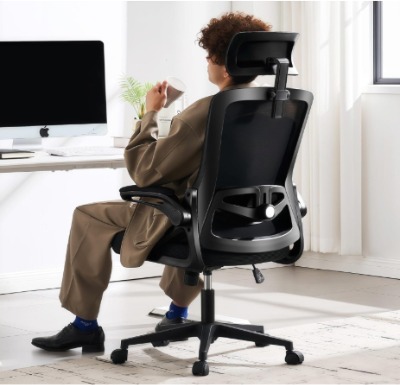
The Fizzin is built for bigger bodies, with a 400 lbs weight capacity—the highest in this lineup. The breathable mesh and thickened cushion combine cooling with support. The adjustable lumbar system targets disc pain. The focus is on durability and accommodation of larger frames without sacrifice.
This chair targets users who need genuine big and tall functionality, not just marketing language. It’s the workhorse option.
Key Features Explained
400 lbs Weight Capacity: This is significantly higher than standard chairs. For bigger individuals, this means real support without worrying about capacity limits. The entire frame is reinforced to handle heavier loads safely.
Breathable Mesh Material: Air circulation matters more for heavier users sitting longer. The mesh prevents heat and sweat buildup that causes discomfort during extended sessions.
Thickened Cushion: The seat cushion has extra padding and density. This distributes weight more evenly and provides cushioning without being so soft that your posture collapses. The thickness addresses a common problem—regular cushions compress too much.
Adjustable Lumbar Support: Targets your lower back specifically. The system is simple but effective, avoiding unnecessary complexity in favor of straightforward function.
Sturdy Base and Frame: Reinforced construction throughout supports the 400 lb capacity. Everything is built heavier and stronger than standard ergonomic chairs.
Best Use Cases
This chair is perfect for:
- Heavier individuals needing genuine capacity, not marketing fiction
- Bigger frames who struggled with undersized chairs
- People who need durability for heavy daily use
- Users who work 8+ hours daily and need thick, responsive cushioning
- Anyone combining weight and sitting duration
- Those who value straightforward functionality over excessive adjustments
Real-Life Usage Insight
Users consistently highlight that Fizzin built this chair for their actual needs. The 400 lb capacity isn’t inflated—people test it and trust it. Bigger users report that the thickened cushion makes a real difference compared to thin seat pans. The mesh breathing keeps them comfortable during long sessions. The chair feels solid and doesn’t wobble or flex under their weight.
Herniated disc sufferers in this category report that the stable, heavy-duty frame provides confidence. The chair feels like it’s holding them securely rather than struggling under their weight. The adjustable lumbar support, while simpler than premium options, effectively targets disc pain.
Honest Pros and Cons
Pros:
- Genuine 400 lb capacity with no inflation
- Thickened cushion provides real support and durability
- Breathable mesh prevents heat buildup
- Heavy-duty construction is reassuringly solid
- Straightforward adjustment system—easy to learn
- Excellent value for high capacity
- Works great for bigger frames who need room
- Durable for heavy daily use
Cons:
- Heavier weight makes it less portable
- Fewer adjustment options than premium models
- Design prioritizes function over aesthetics
- Simple lumbar system isn’t as responsive as premium versions
- Not adjustable in as many directions as competitors
- May be overspecs for smaller frames
- Assembly requires care due to heavy components
- No headrest or advanced features
Performance for Herniated Disc Support
The Fizzin performs well for herniated disc support, particularly for heavier users. The stable, reinforced frame eliminates the instability that amplifies back pain. The thickened cushion supports your spine properly without collapsing. The lumbar adjustment lets you dial in disc support. The chair excels at consistent support over long duration.
Ease of Use
Assembly takes 60-90 minutes due to heavy components. The process is straightforward but requires physical effort moving the base and back components. Once assembled, the adjustment system is simple and intuitive. No complex mechanics or confusing controls. Everything is solid and responsive.
Value for Money
For bigger users, this chair offers exceptional value. The 400 lb capacity combined with solid construction and decent features costs less than premium options. You’re getting genuine durability and capacity, not marketing language. For someone who’s been squeezed into standard chairs and needs authentic big and tall support, this chair’s value is excellent.
Quick Comparison: Finding Your Perfect Match
Here’s how these five chairs stack up across key criteria:
Best Overall Support: ProtoArc EC200 takes this title. The responsive lumbar system and 3D headrest work together for comprehensive spine support. If your herniated disc pain is significant, this is the chair to consider.
Best Budget Option: HOLLUDLE delivers solid features at the lowest price. The V-shaped back and 3D adjustments provide real value. Your back benefits without breaking the bank.
Best for Big and Tall: Fizzin edges out ELABEST X100 with the higher weight capacity and thickened cushion. If you’re heavier, Fizzin is built specifically for you.
Best Executive Look: Ergalithic combines professional appearance with real functionality. The X-shaped frame and integrated headrest serve both aesthetics and spine support.
Best Long-Duration Comfort: ELABEST X100 includes footrest support that others skip. For 8+ hour daily sitting, the footrest makes a measurable difference.
Most Adjustability: ELABEST X100’s 5D arms combined with 3D lumbar support gives maximum flexibility. ProtoArc’s sliding seat also adds unique adjustability.
Best Cooling: ProtoArc EC200’s extensive mesh is the most breathable. If you overheat in standard chairs, this maximizes airflow.
Best Stability: Ergalithic’s X-shaped frame provides the sturdiest foundation. Fizzin also excels with its heavy-duty construction.
Comprehensive Buying Guide for Herniated Disc Chairs
Assess Your Specific Pain Location
Herniated discs can occur at different spine levels. Lower lumbar pain (L4-L5 area) requires different support than higher lumbar pain. Some people have multi-level disc issues affecting both lower back and upper back. Identify where your pain concentrates:
- Lower Back Focus: Prioritize 3D adjustable lumbar support that you can position precisely. The ProtoArc and ELABEST excel here.
- Neck and Shoulder Pain: The Ergalithic’s integrated headrest combined with lumbar support addresses this. ProtoArc’s 3D headrest also works well.
- Whole Spine Issues: The ProtoArc and Ergalithic’s high-back designs address multiple regions simultaneously.
Measure Your Sitting Environment
Your desk height, typing surface, and monitor position affect how the chair must support you:
- Desk Height: Standard desks are 28-30 inches. Measure your specific desk. If non-standard, you need adjustable seat height to achieve proper elbow positioning.
- Chair Height Range: Check that the chair’s height adjustment covers your desk height. A chair that can’t get low or high enough creates postural problems regardless of back support.
- Space Constraints: Measure your office width and depth. The ProtoArc and ELABEST X100 are larger. The HOLLUDLE fits tighter spaces better.
- Type of Flooring: Carpet requires standard casters. Hard floors benefit from specific caster types. Most chairs handle both fine.
Consider Your Usage Pattern
How long and how frequently you sit dramatically affects which chair works best:
- 4-6 Hours Daily: HOLLUDLE or basic models provide adequate support for moderate-duration sitting.
- 6-8 Hours Daily: ELABEST X100 with footrest or Ergalithic with headrest significantly improves comfort.
- 8+ Hours Daily: ProtoArc EC200’s responsive system justifies the premium investment. You’re using it heavily enough that superior performance matters.
- All-Day Continuous: The headrest and footrest features become essential, not optional. ProtoArc and ELABEST X100 excel here.
Evaluate Your Physical Specifications
Your body’s dimensions affect which chair actually works:
- Weight: The Fizzin is built for 300+ lb users. Others work fine for lighter individuals. Matching capacity to actual weight prevents support degradation.
- Height: Taller people need adequate legroom and backrest height. The ELABEST and ProtoArc are sized for this. Standard-sized people fit any of these.
- Proportions: Some people have longer legs relative to torso, others vice versa. Adjustable seat height and depth (sliding seat on ProtoArc) accommodate different proportions.
- Arm Length: The 5D arms on ELABEST and 3D arms on others accommodate different arm lengths and proportions.
Budget Reality Check
Set your budget realistically:
- Under $300: HOLLUDLE delivers solid value and real features.
- $300-500: ELABEST X100 and Ergalithic offer more features and durability.
- $500+: ProtoArc EC200 is the premium choice with responsive technology.
- Fizzin: Sits in the $300-400 range depending on sales, excellent value for capacity needs.
Remember that back health isn’t where you save money. Invest in a chair that actually addresses your pain. Saving $200 on an inadequate chair and then spending $500 on physical therapy makes no sense financially or health-wise.
Trial and Return Policies
Check return policies before buying:
- 30-Day Returns: Most of these chairs have 30-day return windows if the chair doesn’t work for you.
- Break-In Period: Herniated disc chairs need 1-2 weeks to dial in properly. Your initial impression won’t be final.
- Return Shipping: Some retailers cover return shipping, others don’t. Factor this into your cost calculation.
- Inspection Process: Understand what condition the chair needs to be in for returns. Minor wear is usually fine; permanent damage isn’t.
Who Should Buy These Products and Why
For Severe Herniated Disc Pain
The ProtoArc EC200 is your best choice. The responsive lumbar support and 3D headrest work together to address pain at its source. The premium price is justified when severe pain compromises your work ability.
For Budget-Conscious Back Pain Sufferers
The HOLLUDLE delivers real features at genuine affordability. You’re getting adjustable lumbar support and 3D armrests without premium pricing. The V-shaped back targets your pain effectively.
For Heavier Individuals
The Fizzin is built specifically for you. The 400 lb capacity with thickened cushion and heavy-duty frame means the chair is designed for your weight, not just technically rated for it. You’ll feel the difference compared to chairs built for average-sized people then marketed as “big and tall.”
For All-Day Sitting Professionals
The ELABEST X100 combines work-all-day comfort with footrest support that reduces strain. The 5D arms and 3D lumbar system let you dial everything in. The executive appearance works in professional settings.
For Professional Settings with Back Pain
The Ergalithic merges executive appearance with genuine support. The high-back with integrated headrest and X-shaped frame stability work for all-day sitting while maintaining the professional image your office requires.
Common Mistakes People Make When Buying Herniated Disc Chairs
Mistake 1: Buying the Cheapest Option Without Features
A $150 chair is cheap. An actual herniated disc chair at budget pricing still has $300+ of value. Skipping lumbar support to save $100 costs you in pain management and potentially physical therapy. The HOLLUDLE is budget-friendly without skipping essentials.
Mistake 2: Over-Adjusting Without Understanding the System
Having 5D arms and 3D lumbar support means nothing if you don’t know how to position them. Spend time learning your chair’s adjustments. Watch YouTube videos. Read the manual. Improper adjustment defeats the purpose of the features.
Mistake 3: Ignoring the Break-In Period
New chairs feel weird. Your body is used to your old (bad) seating position. A better chair with proper support might feel strange initially because your spine is aligning correctly. Give it two weeks before deciding it’s wrong.
Mistake 4: Neglecting Headrest and Footrest Value
These features seem optional until you use them. A headrest prevents neck strain that cascades to your lower back. A footrest prevents leg dangling that aggravates disc pain. Don’t dismiss them as luxuries.
Mistake 5: Buying Without Testing Your Exact Setup
A chair works great in a store with standard desk height. Put it in your actual office with your actual desk and monitor. Does the height match? Can your feet reach the floor or footrest comfortably? Does your monitor position require awkward neck angles? Test before fully committing.
Mistake 6: Prioritizing Looks Over Function
That gaming chair looks cool but doesn’t support your herniated disc. This isn’t fashion—it’s medical support for your spine. Pick the chair that helps your back, even if the appearance isn’t your first choice. Your back will thank you more than your eyes.
Mistake 7: Assuming Bigger is Always Better
The ELABEST and ProtoArc are larger chairs. Bigger people need them. Average-sized people find them takes up too much space and they never use the extra room. Match the chair size to your body size and space size.
Mistake 8: Neglecting Assembly Instructions and Careful Setup
Rushing assembly causes problems. You’ll miss proper calibration of the lumbar system. Take your time, follow instructions, and don’t skip steps. A properly assembled budget chair outperforms a poorly assembled premium chair.
Mistake 9: Forgetting About Your Desk and Monitor Setup
The best herniated disc chair can’t save you if your desk or monitor position is terrible. Your chair height, desk height, and monitor position must work together. If your monitor is too low, you’ll lean forward regardless of how good the chair is. Set everything up properly.
Mistake 10: Buying Without a Return Policy
If the chair doesn’t work for your specific pain, you’re stuck. Before purchasing, verify the return policy. Thirty-day returns on herniated disc chairs are reasonable. No-return policies are too risky.
Final Verdict: Which Chair Wins?
There’s no single perfect chair for everyone with a herniated disc. The right choice depends on your specific situation, budget, and needs. Here’s the breakdown:
The Overall Winner: ProtoArc EC200
If money isn’t a constraint, the ProtoArc EC200 is the safest investment. The responsive lumbar support combined with 3D headrest creates comprehensive spine support. The sliding seat adjusts your sitting angle. The premium build quality lasts years. For significant herniated disc pain, this chair genuinely helps.
The Best Value: HOLLUDLE Ergonomic Mesh Office Chair
For budget-conscious shoppers, the HOLLUDLE delivers real features at genuine affordability. The V-shaped back targets lumbar pain. The 3D adjustments let you customize support. You’re not sacrificing essentials—you’re just avoiding premium pricing and unnecessary extras. This is the smartest value for someone managing herniated disc pain without excessive budget.
The Best for Specific Needs:
- Big and Tall Users: Fizzin (400 lb capacity is real, not marketing)
- All-Day Sitting: ELABEST X100 (footrest support matters)
- Professional Environment: Ergalithic (looks executive, supports your spine)
- Maximum Features: ELABEST X100 (5D arms, footrest, 3D lumbar)
- Premium Responsiveness: ProtoArc EC200 (the best support system)
The Real Truth About Herniated Disc Chairs
A good ergonomic chair helps your herniated disc. It doesn’t cure it. It doesn’t eliminate pain completely. What it does is:
- Support your spine alignment so you’re not fighting the chair
- Reduce strain throughout your workday
- Prevent your pain from worsening during sitting
- Enable you to work without constant back pain awareness
- Decrease the likelihood of flare-ups
Any of these five chairs accomplishes these goals better than sitting in a regular chair. The differences are in degree, durability, and specific features that might matter for your situation.
Making Your Final Decision
Ask yourself these questions:
- How much daily sitting will I do? (More = invest more)
- What’s my budget for a chair that improves my health? (Worth the investment)
- Are there specific features I need? (Headrest, footrest, specific arms?)
- What’s my body size and type? (Affects which chair fits properly)
- Do I work in a professional environment where appearance matters? (Ergalithic if yes)
- Do I want maximum adjustability or straightforward simplicity? (Premium or budget)
Based on your answers, pick the chair that aligns with your situation. All five genuinely help herniated disc sufferers. Your job is finding which one fits your specific circumstances best.
Next Steps
- Review the return policy of wherever you’re buying
- Measure your desk to ensure the chair height range works
- Read customer reviews from verified purchasers
- Order the chair that matches your answers to those six questions above
- Follow assembly instructions carefully—don’t skip steps
- Give it two weeks before deciding if it’s right for you
- Adjust systematically—change one thing at a time, not everything
- Pair it with good habits: Proper desk setup, monitor positioning, stretching
Conclusion: Your Back Deserves Better
Living with a herniated disc while working at a desk is frustrating. The constant awareness of your pain, the limitations it creates, the worry about making it worse—it drains your focus and energy. The right chair can change this experience.
You don’t need to suffer through your workday in pain. A proper ergonomic chair designed specifically for herniated disc support can make a measurable difference. Whether you choose the budget-friendly HOLLUDLE, the all-day ELABEST X100, the professional Ergalithic, the premium ProtoArc, or the heavy-duty Fizzin, you’re taking a concrete step toward managing your condition.
Your back has been telling you it needs help. Listen to it. Invest in a chair that addresses that message. The money you spend on a good chair now saves you from physical therapy, missed work, and escalating pain later.
The best desk chair for your herniated disc is the one that addresses your specific situation and fits your actual life. Find that chair, set it up properly, give it time to work, and then focus on your work instead of your back pain.
Your spine will thank you.

Hi, I’m Mary, the founder of Homygear.com. I’m passionate about creating a comfortable, smart, and beautiful home. I share practical insights and real-world experience on home gear that makes everyday life easier. Behind the scenes, my dedicated research team studies products in depth, and our writers craft honest reviews using trusted, authentic sources—so you can choose home gear with confidence.