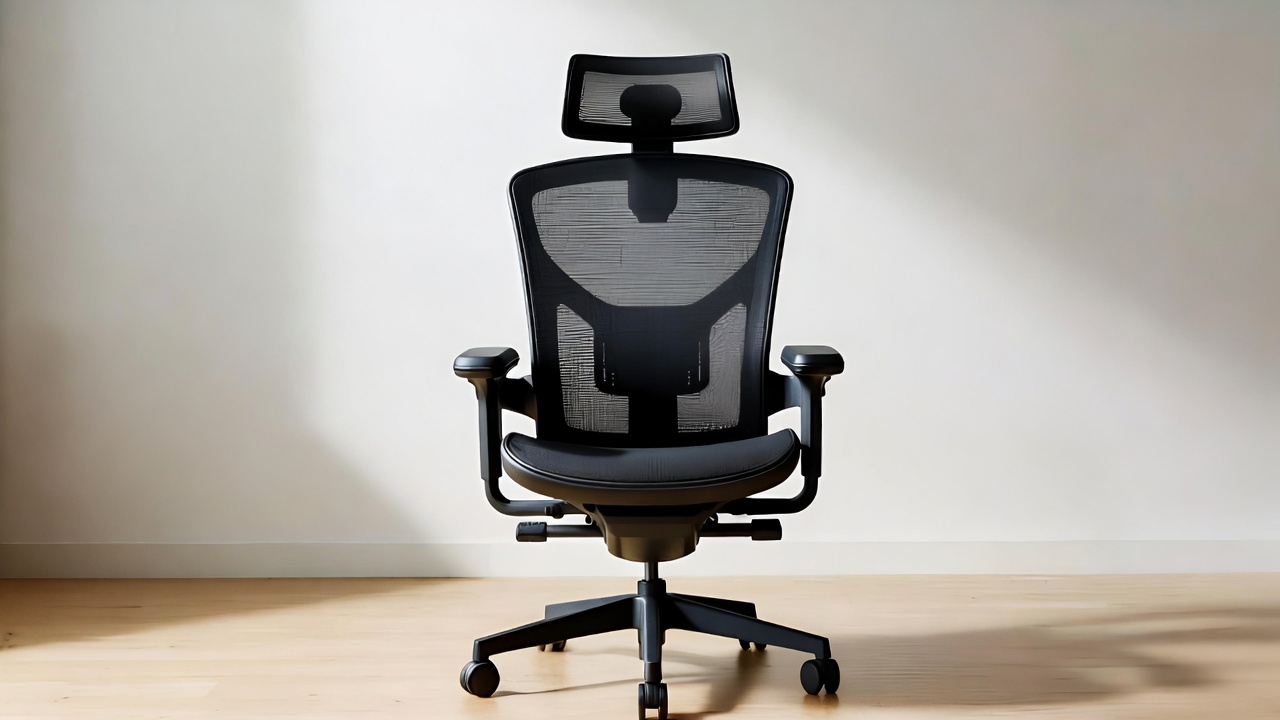
5 Best Desk Chair Under $200 In 2026
Finding the perfect office chair doesn’t mean you need to empty your wallet. The right desk chair supports your back, keeps you comfortable during long work sessions, and fits your budget. After testing and researching dozens of options, we’ve found five outstanding chairs that deliver professional-grade comfort without the premium price tag.
Your seating choice affects everything from your posture to your productivity. A good chair prevents back pain, reduces fatigue, and helps you stay focused on your work. The chairs in this guide offer ergonomic features, durable construction, and comfort that rivals models costing twice as much.
Why Your Office Chair Matters
Sitting for extended periods puts stress on your spine, shoulders, and neck. An uncomfortable chair leads to poor posture, which creates muscle tension and chronic pain. People who work from home or spend hours at a computer desk need proper lumbar support and adjustable features to maintain healthy alignment.
The budget-friendly chairs we’ve selected include essential ergonomic elements like adjustable height, lumbar support, and breathable materials. These features help you maintain proper posture and stay comfortable throughout your workday. Each model offers different strengths, so you can find the perfect match for your needs and workspace.
Top 5 Desk Chairs Under $200
1. BestOffice Ergonomic Office Chair – Best Overall Value
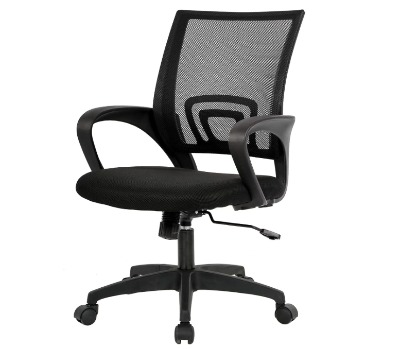
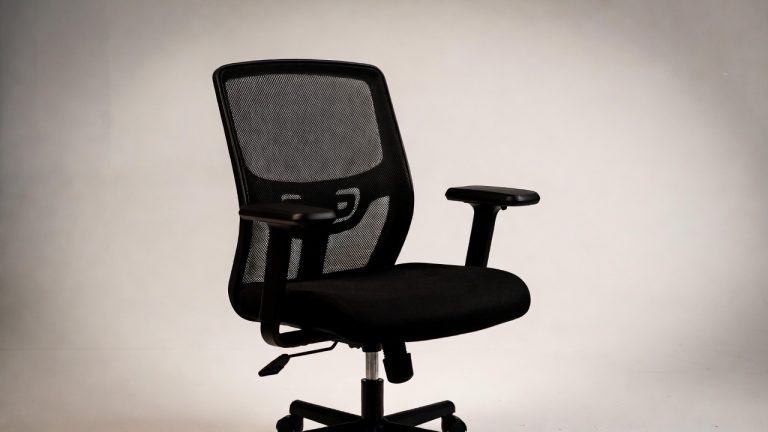
The BestOffice Ergonomic Office Chair stands out as our top pick for people seeking reliable comfort and support. This mid-back chair combines breathable mesh construction with thoughtful ergonomic design, making it ideal for extended sitting sessions.
Product Description
This chair features a breathable mesh backrest that promotes airflow and prevents heat buildup during long work hours. The built-in lumbar support curves naturally to follow your spine’s contour, reducing lower back strain. Its sponge seat cushion provides soft yet supportive padding that maintains its shape over time.
The pneumatic height adjustment system lets you customize the chair to your desk height. Smooth-rolling casters work well on both carpet and hard floors, giving you easy mobility around your workspace. The 360-degree swivel base helps you reach different areas of your desk without straining.
Key Features
- Breathable mesh backrest for temperature control
- Integrated lumbar support system
- High-density sponge seat cushion
- Pneumatic height adjustment
- Smooth-rolling wheels
- 360-degree swivel functionality
- Weight capacity up to 250 pounds
Pros
- Excellent breathability prevents sweating
- Strong lumbar support reduces back pain
- Easy assembly with clear instructions
- Stable base doesn’t wobble
- Comfortable for 8+ hour workdays
- Sleek professional appearance
- Budget-friendly price point
Cons
- Armrests are not adjustable
- Seat cushion might feel firm for some users
- Not suitable for very tall individuals (over 6’2″)
Best For: Home office workers, students, and professionals who value breathability and back support on a budget.
2. Furmax Office Executive Chair – Best for Professional Look
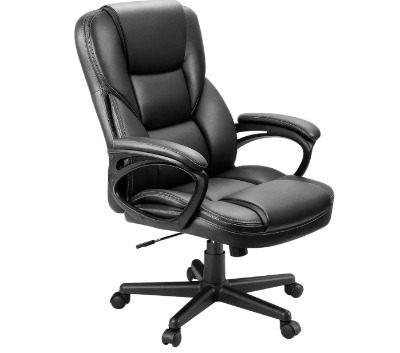
The Furmax Office Executive Chair brings executive-level comfort and style to the affordable chair category. Its high-back design and premium PU leather upholstery create an impressive appearance that works well in professional settings.
Product Description
This high-back chair wraps you in comfortable PU leather that’s easy to clean and maintain. The tall backrest supports your entire spine from your lower back up to your shoulder blades. Built-in lumbar support helps maintain the natural curve of your spine, reducing fatigue during marathon work sessions.
The padded armrests give your elbows and forearms a comfortable resting place, taking pressure off your shoulders. Height adjustment lets you find your perfect position relative to your desk. The chair reclines slightly, allowing you to lean back and stretch when you need a break.
Key Features
- High-back design for full spine support
- PU leather upholstery
- Built-in lumbar support cushion
- Padded armrests
- Tilt and recline mechanism
- Gas lift height adjustment
- Heavy-duty base supports up to 280 pounds
Pros
- Professional executive appearance
- Comfortable PU leather is easy to wipe clean
- High back provides excellent upper body support
- Sturdy construction feels solid
- Armrest padding reduces elbow pressure
- Smooth height adjustment
- Great value for the features offered
Cons
- PU leather may crack after extended use
- Takes longer to assemble than mesh chairs
- Can feel warm in hot weather
- Bulkier footprint than mid-back options
Best For: Professionals who want an executive look, people who prefer leather chairs, and those needing full back support.
3. Ergonomic Mesh Office Chair with Flip-Up Arms – Best Flexibility
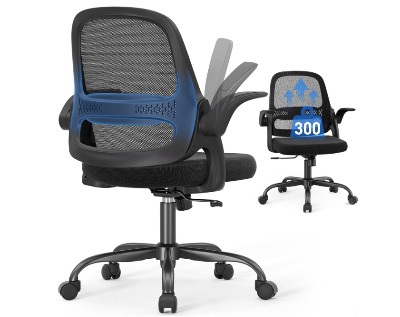
This BIFMA-certified mesh chair offers exceptional versatility with its flip-up armrests and breathable design. The combination of comfort features and space-saving functionality makes it perfect for smaller workspaces.
Product Description
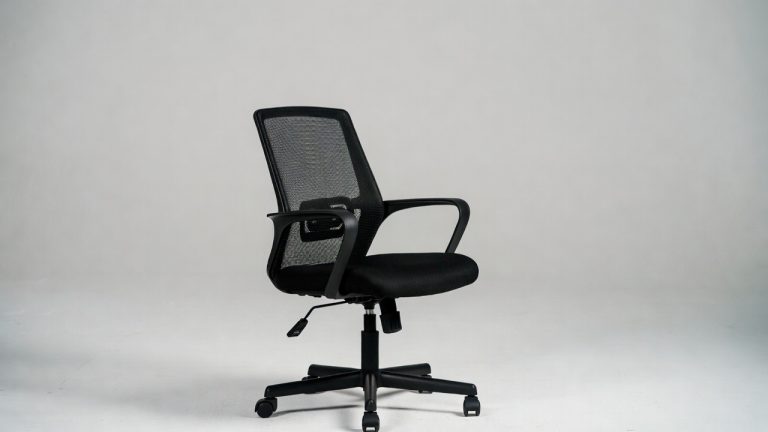
The breathable mesh back keeps air circulating around your body, preventing the discomfort that comes from sitting in one position for hours. Its thick seat cushion uses high-density foam that supports your weight without bottoming out. The flip-up armrests are a standout feature, letting you push the chair completely under your desk when not in use.
BIFMA certification means this chair meets strict standards for safety and durability. The robust frame supports users up to 300 pounds, making it suitable for a wide range of body types. Smooth-rolling casters and 360-degree swivel give you freedom of movement around your workspace.
Key Features
- Breathable mesh backrest
- Thick high-density foam seat cushion
- Flip-up armrests for space saving
- BIFMA certification for quality assurance
- Supports up to 300 pounds
- Adjustable seat height
- Durable rolling casters
Pros
- Flip-up arms allow compact storage
- Excellent breathability for warm climates
- Higher weight capacity than competitors
- BIFMA certification ensures quality
- Thick cushion stays comfortable all day
- Easy to move across different floor types
- Simple assembly process
Cons
- Lumbar support is less pronounced than others
- Mesh back may stretch over time
- Armrests cannot adjust in height
- Minimalist design may look too basic for some
Best For: People with limited space, those who prefer armrest flexibility, and users who run warm while sitting.
4. DUMOS Office Desk Chair – Best Ergonomic Features
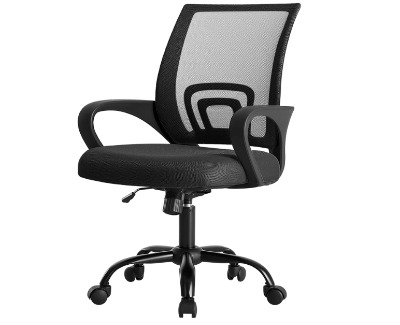
The DUMOS Office Desk Chair packs impressive ergonomic features into an affordable package. Its rocking mode and innovative storage back set it apart from standard budget chairs.
Product Description
This mid-back chair includes a rocking mechanism that lets you lean back and relax without leaving your seat. The lumbar support system helps maintain proper spinal alignment during both work and relaxation. A unique storage compartment in the back lets you keep documents, notebooks, or personal items within easy reach.
The height adjustment system works smoothly, allowing you to find your ideal sitting position quickly. Fixed armrests provide consistent elbow support, helping reduce shoulder strain. The 360-degree swivel base and rolling casters give you complete mobility around your desk area.
Key Features
- Ergonomic mid-back design
- Integrated lumbar support
- Rocking mode for relaxation
- Storage back compartment
- Height adjustment mechanism
- Fixed armrests
- 360-degree swivel base
- Suitable for multiple settings (home office, gaming, meetings)
Pros
- Rocking function adds comfort and versatility
- Built-in storage is genuinely useful
- Strong lumbar support reduces back strain
- Works well for various activities
- Solid construction feels stable
- Easy height adjustment
- Good value for unique features
Cons
- Armrests don’t adjust
- Storage back might not appeal to everyone
- Assembly requires patience
- Seat cushion could use more padding
Best For: Multi-taskers who need storage, people who like to rock while thinking, and those seeking unique ergonomic features.
5. Amazon Basics Classic Puresoft – Best Simple Design
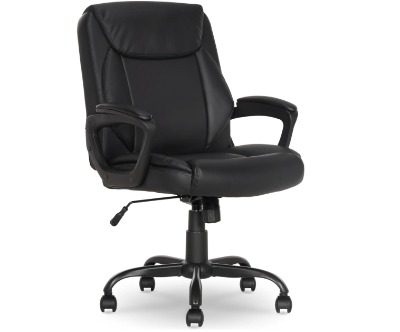
The Amazon Basics Classic Puresoft chair proves that simple design can deliver reliable comfort. This straightforward office chair focuses on the essentials without unnecessary complications.
Product Description
This mid-back chair features Puresoft PU padding that creates a comfortable seating surface. The padded backrest and seat work together to support your body during regular office tasks. Fixed armrests give your arms a place to rest, reducing tension in your shoulders and neck.
The pneumatic height adjustment lets you raise or lower the seat to match your desk height. A tilt mechanism allows you to lean back slightly, giving you flexibility in how you sit. The five-wheel base provides stability and smooth movement across your office floor.
Key Features
- Puresoft PU padded construction
- Mid-back design
- Fixed padded armrests
- Pneumatic height adjustment
- Tilt mechanism
- Five-wheel base
- Dimensions: 26″D x 23.75″W x 42″H
Pros
- Affordable entry-level price
- Simple assembly process
- Reliable Amazon Basics quality
- Comfortable padding
- Clean, professional appearance
- Lightweight and easy to move
- Good basic functionality
Cons
- Limited ergonomic adjustments
- Less breathable than mesh options
- Basic design lacks premium features
- Padding may compress over extended use
- Lower weight capacity than competitors
Best For: Budget-conscious shoppers, people wanting simple reliable seating, and those who prefer straightforward designs.
How to Choose the Right Desk Chair
Finding your ideal office chair depends on several important factors. Your body type, work habits, and workspace all play a role in determining which chair suits you best.
Back Support and Posture
Lumbar support is critical for maintaining healthy posture. Look for chairs with built-in lumbar cushions or adjustable support systems. Your lower back should feel supported without being pushed forward unnaturally. The backrest should follow the natural S-curve of your spine.
Mid-back chairs work well for most people and typical desk work. High-back chairs provide additional support for your upper back and shoulders, which helps if you lean back frequently. Consider how you naturally sit and what areas of your back need the most support.
Seat Comfort and Cushioning
The seat cushion affects how long you can sit comfortably. High-density foam maintains its shape better than cheaper padding materials. The seat should be wide enough to support your thighs without cutting into the backs of your knees.
Breathable materials like mesh prevent heat buildup during long sitting sessions. PU leather and padded seats offer a different kind of comfort but can get warm. Think about your climate and how much you tend to overheat while sitting.
Adjustability Features
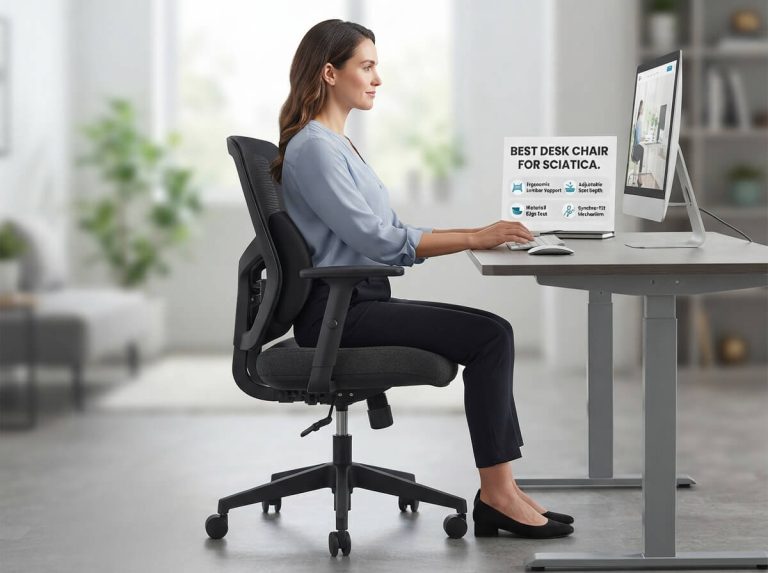
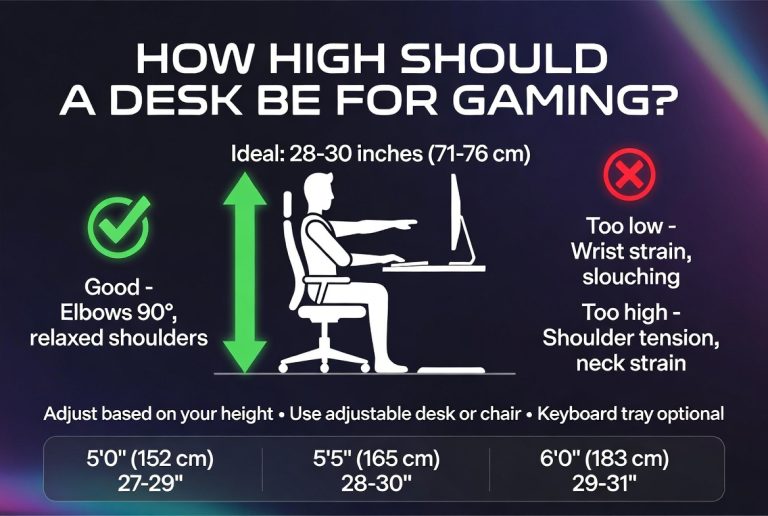
Height adjustment is essential for achieving proper desk ergonomics. Your feet should rest flat on the floor with your thighs parallel to the ground. Your elbows should bend at roughly 90 degrees when typing.
Armrests support your forearms and reduce shoulder tension. Adjustable armrests let you fine-tune their height and position. Flip-up armrests work well if you need to get close to your desk or store your chair underneath it.
Material Quality and Durability
Mesh backrests promote airflow and keep you cool. They’re durable but can stretch over time with heavy use. PU leather looks professional and wipes clean easily but may crack or peel with age.
Check the weight capacity to ensure the chair can support you comfortably. A sturdy base and quality casters contribute to the chair’s overall stability and longevity. Read reviews to learn how chairs hold up with daily use.
Space Considerations
Measure your workspace before buying a chair. High-back chairs need more clearance and take up more visual space. Mid-back chairs fit better in compact home offices or shared workspaces.
Consider the chair’s footprint when fully extended. Swivel bases need room to rotate, and reclining mechanisms require clearance behind the chair. Flip-up armrests help if you need to tuck your chair under a desk.
Common Desk Chair Features Explained
Understanding chair features helps you make an informed decision about which model meets your needs.
Pneumatic Height Adjustment
This gas lift system lets you raise or lower your seat with a lever. It’s the most common height adjustment mechanism and works reliably on quality chairs. The cylinder should move smoothly and hold your selected height without slipping.
Tilt and Recline Mechanisms
Tilt functions let you lean back in your chair, which reduces pressure on your spine. Some chairs lock in different recline positions, while others have tension control that adjusts how easily the chair tilts. Rocking mechanisms let you gently sway back and forth.
Lumbar Support Systems
Built-in lumbar support cushions push against your lower back to maintain its natural curve. Some chairs have adjustable lumbar support that moves up or down to match your spine’s position. Proper lumbar support prevents slouching and reduces back pain.
Armrest Types
Fixed armrests stay in one position and provide basic arm support. Adjustable armrests move up and down to match your height and desk level. Flip-up armrests rotate out of the way when you don’t need them. Padded armrests feel more comfortable during long work sessions.
Wheel and Base Design
Five-wheel bases provide better stability than four-wheel designs. Larger wheels roll more smoothly and work better on carpet. Some casters are designed specifically for hard floors or carpet, while universal wheels work on both surfaces.
Setting Up Your Chair for Optimal Comfort
Proper chair adjustment makes a huge difference in comfort and posture. Take time to set up your new chair correctly.
Start by adjusting the seat height so your feet rest flat on the floor. Your thighs should be parallel to the ground or angled slightly downward. This position promotes good circulation and reduces pressure on the backs of your legs.
Position the backrest to support your spine’s natural curve. Your lower back should contact the lumbar support, and you should be able to sit back comfortably without slouching. The backrest shouldn’t push you forward or leave a gap behind your lower back.
Adjust armrests so your shoulders stay relaxed while your arms rest comfortably. Your elbows should bend at about 90 degrees when typing. If your armrests are too high, they’ll push your shoulders up and create tension. Too low, and you’ll hunch forward to reach them.
Test the tilt tension and recline settings. You should be able to lean back without the chair tipping too easily, but it shouldn’t require excessive force. Lock the tilt if you prefer a stationary position or leave it unlocked for flexibility.
Maintaining Your Office Chair
Regular maintenance extends your chair’s life and keeps it working smoothly. Simple care routines prevent common problems and maintain comfort.
Clean mesh backrests with a vacuum attachment to remove dust and debris. Wipe down PU leather with a damp cloth and mild soap, then dry it thoroughly. Avoid harsh chemicals that can damage the material or cause discoloration.
Tighten loose screws and bolts every few months. Regular use can cause connections to loosen, which leads to wobbling and reduced stability. Check all attachment points, especially where the seat connects to the base and where the backrest attaches to the frame.
Lubricate moving parts if they start squeaking or sticking. A small amount of silicone spray on the height adjustment mechanism and tilt mechanism keeps them operating smoothly. Wipe away excess lubricant to prevent it from attracting dust.
Inspect casters regularly for debris wrapped around the wheels. Hair, string, and carpet fibers can interfere with smooth rolling. Remove obstructions and wipe the wheels clean to maintain easy movement.
Ergonomic Tips for Healthy Sitting
Even the best chair can’t prevent discomfort if you maintain poor habits. Follow these ergonomic principles to stay comfortable and healthy.
Take regular breaks from sitting. Stand up and move around every 30-60 minutes to promote circulation and reduce muscle fatigue. Simple stretches help relieve tension in your back, neck, and shoulders.
Position your computer monitor at eye level to prevent neck strain. The top of your screen should be at or slightly below eye height, and you should be able to view it without tilting your head up or down.
Keep frequently used items within easy reach to avoid excessive twisting and stretching. Your keyboard and mouse should be close enough that your elbows stay near your body while you work.
Maintain good posture by sitting back in your chair with your lower back against the lumbar support. Avoid perching on the front edge of your seat, which eliminates the benefits of your chair’s ergonomic features.
Frequently Asked Questions
How long do budget office chairs typically last?
Quality chairs in this price range usually last 2-4 years with regular daily use. Proper maintenance and avoiding weight limits extends their lifespan. Mesh chairs often outlast PU leather models, which can crack or peel over time.
Do I need armrests on my desk chair?
Armrests reduce shoulder and neck tension by supporting your arms while you work. They’re particularly helpful if you spend long hours typing. Some people prefer chairs without armrests if they interfere with desk positioning or personal preference.
What’s the difference between mid-back and high-back chairs?
Mid-back chairs support your lower and middle back, which works well for most desk work. High-back chairs extend up to your shoulders, providing additional upper back and neck support. High-back chairs typically feel more executive-style and take up more space.
Can office chairs damage hardwood floors?
Standard plastic casters can scratch hardwood floors over time. Look for soft rubber wheels designed for hard floors, or use a chair mat to protect your flooring. The wheels on these budget chairs typically work on both carpet and hard floors without damage.
How much assembly is required?
Most budget office chairs require 15-30 minutes of assembly. You’ll typically attach the wheels, base, gas lift cylinder, seat, and backrest. Basic tools are usually included, and instructions guide you through the process step by step.
What weight capacity should I look for?
Check the manufacturer’s stated weight capacity and choose a chair rated for at least 20-30 pounds more than your weight. This safety margin ensures comfortable support and extends the chair’s lifespan. Chairs in this guide range from 250-300 pound capacities.
Is mesh or padding more comfortable?
This depends on personal preference and climate. Mesh promotes airflow and stays cooler, making it ideal for warm environments. Padded seats feel softer initially but can compress over time. Many people find mesh more comfortable for all-day sitting.
Making Your Final Decision
Each chair in this guide offers distinct advantages for different users and situations. The BestOffice Ergonomic Chair provides the best overall balance of comfort, support, and value for most people. Its breathable design and solid lumbar support make it ideal for long work sessions.
The Furmax Executive Chair suits professionals who want a more polished look and full back support. Its high-back design and leather upholstery create an executive appearance without the premium price.
The Ergonomic Mesh Chair with flip-up arms works perfectly for compact spaces and people who value flexibility. Its space-saving design and higher weight capacity make it versatile for various users and situations.
The DUMOS chair brings unique features like rocking mode and back storage that appeal to multi-taskers and creative workers. These extras add functionality that goes beyond basic seating.
The Amazon Basics Classic offers straightforward comfort for budget-conscious buyers who want reliable basics without complicated features. Its simple design and easy assembly make it accessible for everyone.
Your ideal chair depends on your specific needs, body type, workspace, and preferences. Consider which features matter most to you, and choose the chair that best addresses your priorities. Any of these five options will serve you well and keep you comfortable without breaking your budget.
Investing in a quality desk chair improves your daily comfort and long-term health. The right chair supports proper posture, reduces pain, and helps you stay focused on your work. With these budget-friendly options, you don’t need to sacrifice quality to stay within your spending limit.

Hi, I’m Mary, the founder of Homygear.com. I’m passionate about creating a comfortable, smart, and beautiful home. I share practical insights and real-world experience on home gear that makes everyday life easier. Behind the scenes, my dedicated research team studies products in depth, and our writers craft honest reviews using trusted, authentic sources—so you can choose home gear with confidence.