How to Reduce Neck Pain From Desk Work?
Do you spend most of your day hunched over a keyboard? That ache in your neck that just won’t go away? You’re not alone. Millions of people deal with neck pain every single day because of desk work, and the good news is that you can fix it.
Neck pain from office work is super common, but it doesn’t have to control your life. This guide walks you through everything you need to know about getting relief from that pesky pain and preventing it from coming back. Let’s dive in.
Why Your Desk Job Hurts Your Neck
Your neck supports your head all day long. When you sit at a desk, your head tends to move forward without you even noticing. This forward head posture puts extra stress on your neck muscles and spine. Over time, this stress builds up and causes pain.
Think about what happens during your workday. You look down at your keyboard. You crane your neck to see your monitor. You turn your head to check your phone. Each tiny movement adds strain to your cervical spine, which is the part of your spine in your neck. When you repeat these movements for eight hours straight, five days a week, your muscles get tired and tight.
The muscle tension in your neck doesn’t just appear out of nowhere either. Poor desk ergonomics, weak upper back muscles, and stress all combine to create the perfect storm for neck pain. Your body holds tension when you feel stressed, and guess where that tension goes first? Your neck and shoulders.
Fix Your Desk Setup First
The number one thing you can do right now is fix how your desk looks. Your workspace setup makes a huge difference in how much your neck hurts.
Get Your Monitor at Eye Level
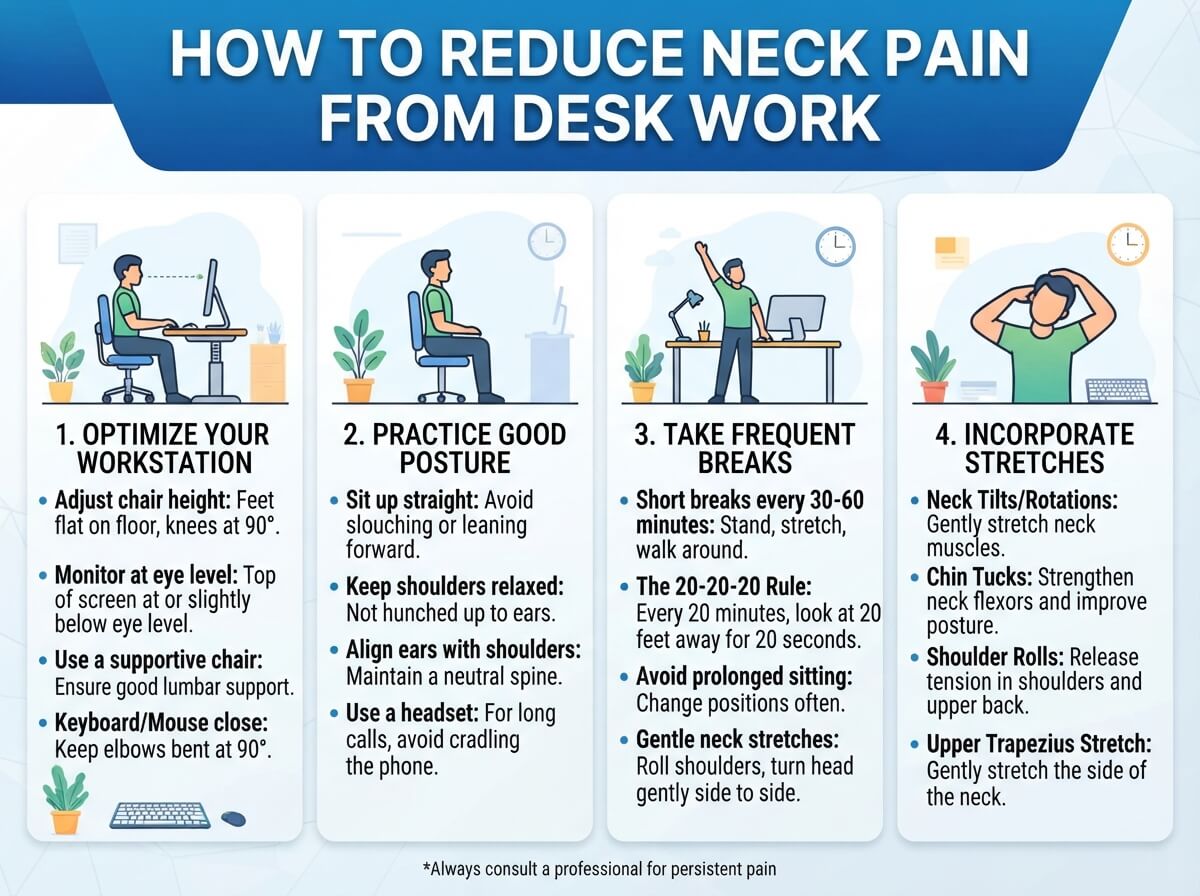
Your monitor should sit directly in front of you at eye level. When the top of your screen sits at or slightly below eye level, you keep your neck straight and neutral. Tilt your monitor up if you need to. If your screen sits too low, you’ll bend your neck downward, and that’s the worst thing you can do for your spine.
Measure the distance from your eyes to the screen. Your monitor should sit about 20 to 26 inches away from your face. This is close enough to see clearly without squinting, but far enough that you’re not straining forward.
Position Your Keyboard and Mouse Right
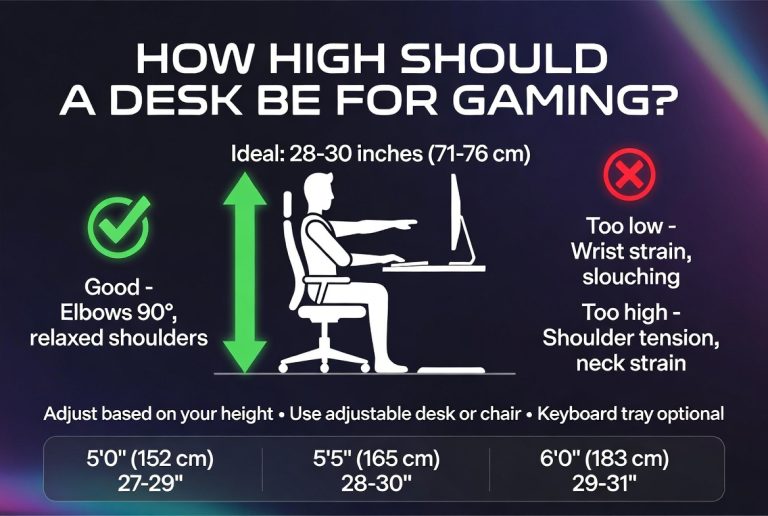
Your keyboard and mouse should sit at a height where your elbows bend at roughly 90 degrees. Your wrists should stay straight and neutral, not bent up or down. When your keyboard sits too high or too low, you compensate by raising or lowering your shoulders, which creates neck strain.
Put your keyboard and mouse close together so you don’t have to reach far. The farther you reach, the more you twist your spine and tense your neck muscles. Keep everything within arm’s reach.
Invest in a Document Holder
If you work with papers or reference documents, use a document holder. Place it at eye level next to your monitor. This stops you from looking down at papers on your desk, which is terrible for your neck.
Strengthen Your Neck and Upper Back
Weak muscles make neck pain worse. Your neck muscles support your head, and if they’re weak, they can’t do their job properly. You need to build strength in your neck and upper back.
Do Neck Stretches Every Day
Stretching helps loosen tight muscles and improves your range of motion. Do these stretches slowly and gently. Never force a stretch or bounce.
The neck tilt stretch is simple. Sit up straight and slowly tilt your head toward your right shoulder. Hold it for 30 seconds. Feel the stretch on the left side of your neck. Then tilt your head to the left side and hold for 30 seconds. Do this a few times throughout your day.
The chin tuck is another great stretch. Sit with good posture and gently draw your chin back like you’re making a double chin. Hold for a few seconds and release. This stretch strengthens your front neck muscles and helps correct forward head posture.
Try the shoulder roll too. Roll your shoulders backward in a smooth circle about 10 times. Then roll them forward 10 times. This releases tension in your upper back and shoulders.
Build Strength With Resistance Exercises
Strength training helps your muscles support your spine better. You don’t need heavy weights or fancy equipment.
Do neck isometric exercises. Place your hand against your head and push your head into your hand without actually moving. Hold for 5 seconds and release. Do this in four directions: forward, backward, and to each side. Repeat three times in each direction.
The wall push-up is great for your upper back. Stand with your back against a wall and place your hands on the wall at shoulder height. Push your chest forward while keeping your hips against the wall. Hold for 5 seconds and repeat 10 times. This strengthens your back muscles.
Try reverse flys if you have light dumbbells. Stand with a slight bend in your knees and hinge forward at your hips. Let your arms hang down with a dumbbell in each hand. Lift your arms out to your sides until they’re level with your shoulders. Lower them slowly. Do 3 sets of 12 repetitions.
Take Regular Breaks From Your Screen
Sitting still for hours is murder on your neck and back. Your muscles get stiff and your mind gets foggy. Breaking up your day helps both problems.
Use the 20-20-20 Rule
Every 20 minutes, stop working and look at something 20 feet away for 20 seconds. This gives your eyes a break and forces you to change your posture. When you look far away, you naturally sit back and relax your neck muscles.
Set a timer on your phone or computer so you don’t forget. These short breaks add up and make a real difference over the course of your day.
Stand Up and Move Around
Sit for 30 or 60 minutes, then stand up for a few minutes. Walk around your office. Walk to get water. Do some gentle stretches. Movement keeps your muscles from getting too tight and stiff.
Standing meetings are amazing for this. If you can, hold some of your meetings while standing or walking. This breaks up your sitting time and keeps your blood flowing.
Improve Your Posture While Sitting
Good posture is key to reducing neck pain. Bad posture is often the root cause of the problem, so fixing it stops pain from starting in the first place.
Sit Like You Mean It
Sit all the way back in your chair. Your back should touch the backrest. Adjust the chair height so your feet rest flat on the floor and your thighs stay parallel to the ground. Your knees should bend at about 90 degrees.
Keep your shoulders relaxed and pulled back slightly. Imagine a string attached to the top of your head pulling you up. Your spine should have a natural S-shape with a small curve in your lower back.
Your head should sit straight over your shoulders, not forward. This neutral neck position takes stress off your cervical spine. At first, good posture feels weird and hard, but your body adjusts fast. After a few days, good posture feels natural.
Watch Out for Text Neck
Text neck is what happens when you look down at your phone or tablet for too long. Your neck bends forward at a sharp angle, which puts tons of pressure on your spine. If you’re texting or looking at your phone, hold it up at eye level instead of looking down. This simple change saves your neck from unnecessary strain.
Apply Heat and Ice for Pain Relief
Heat and ice both help with neck pain, but they work differently. Knowing when to use each one speeds up your recovery.
Use Heat for Tightness
Apply heat to your neck when your muscles feel tight and stiff. Heat relaxes tight muscles and brings blood flow to the area. Take a warm shower and let the water run over your neck. Use a heating pad on your neck for 15 to 20 minutes. Drink a warm beverage.
Heat works best for ongoing muscle tightness from daily desk work. Heat before you stretch for best results. Your muscles stretch better when they’re warm and loose.
Use Ice for Swelling
If your neck feels swollen or inflamed, ice is your friend. Ice reduces swelling and numbs pain. Wrap ice in a thin towel so it doesn’t touch your skin directly. Apply it to your neck for 10 to 15 minutes. Take a break for at least 10 minutes before applying ice again.
Use ice right after an injury or when you first notice swelling. Ice works best for acute pain that just started.
Manage Stress to Ease Neck Tension
Stress and neck pain go hand in hand. When you feel stressed, your muscles tighten up. Your neck is one of the first places this happens. Stress management is an actual treatment for neck pain.
Practice Deep Breathing
Take slow, deep breaths. Breathe in through your nose for a count of four. Hold it for four counts. Breathe out through your mouth for four counts. Do this for a minute or two whenever you feel stressed. Deep breathing calms your nervous system and relaxes your muscles.
Try Meditation or Mindfulness
Meditation doesn’t need to be complicated. Sit quietly and focus on your breathing. When your mind wanders, gently bring it back to your breath. Spend just 10 minutes doing this. Regular meditation lowers stress and reduces muscle tension.
Get Moving With Exercise
Exercise is stress relief magic. Go for a walk, ride a bike, or do yoga. Physical activity releases endorphins, which are natural pain-relievers. Exercise also tires out your body so you sleep better, and good sleep helps your body repair itself.
Yoga is especially good for neck pain. Gentle yoga stretches your neck and strengthens your core at the same time. Core strength helps your posture too.
Consider Your Sleep Setup
You spend a third of your life sleeping. If your sleep setup is bad, it can cause or make neck pain worse. Your pillow and mattress matter more than you think.
Get the Right Pillow
Your pillow should support your neck in a neutral position. Your neck should be in a straight line with your spine when you sleep. A pillow that’s too high or too low throws off this alignment and causes pain.
Side sleepers usually need a thicker pillow than back sleepers. Find a pillow that keeps your head level with your spine. Memory foam pillows often work well because they conform to the shape of your neck.
Check Your Mattress
Your mattress should support your entire spine, including your neck. A mattress that’s too soft doesn’t provide enough support. A mattress that’s too hard causes pressure points. Test mattresses before you buy and get one that feels right for your body.
Sleep on your back or side rather than your stomach. Sleeping on your stomach forces you to turn your head to breathe, which creates neck strain all night long.
Be Smart About Your Workspace Accessories
Some simple accessories can make a huge difference in your desk ergonomics and neck pain.
A Good Office Chair Matters
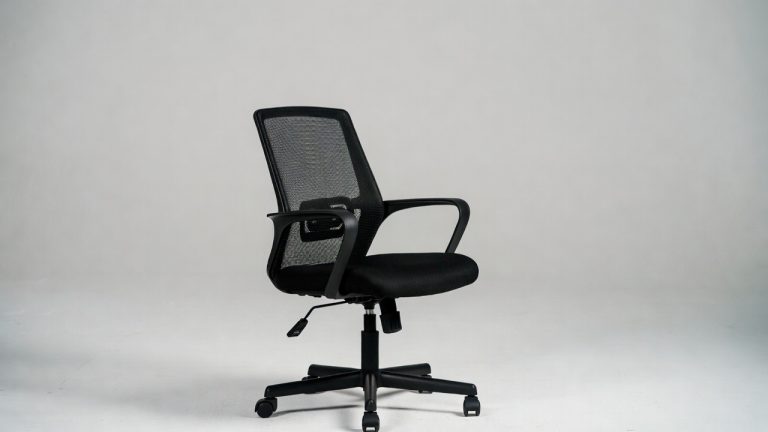
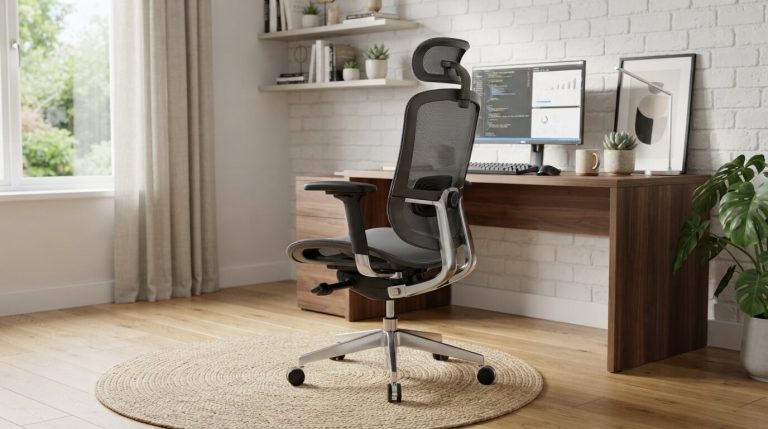
Your office chair should have a supportive backrest that holds the natural curve of your spine. The armrests should support your arms without forcing your shoulders up. A chair with these features costs more upfront but saves your neck pain and back pain in the long run.
Spend time adjusting your chair. Move the backrest, adjust the height, and position the armrests so they fit your body. A chair that fits you well reduces strain on your entire spine, especially your neck.
Keyboard and Mouse Upgrades Help
An ergonomic keyboard sits at an angle that keeps your wrists straight. This reduces tension in your arms and shoulders, which improves your posture. An ergonomic mouse fits your hand better and lets you click without twisting your wrist.
These upgrades cost money, but they work. If you can’t upgrade right now, just focus on positioning your current keyboard and mouse better.
A Monitor Arm Gives You Flexibility
A monitor arm lets you adjust your screen height and distance easily. You can move it up or down, forward or back. This flexibility makes it simple to find the perfect position for your eyes and neck.
Watch for Red Flags
Most neck pain from desk work gets better with these strategies, but sometimes you need professional help. Talk to a doctor if your neck pain:
- Gets worse instead of better
- Spreads down your arm or causes numbness
- Comes with headaches that won’t stop
- Happens after an injury
- Affects your sleep or daily activities
A doctor can check you out and make sure something serious isn’t going on. Physical therapy is super helpful for neck pain. A physical therapist teaches you exercises tailored to your specific problem.
Create Your Neck Pain Action Plan
You now have lots of tools to fight neck pain. Pick a few strategies and start today. You don’t have to do everything at once.
Start with these three things:
- Fix your monitor height so it sits at eye level
- Do neck stretches three times a day
- Take a break every 20 minutes to look away from your screen
Do these for a week and notice how you feel. Once these feel natural, add more strategies. Build your own routine that works for your life.
The Bottom Line
Neck pain from desk work is fixable. Your body responds quickly when you give it what it needs. Better posture, stronger muscles, regular breaks, and a good workspace setup all add up to less pain.
You don’t have to live with that constant ache anymore. Start making changes today and give your neck a break. Your future self will thank you for taking action now.
Remember, consistency matters more than perfection. Doing these things regularly beats doing them perfectly once. Stick with it and your neck pain will get better.

Hi, I’m Mary, the founder of Homygear.com. I’m passionate about creating a comfortable, smart, and beautiful home. I share practical insights and real-world experience on home gear that makes everyday life easier. Behind the scenes, my dedicated research team studies products in depth, and our writers craft honest reviews using trusted, authentic sources—so you can choose home gear with confidence.