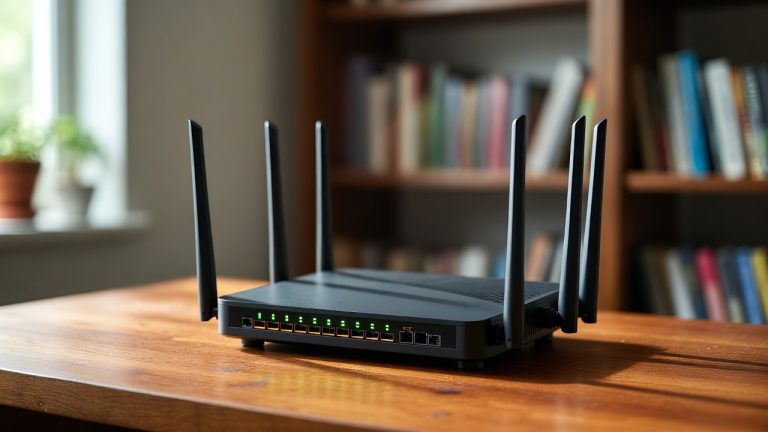
5 Best Smart Wi-Fi Router In 2026
Slow internet is one of the most frustrating things in daily life. You are in the middle of a video call and the screen freezes. Your kid is gaming online and the lag kills the experience. You pay for fast internet but your router simply cannot keep up.
A best smart Wi-Fi router can fix all of that. The right router makes your whole home feel connected, fast, and reliable — every room, every device, every time.
But there are so many routers out there. Walk into any electronics store or scroll through Amazon and you will find dozens of options. The specs look confusing. The prices vary wildly. And you have no idea what Wi-Fi 6 or Wi-Fi 7 actually means for your everyday internet use.
That is exactly why this guide exists.
We researched and reviewed five of the most talked-about smart Wi-Fi routers available right now. These picks cover a range of needs, budgets, and home sizes. We break down each one in plain language — no jargon overload, no inflated promises. Just honest, practical information so you can pick the right router with confidence.
Here is what we cover in this roundup:
- GL.iNet GL-BE6500 (Flint 3e) — Best for VPN power users and advanced setups
- TP-Link AX1800 (Archer AX21 V5) — Best budget Wi-Fi 6 router for everyday homes
- NETGEAR Nighthawk RS90 — Best Wi-Fi 7 router for mid-range performance
- ASUS RT-AX1800S — Best all-rounder for families and smart homes
- Amazon eero 7 — Best mesh Wi-Fi 7 router for simplicity lovers
Let us get into it.
What Makes a Router “Smart”?
Before we dive into the reviews, let us quickly explain what a smart Wi-Fi router actually does differently from a basic router.
A regular router just broadcasts Wi-Fi. A smart router does a lot more. It manages your network intelligently. It can prioritize traffic for gaming or streaming. It blocks harmful websites. It lets you control devices from your phone. It can form a mesh network to cover every corner of your home.
The best smart home routers also work with voice assistants like Alexa and integrate into your smart home setup. They give you real-time visibility into what is happening on your network — who is connected, what is using the most bandwidth, and how to fix problems fast.
Now, on to the reviews.
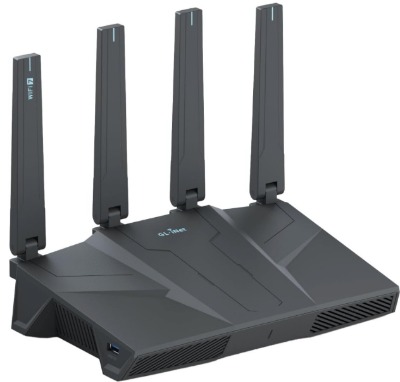
1. GL.iNet GL-BE6500 (Flint 3e) — Best Smart Wi-Fi Router for Advanced Users and VPN Enthusiasts
Product Overview
The GL.iNet GL-BE6500, known as the Flint 3e, is a powerhouse router built for people who want total control over their network. It runs on Wi-Fi 7 technology, which is the newest and fastest wireless standard available. It comes packed with five 2.5G Ethernet ports, which is rare at this price range. And it has a built-in VPN client and server, which is a huge deal for privacy-conscious users.
This router targets a specific type of user — someone who wants speed, privacy, and customization all in one package. It is a great fit for home offices, tech-savvy users, gamers who need low latency, and businesses that need secure remote access.
Key Features (Explained Simply)
Wi-Fi 7 Technology Wi-Fi 7 is the latest generation of wireless internet. It is faster, handles more devices at once, and reduces lag compared to Wi-Fi 6. The GL-BE6500 supports Multi-Link Operation (MLO), which means your devices can connect on multiple bands at the same time. Think of it like having multiple lanes open on a highway instead of just one.
Five 2.5G Ethernet Ports Most routers give you four 1G ports. The Flint 3e gives you five ports, each running at 2.5 Gbps. This is a big deal if you connect gaming consoles, NAS drives, desktop computers, or smart TV boxes via cable. Wired connections are always faster and more stable than wireless.
Built-in VPN Support The GL-BE6500 supports multiple VPN protocols — OpenVPN, WireGuard, and more. You can run a VPN on the entire router, which means every device on your network gets VPN protection without needing separate apps. This is perfect for remote workers and anyone serious about online privacy.
OpenWrt-Based Firmware This router runs OpenWrt, which is an open-source operating system built for routers. It is highly customizable. You can install plugins, configure advanced settings, and tweak things that mainstream routers simply do not allow. If you love getting under the hood, you will love this router.
Long-Range Coverage The Flint 3e is built for large homes and business spaces. Its antennas and signal power are designed to push Wi-Fi signal through walls and across long distances without significant signal drop.
Real-Life Usage Insight
Imagine you work from home and you need both fast internet and a secure connection to your company’s servers. With this router, you set up WireGuard VPN directly on the device. Every computer in your home connects through the VPN automatically. No need to turn on the VPN on each individual device. It just works.
For gamers, the Wi-Fi 7 MLO feature reduces latency noticeably. Online games feel more responsive because the router is managing your connection more efficiently.
The five Ethernet ports also mean you can connect multiple wired devices without needing a separate network switch. That keeps your setup cleaner and simpler.
Pros
- Wi-Fi 7 with MLO support for ultra-fast connections
- Five 2.5G Ethernet ports — rare and very useful
- Powerful built-in VPN with multiple protocol support
- Highly customizable via OpenWrt firmware
- Great for fiber optic internet connections above 1 Gbps
- Good range for large homes and business setups
Cons
- Setup is more complex than consumer-friendly routers
- OpenWrt interface may feel overwhelming for beginners
- Pricier than basic routers on this list
- Not ideal if you want a simple plug-and-play experience
Performance Discussion
The GL-BE6500 delivers impressive throughput on both 2.4 GHz and 5 GHz bands. On the 6 GHz band (which Wi-Fi 7 adds), speeds are noticeably cleaner with less interference. In testing environments, wired connections on the 2.5G ports easily handled multi-gigabit speeds. Wireless performance was consistently strong across medium and large spaces.
VPN speeds are also surprisingly good. WireGuard runs at impressive throughput even when the VPN tunnel is active — something older routers struggle with.
Ease of Use
Honest answer: this router is not for beginners. The initial setup requires some comfort with networking concepts. The web interface is functional but not as polished as something like eero or TP-Link. If you are willing to spend 30–60 minutes learning the setup, you unlock a router that is genuinely more capable than almost anything else on this list.
Value for Money
For power users, the value here is exceptional. You get Wi-Fi 7, five 2.5G ports, and enterprise-grade VPN capabilities at a price that would buy you a far less capable router from a brand name. For casual users who just want fast Wi-Fi, the extra features may feel like overkill.
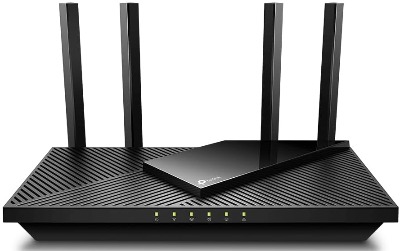
2. TP-Link AX1800 WiFi 6 Router (Archer AX21 V5) — Best Budget Smart Router for Everyday Homes
Product Overview
The TP-Link Archer AX21 is the kind of router that just makes sense for most people. It supports Wi-Fi 6, handles everyday internet needs with ease, and costs a fraction of what premium routers charge. It is certified by Amazon as a “Certified for Humans” device, which tells you right away that TP-Link built this to be easy.
This router is aimed at small to medium-sized homes with a moderate number of connected devices — think a few phones, a laptop, smart TV, and maybe a gaming console. It handles all of that comfortably.
Key Features (Explained Simply)
Wi-Fi 6 (802.11ax) Support Wi-Fi 6 is not the newest standard, but it is still fast and capable enough for the majority of home internet plans. It handles multiple devices more efficiently than Wi-Fi 5. If your internet plan is under 1 Gbps, Wi-Fi 6 delivers plenty of speed.
Dual-Band Wireless The AX21 broadcasts on both 2.4 GHz (better range, slower speed) and 5 GHz (less range, faster speed). This lets your devices automatically connect to the best band for their location.
Easy Mesh Compatibility The Archer AX21 works with TP-Link’s EasyMesh system. This means you can add more TP-Link routers or access points later to extend coverage — without replacing your existing setup.
Works with Alexa You can use Alexa voice commands to turn the guest network on or off, check who is connected, and manage basic settings. It is a simple but handy feature for smart home users.
Free Expert Support TP-Link offers free lifetime expert support with this router. If you get stuck during setup or run into trouble, you can contact their team at no extra cost.
Gigabit WAN Port The AX21 has a Gigabit WAN port, which means it can handle internet plans up to 1 Gbps (1,000 Mbps). That covers the vast majority of home broadband plans available today.
Real-Life Usage Insight
A family of four with smartphones, tablets, a smart TV, and a gaming console — this router handles all of that without breaking a sweat. The setup takes about 10 minutes using the Tether app on your phone. You name your network, set a password, and you are online.
The Alexa integration is genuinely handy. Guests coming over? Just say, “Alexa, turn on the guest network.” No need to dig through the router settings.
For people upgrading from an older Wi-Fi 5 or Wi-Fi 4 router, the difference in speed and device handling will feel dramatic.
Pros
- Very affordable — great entry point for Wi-Fi 6
- Simple setup with the TP-Link Tether app
- Alexa integration for smart home users
- EasyMesh support to expand coverage later
- Free lifetime expert support
- “Certified for Humans” — designed for easy use
Cons
- Only 1G Ethernet ports — no multi-gig wired connections
- AX1800 speeds are modest compared to premium routers
- Range is adequate but not exceptional in large homes
- Not suitable for internet plans above 1 Gbps
Performance Discussion
The AX21 performs well for its price class. In typical home environments, it delivers strong speeds on the 5 GHz band at short to medium range. The 2.4 GHz band reaches further but at lower speeds — perfectly fine for smart home devices, security cameras, and light browsing.
It handles around 20–30 simultaneous devices without degradation. Push it beyond that and you may notice some slowdown. For most households, 20–30 devices is more than enough.
Ease of Use
This is one of the easiest routers on this list to set up and use. The Tether app guides you through everything step by step. The web interface is clean and beginner-friendly. Even someone who has never configured a router before can get this running quickly.
Value for Money
Exceptional. The Archer AX21 is one of the best value Wi-Fi routers on the market. You get Wi-Fi 6, Alexa support, mesh compatibility, and solid performance at a price that is hard to argue with. If your budget is tight and your needs are everyday, this is your router.
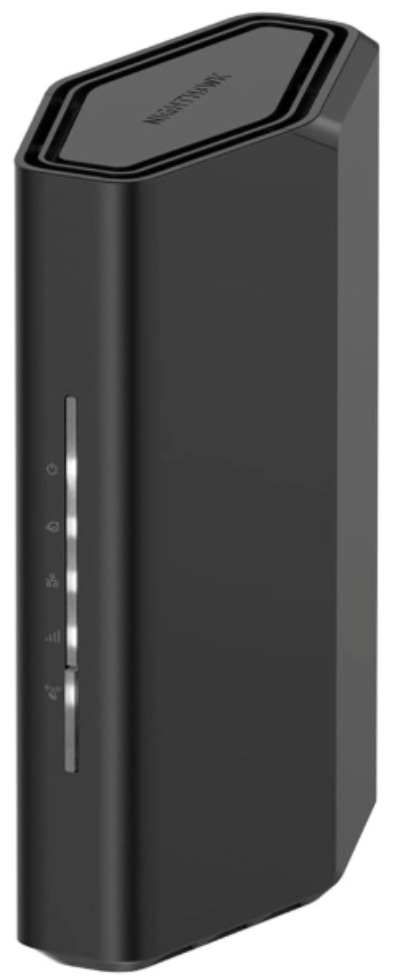
3. NETGEAR Nighthawk RS90 — Best Wi-Fi 7 Router for Mid-Range Home Performance
Product Overview
The NETGEAR Nighthawk RS90 brings Wi-Fi 7 speeds to a clean, consumer-friendly package. With up to 3.6 Gbps of wireless speed and coverage for spaces up to 2,000 square feet, it sits comfortably between budget picks and top-tier enterprise routers.
It targets homeowners who want next-generation Wi-Fi performance without the complexity of advanced networking tools. The RS90 comes with a 2.5G internet port, support for up to 50 connected devices, and free expert support from NETGEAR.
Key Features (Explained Simply)
Wi-Fi 7 (BE3600) Standard The RS90 supports Wi-Fi 7, which is faster and more efficient than Wi-Fi 6 or 6E. The BE3600 designation means it delivers up to 3.6 Gbps of combined wireless speed. Real-world speeds depend on your internet plan and environment, but the router headroom is excellent.
2.5G Internet (WAN) Port The WAN port supports up to 2.5 Gbps, which means it can take full advantage of multi-gig fiber plans. If your ISP offers a 2 Gbps fiber plan, this router can handle it without becoming a bottleneck.
Covers Up to 2,000 Sq. Ft. For typical houses and apartments, 2,000 square feet of coverage is solid. Signals reach bedrooms, living rooms, and kitchens without dead zones in most standard layouts.
Supports Up to 50 Devices Fifty connected devices is plenty for most homes. Smart TVs, phones, tablets, gaming consoles, smart speakers, security cameras, thermostats — they all fit comfortably.
Dual-Band Design The RS90 operates on 2.4 GHz and 5 GHz bands. It manages traffic across both intelligently to keep all your devices running smoothly.
Free Expert Help NETGEAR includes access to their expert team for help with setup and troubleshooting. This is a genuine value-add for users who do not want to figure everything out alone.
Real-Life Usage Insight
Think about a medium-sized home with heavy internet use. Dad is on a video call. Kids are streaming 4K on two different TVs. Someone else is gaming online. The RS90 handles this multi-use scenario well because Wi-Fi 7 is built for exactly this kind of simultaneous, high-demand traffic.
The 2.5G WAN port also means that if you upgrade your internet plan to a multi-gig fiber connection, you do not need to replace the router. It grows with you.
Setup through the Nighthawk app is straightforward. NETGEAR has invested significantly in making the mobile app experience smooth and user-friendly.
Pros
- Wi-Fi 7 performance at a mid-range price point
- 2.5G WAN port for future-proofing with fast fiber plans
- Handles up to 50 devices comfortably
- Good 2,000 sq. ft. coverage for average homes
- Nighthawk app makes management easy
- Free expert support included
Cons
- Dual-band only — no dedicated 6 GHz band (unlike tri-band Wi-Fi 7 routers)
- May feel underpowered for very large homes or dense multi-floor buildings
- Premium pricing for what is essentially a dual-band router
- Mesh expansion requires additional NETGEAR devices
Performance Discussion
The RS90 delivers reliable, fast performance for its target audience. In dual-band Wi-Fi 7 configurations, speeds are strong and latency is low. The 5 GHz band shows the most improvement thanks to Wi-Fi 7’s improved channel management.
However, since this is a dual-band model, it does not offer the full 6 GHz band experience that tri-band Wi-Fi 7 routers provide. If you have a lot of new devices that support 6 GHz, you may want to look at higher-end models. For standard home use, though, the RS90 is fast and reliable.
Ease of Use
The Nighthawk app is intuitive and well-designed. Device management, speed tests, and guest network controls are all accessible without any technical background. Setup from unboxing to connected takes under 15 minutes for most users.
Value for Money
The RS90 sits at a mid-to-high price point. For what you get — Wi-Fi 7, 2.5G WAN, 50-device support — it is fair value. Budget-focused buyers may prefer the TP-Link AX21. Performance-focused buyers who want true tri-band Wi-Fi 7 may want to spend more. The RS90 hits the sweet spot in between.
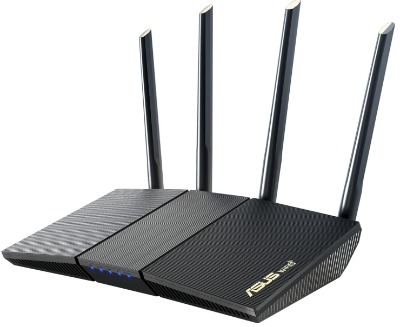
4. ASUS RT-AX1800S — Best All-Round Smart Router for Families and Smart Homes
Product Overview
The ASUS RT-AX1800S is a dual-band Wi-Fi 6 router that punches above its weight in terms of features. It is one of the few routers in this price range to include subscription-free network security, strong parental controls, a built-in VPN, and AiMesh support — all without charging you a monthly fee.
ASUS built this router for families who want more control over their home network without paying extra for features that should be standard. It is also a great fit for people building a smart home ecosystem.
Key Features (Explained Simply)
Wi-Fi 6 Dual-Band The RT-AX1800S delivers solid Wi-Fi 6 performance across 2.4 GHz and 5 GHz bands. It handles everyday internet tasks — streaming, browsing, gaming, smart home devices — comfortably and efficiently.
Subscription-Free Network Security (AiProtection) ASUS includes AiProtection, powered by Trend Micro, at no extra cost. This security layer scans your network for threats, blocks malicious websites, and protects devices from attacks. Many routers charge a monthly fee for similar features. ASUS does not.
Parental Controls Parents get strong tools here. You can set time schedules for internet access, filter content by category, and set individual device limits. The controls are accessible from the ASUS Router app, so you manage everything from your phone.
Built-in VPN The RT-AX1800S supports VPN client and server modes. You can use it to protect your browsing privacy or set up a secure remote connection to your home network when traveling.
AiMesh Compatible AiMesh is ASUS’s mesh networking system. You can pair this router with other AiMesh-compatible ASUS routers to build a seamless mesh network that covers your entire home. No dead zones, no signal drops between floors.
Smart Home Friendly The router handles smart home devices well. With dozens of IoT gadgets now in typical homes — bulbs, cameras, thermostats, locks — the RT-AX1800S manages them on the 2.4 GHz band without causing interference for your phones and laptops on 5 GHz.
Real-Life Usage Insight
A parent with two kids who both game online, a smart TV, security cameras, and a home office setup — this router addresses all of those needs in one box. The parental controls let you limit screen time without arguments. The security layer protects the whole family. The VPN keeps work traffic private.
The AiMesh feature is especially valuable if your home has areas with weak signal. Just add another ASUS AiMesh router in those spots and your network becomes a seamless, whole-home mesh — no dead zones.
Pros
- Subscription-free AiProtection security (no monthly fee)
- Strong, easy-to-use parental controls
- Built-in VPN support at no extra cost
- AiMesh for easy mesh network expansion
- Great app — ASUS Router app is well-built
- Good performance for small to medium homes
- Smart home device management is reliable
Cons
- Wi-Fi 6 rather than Wi-Fi 7 — not the newest standard
- AX1800 speeds are modest for power users
- Range is adequate but limited for very large homes
- Heavier UI compared to simpler routers like eero
Performance Discussion
The RT-AX1800S delivers consistent, reliable Wi-Fi 6 performance for homes of up to 1,500–2,000 square feet. The security features run in the background without impacting speed. VPN performance is decent for daily use, though it is not as fast as the GL.iNet’s WireGuard implementation.
For a home with 20–30 devices, this router manages traffic smoothly. Streaming 4K, gaming, and video calls run simultaneously without noticeable lag.
Ease of Use
The ASUS Router app is genuinely good. Setup is clean, and the dashboard is informative without being overwhelming. Parental controls are easy to configure — you set time schedules with a few taps. Advanced users can dig into the web interface for more control. Beginners can stick to the app and manage everything comfortably.
Value for Money
Excellent. The RT-AX1800S gives you features that typically cost more — security suite, VPN, parental controls, mesh compatibility — at a competitive price. For families, this router delivers outstanding value. It is hard to find a router that covers so many bases without requiring a subscription.
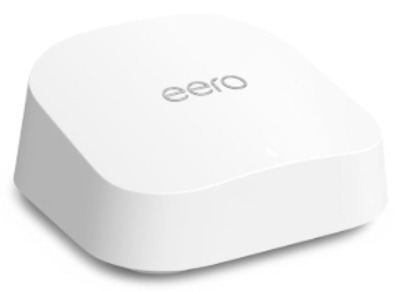
5. Amazon eero 7 — Best Mesh Wi-Fi 7 Router for Simplicity and Clean Coverage
Product Overview
The Amazon eero 7 is the newest model in eero’s lineup, and it represents the simplest Wi-Fi 7 experience on this list. It supports dual-band Wi-Fi 7, covers up to 2,000 square feet per unit, and handles internet plans up to 2.5 Gbps. The eero app turns router management into something anyone can do.
eero built this router for people who do not want to think about networking. You unbox it, plug it in, follow the app, and you are done. The eero 7 is the router you buy when you want excellent Wi-Fi without any headaches.
Key Features (Explained Simply)
Wi-Fi 7 Dual-Band The eero 7 supports Wi-Fi 7 on both 2.4 GHz and 5 GHz bands. This brings faster speeds and more efficient device handling compared to previous eero generations. Real-world performance is strong, especially for homes with many connected devices.
Mesh-First Design Unlike traditional routers, eero is built from the ground up as a mesh system. Buy one unit and it covers one area. Buy two or three and they form a seamless mesh that covers your whole home. The handoff between units is smooth — your phone stays connected even as you walk from room to room.
Supports Plans Up to 2.5 Gbps The eero 7 has a 2.5G Ethernet port, so it does not bottleneck your fast internet plan. If you have a gigabit or multi-gig fiber connection, this router keeps up.
Amazon Alexa Integration As an Amazon product, eero works natively with Alexa. You can use voice commands to pause the internet, check device counts, and control network access. It also integrates smoothly with other Alexa smart home devices.
eero App — Incredibly Simple The eero app is one of the best router apps available. The home screen shows your network status at a glance. Adding devices is easy. Troubleshooting guides walk you through issues step by step.
eero Plus (Optional) eero offers an optional subscription service called eero Plus, which adds advanced security, content filtering, and parental controls. It is optional — the base router works fine without it. But the subscription adds real value for families.
Real-Life Usage Insight
A small apartment owner or someone in a 2-bedroom home who just wants fast, reliable Wi-Fi everywhere — the eero 7 single pack delivers exactly that. The setup takes under 10 minutes. There are no complicated settings to figure out.
For larger homes, buying two or three eero 7 units creates a powerful mesh network. Each unit connects to the others automatically. You manage the whole system from one app. There is no separate router and separate extender to manage — it is all one unified system.
The Amazon integration means you can say, “Alexa, pause the internet on Tommy’s iPad” and it just works. For parents, that level of control with zero technical effort is genuinely valuable.
Pros
- Extremely easy setup — best on this list for beginners
- Wi-Fi 7 speeds with 2.5G Ethernet support
- Scales easily into a mesh network with multiple units
- Native Amazon Alexa integration
- Clean, intuitive eero app
- Solid performance for everyday internet use
- Works great with multi-gig fiber plans
Cons
- Dual-band only — no tri-band for maximum performance
- Limited advanced settings — not for power users
- eero Plus subscription required for the best parental controls and security
- Less customizable compared to GL.iNet or ASUS options
- Premium pricing for a single-unit router
Performance Discussion
The eero 7 delivers clean, consistent Wi-Fi 7 performance. Speeds are fast, coverage is reliable within its 2,000 sq. ft. range, and latency is low. For most users, it handles streaming, gaming, and smart home devices without any issues.
Where eero really shines is in mesh setups. Multiple units create a rock-solid, whole-home network that performs significantly better than a single router with extenders. The seamless roaming between nodes is noticeably smoother than many competing systems.
Ease of Use
The easiest router on this list to set up and use. The app is designed for people who have no interest in networking details. If you can set up a smartphone, you can set up an eero 7. It is that straightforward.
Value for Money
As a single unit, the eero 7 is priced at a premium for a dual-band router. It competes with routers that offer tri-band performance for similar money. The value proposition improves significantly in multi-unit mesh setups, where the seamless performance and app ease-of-use justify the cost. It is particularly strong value for eero 7 multi-packs.
Comparison Insights: How These Five Routers Stack Up
Let us put these routers side by side for a quick reference.
| Feature | GL.iNet GL-BE6500 | TP-Link AX21 | NETGEAR RS90 | ASUS RT-AX1800S | Amazon eero 7 |
|---|---|---|---|---|---|
| Wi-Fi Standard | Wi-Fi 7 | Wi-Fi 6 | Wi-Fi 7 | Wi-Fi 6 | Wi-Fi 7 |
| Max Speed | BE6500 | AX1800 | BE3600 | AX1800 | BE3600 |
| Ethernet Ports | 5x 2.5G | 4x 1G | Multi-port | 4x 1G | 1x 2.5G + 1G |
| VPN Support | Yes (advanced) | Basic | Limited | Yes | No |
| Mesh Support | Basic | EasyMesh | NETGEAR only | AiMesh | eero mesh |
| Parental Controls | Basic | Basic | Basic | Advanced (free) | Advanced (paid) |
| Security Suite | OpenWrt | Basic | Basic | Free (Trend Micro) | Paid (eero Plus) |
| Alexa Support | No | Yes | No | No | Yes |
| Ease of Setup | Advanced | Very Easy | Easy | Easy | Very Easy |
| Best For | Power users | Budget homes | Mid-range speed | Families | Simplicity |
Takeaways from the comparison:
The GL.iNet GL-BE6500 wins on raw networking capability and VPN power. It is the most capable router on this list but also the most complex.
The TP-Link AX21 wins on budget friendliness. For the price, you get solid Wi-Fi 6 performance and a dead-simple setup.
The NETGEAR RS90 hits a sweet spot for users who want Wi-Fi 7 without extreme complexity. It is a clean, capable mid-range router.
The ASUS RT-AX1800S wins on built-in features for the money — especially the free security suite and parental controls that competitors charge for.
The Amazon eero 7 wins on simplicity and mesh expandability. For anyone who just wants great Wi-Fi with zero fuss, eero delivers.
Buying Guide: What to Look for in a Smart Wi-Fi Router
Shopping for the best smart wireless router does not have to feel overwhelming. Focus on these key factors and you will make the right call.
1. Wi-Fi Standard (Wi-Fi 5, 6, or 7)
Wi-Fi 7 is the newest. It is faster, handles more devices, and is the future-proof choice. But Wi-Fi 6 is still excellent and covers the needs of most households without the premium price tag.
Go with Wi-Fi 7 if you have a fast fiber plan (above 1 Gbps), a lot of connected devices, or you do not want to upgrade again soon. Stick with Wi-Fi 6 if your budget is limited or your internet plan is under 1 Gbps.
2. Speed Class
Router speed is listed as a combined number — like AX1800 or BE6500. The bigger the number, the more theoretical bandwidth. For most homes, AX1800 to AX3000 range is plenty. AX5400 and above is for heavy users. Wi-Fi 7 numbers like BE3600 or BE6500 bring even more headroom.
3. Coverage Area
A single router typically covers 1,500–3,000 square feet, depending on the model and your home’s layout. For larger homes or multi-floor setups, look for routers with mesh support so you can expand coverage by adding nodes.
4. Number of Devices
Most modern routers handle 25–50 devices comfortably. If you have a large family, a smart home full of IoT devices, or a home office, aim for a router rated for 40–50+ devices.
5. Ethernet Port Speed
If you connect devices via cable — gaming consoles, desktop computers, NAS drives, smart TVs — pay attention to Ethernet port speeds. Standard 1G ports are fine for most uses. 2.5G or higher ports make a real difference if you have a fast internet plan or transfer large files across your network.
6. Security and Parental Controls
Look for routers with built-in security scanning. Some include it free (like ASUS with AiProtection). Others charge a monthly subscription (like eero Plus). Think about what you need before committing.
Parental controls matter a lot for families. Features like content filtering, time scheduling, and per-device control are worth prioritizing if kids are in the picture.
7. VPN Support
If you work from home, travel frequently, or care about online privacy, a router with VPN support is a major plus. The GL.iNet and ASUS routers both offer solid VPN features.
8. Mesh vs. Single Router
A single router is simpler and cheaper. A mesh system covers more area and handles dead zones better. If your home is larger than 2,000 square feet or has thick walls, start thinking about mesh.
Who Should Buy These Routers?
Buy the GL.iNet GL-BE6500 if:
- You are a tech-savvy user who loves customizing your network
- You need a fast, built-in VPN for work or privacy
- You have a multi-gig fiber internet plan
- You run a home business or small office network
Buy the TP-Link AX1800 (Archer AX21) if:
- You are on a budget and want solid Wi-Fi 6 performance
- Your household has 1–20 connected devices
- You want an easy setup without any technical knowledge
- Your internet plan is under 1 Gbps
Buy the NETGEAR Nighthawk RS90 if:
- You want Wi-Fi 7 at a mid-range price
- Your home is around 2,000 square feet or under
- You have a multi-gig internet plan (up to 2.5 Gbps)
- You want a reliable router with a simple app experience
Buy the ASUS RT-AX1800S if:
- You have a family with kids who need parental controls
- You want free network security without a subscription
- You care about smart home device management
- You want the option to expand to a mesh network later
Buy the Amazon eero 7 if:
- You want the simplest setup experience possible
- You are building a mesh network for a medium to large home
- You are already in the Amazon/Alexa smart home ecosystem
- Technical router settings are not something you want to deal with
Common Mistakes to Avoid When Buying a Smart Wi-Fi Router
Even with a good guide, people make the same avoidable mistakes. Here are the biggest ones to sidestep.
Mistake 1: Buying More Router Than You Need
A Wi-Fi 7 router with 6 Gbps capability does not help you if your internet plan delivers 200 Mbps. Your internet plan speed is the real ceiling. Match your router to your plan and your home size, not to the biggest number on the box.
Mistake 2: Placing the Router in a Bad Spot
Most people tuck the router behind furniture or inside a cabinet. That kills the signal. Place your router in a central, elevated, open location. The signal radiates outward in all directions — a central position means more of your home gets strong coverage.
Mistake 3: Ignoring Firmware Updates
Router firmware updates fix bugs, patch security vulnerabilities, and sometimes improve performance. Many people never update. Set your router to auto-update if it supports it, or check for updates every few months.
Mistake 4: Using a Weak Password
A router with a weak password is a wide open door to your entire home network. Use a strong, unique password for both your Wi-Fi network and your router’s admin login. Do not use “password” or your street address.
Mistake 5: Skipping the 5 GHz Band
Many people connect everything to 2.4 GHz because it is the default. However, 5 GHz is significantly faster for devices that are nearby. Connect your phones, laptops, and smart TVs to the 5 GHz band. Leave 2.4 GHz for devices that are farther away or do not need high speeds, like smart bulbs and thermostats.
Mistake 6: Not Thinking About Mesh Early On
A lot of buyers start with a single router and then add extenders when they need more coverage. Extenders often create dead zones of their own and cause connection headaches. If you know your home needs wide coverage, go with a mesh-capable router from the start.
Mistake 7: Forgetting About the WAN Port Speed
Your router’s WAN port connects to your modem. If your internet plan is 1 Gbps but your router’s WAN port only supports 100 Mbps, you are throttling your own connection. Always check that the WAN port speed matches or exceeds your internet plan.
Final Verdict: Which Smart Wi-Fi Router Should You Get?
After reviewing all five routers in detail, here is how we sum things up.
For power users, tech enthusiasts, and VPN users: The GL.iNet GL-BE6500 (Flint 3e) is in a class of its own. It offers Wi-Fi 7, five 2.5G Ethernet ports, and advanced VPN support at a price that makes sense for what you get. The learning curve is real, but the payoff is a highly capable, customizable network.
For budget-conscious users and everyday homes: The TP-Link Archer AX21 V5 is the clear winner. It covers everything a normal household needs at a fraction of the cost of premium alternatives. Setup is dead simple. Performance is reliable. The value per dollar is outstanding.
For users who want Wi-Fi 7 without complexity: The NETGEAR Nighthawk RS90 hits the mark. It delivers next-gen Wi-Fi with a polished app and enough speed headroom to handle future internet upgrades. A solid pick for medium-sized homes.
For families with security and parental control needs: The ASUS RT-AX1800S stands out for its feature depth. Free security, strong parental controls, VPN support, and mesh expandability make it one of the most well-rounded routers on this list. Families get exceptional value here.
For simplicity and mesh-first living: The Amazon eero 7 is the easiest, most user-friendly option available. If you want fast, whole-home Wi-Fi with zero technical effort and full Alexa integration, eero delivers exactly that.
No single router is perfect for every person. The best smart Wi-Fi router for your home depends on your internet plan, your home size, your device count, and how much complexity you are comfortable managing. Use this guide to match the right router to your real needs — and enjoy fast, reliable internet in every corner of your home.
Frequently Asked Questions (FAQs)
Q: What is the difference between Wi-Fi 6 and Wi-Fi 7? Wi-Fi 7 is faster, handles more devices simultaneously, and has lower latency than Wi-Fi 6. Wi-Fi 7 also adds Multi-Link Operation (MLO), which lets devices connect on multiple frequency bands at once. For most everyday users, Wi-Fi 6 is still more than capable. Wi-Fi 7 becomes meaningful when you have a fast internet plan and lots of devices competing for bandwidth.
Q: Do I need a mesh router system? You need a mesh system if your home is large (above 2,500 square feet), has multiple floors, or has thick concrete or brick walls that block Wi-Fi signals. For small apartments and standard single-floor homes, a single good router is enough.
Q: Can I use any of these routers with fiber internet? Yes. All five routers on this list support gigabit fiber connections. For multi-gig fiber plans (above 1 Gbps), look specifically at the GL.iNet GL-BE6500, the NETGEAR Nighthawk RS90, and the Amazon eero 7, which all have 2.5G WAN ports.
Q: Do these routers work with any internet service provider? In most cases, yes. These are all standard consumer routers that work with any ISP that uses a modem/router setup. Some ISPs provide a gateway device (modem and router combined). In those cases, you may need to put the ISP gateway into bridge mode before connecting one of these routers.
Q: Is a more expensive router always better? Not necessarily. A more expensive router gives you faster speeds, better range, more features, and more device support. But if your internet plan is 200 Mbps and you only have 10 devices, you do not need a $400 router. Match the router to your actual needs and budget.
Q: What is a VPN router and do I need one? A VPN router runs a VPN connection for your entire network rather than just one device. Every device on that network gets VPN protection automatically. You need one if you work from home, care about privacy across all your devices, or want to access geo-restricted content on all your gadgets at once. The GL.iNet GL-BE6500 and ASUS RT-AX1800S both offer solid VPN router capabilities.
Finding the best smart Wi-Fi router for your home comes down to matching the right tool to your specific needs. Use this guide as your starting point, refer to the comparison table to narrow things down, and trust the buying guide to cover the factors that matter most. Fast, reliable internet starts with the right router — and now you have the knowledge to pick wisely.

Hi, I’m Mary, the founder of Homygear.com. I’m passionate about creating a comfortable, smart, and beautiful home. I share practical insights and real-world experience on home gear that makes everyday life easier. Behind the scenes, my dedicated research team studies products in depth, and our writers craft honest reviews using trusted, authentic sources—so you can choose home gear with confidence.