How to Use Smart Lock for Airbnb?
If you run an Airbnb, you already know how stressful key handoffs can be. Guests arrive late. You live far from the property. Someone loses the key. It’s a mess. Smart locks fix all of that — and they make your listing look way more professional too.
This guide walks you through everything. From picking the right smart lock to setting it up and managing access for every guest, you’ll have a clear picture of what to do.
What Is a Smart Lock?
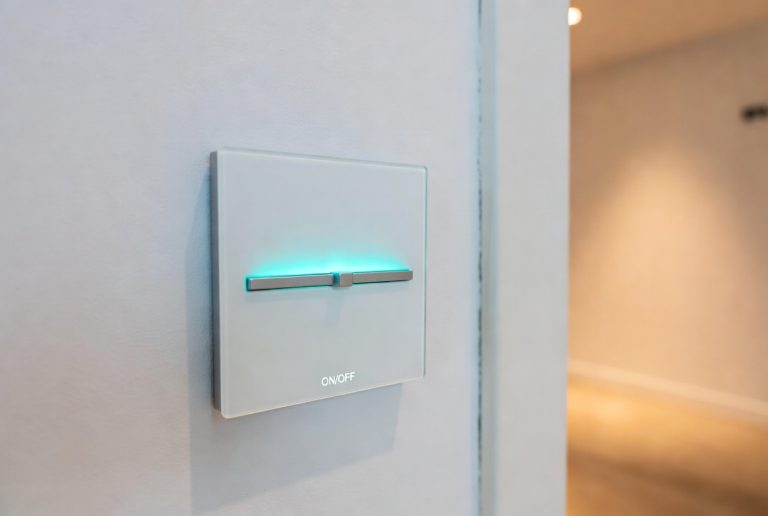
A smart lock is a keyless door lock. Instead of a physical key, guests use a code, a phone app, or even their fingerprint to get inside. The lock connects to Wi-Fi or Bluetooth so you can control it from anywhere.
You don’t need to be home. You don’t need to hand anything over. You just set a code, share it with your guest, and that’s it.
Smart locks come in many styles. Some replace your deadbolt completely. Others just attach to your existing lock. Most work with iOS and Android. Some pair with smart home systems like Amazon Alexa or Google Home.
Why Smart Locks Are a Game-Changer for Airbnb Hosts
Let’s be honest — traditional keys are a headache for short-term rentals.
You have to meet guests in person. Or you hide a key under a rock (which is not safe at all). Or you pay a property manager just to hand over keys. None of that is ideal.
Smart locks solve all of it.
You get remote access. Open or lock the door from your phone, no matter where you are.
You set custom codes. Give each guest a unique code that only works during their stay. When they check out, the code stops working automatically.
You save time. No more driving to the property just to hand over a key.
Guests love it. A keyless entry feels modern and smooth. It can actually boost your reviews.
You stay secure. No one can copy a code the way they can copy a physical key.
Smart locks also help with late arrivals. If a guest lands at midnight, they just punch in their code and walk right in. You don’t have to wait up.
Picking the Right Smart Lock for Your Airbnb
Not all smart locks are made the same. Here are the key things to look for.
Keypad Access
Pick a lock with a keypad. This lets guests enter a PIN code without needing a phone app. Some guests aren’t tech-savvy. A simple number pad is the most reliable option.
Auto-Lock Feature
Look for a lock that automatically locks itself after a set time. This means even if a guest forgets to lock up, the door locks on its own. Peace of mind for you.
Remote Management
You want to be able to control the lock from your phone. Most smart locks come with an app. Make sure the app is easy to use and lets you create, change, and delete access codes from anywhere.
Guest Code Scheduling
This is huge for Airbnb hosts. The best smart locks let you set codes that only work between certain times. So you set the check-in and check-out dates, and the code works only during that window. After that, it expires automatically.
Battery Life and Backup
Smart locks run on batteries. Check how long they last and whether the lock alerts you when batteries run low. Also look for a physical key backup — just in case the battery dies completely.
Compatibility
If you already have a deadbolt you like, find a lock that works with it. Some smart locks just add a smart component to your existing setup. Others replace the whole lock. Know what you need before you buy.
Connectivity
Smart locks connect via Wi-Fi, Bluetooth, or Z-Wave. Wi-Fi locks work from anywhere. Bluetooth locks only work when you’re nearby. For Airbnb, Wi-Fi is the better pick so you can manage things remotely.
Popular Smart Locks Hosts Use for Airbnb
There are a few names that come up again and again in the hosting community.
Schlage Encode — This one connects directly to Wi-Fi, no hub needed. It has a built-in alarm and lets you manage up to 100 access codes. Very solid and reliable.
Yale Assure Lock 2 — Slim design, works with Apple Home, Amazon Alexa, and Google Assistant. Easy to install and great for tech-forward properties.
August Wi-Fi Smart Lock — This one installs on the inside of your door without replacing the whole lock. Great if you want to keep your existing hardware. Works with Airbnb’s integration feature.
Kwikset Halo — Budget-friendly and straightforward. Built-in Wi-Fi, keypad entry, and app control. Good starter option for new hosts.
Igloohome Smart Deadbolt — Stands out because it works offline. Codes are generated without needing Wi-Fi at the lock itself. Handy for properties with spotty internet.
Each of these has its own strengths. Think about your property, your tech setup, and your guests before you decide.
How to Install a Smart Lock
Installation sounds scary. It’s really not. Most smart locks are designed for DIY setup.
Here’s what the process usually looks like.
Step 1: Remove your old lock. Use a screwdriver to take off the old deadbolt. Save the screws in case you need them later.
Step 2: Install the new lock. Follow the instructions in the box. Most locks have clear, step-by-step guides with pictures. The basic steps are: mount the exterior assembly, attach the interior assembly, connect the two with the spindle, and tighten everything up.
Step 3: Download the app. Every smart lock has a companion app. Download it, create an account, and add your lock to the app.
Step 4: Connect to Wi-Fi. Follow the in-app setup to connect your lock to your home Wi-Fi network.
Step 5: Test it. Set a test code and try it out. Make sure the lock opens and closes correctly. Test auto-lock too.
Most installs take under 30 minutes. If you run into trouble, the lock’s customer support or YouTube videos for your specific model can help a lot.
Connecting Your Smart Lock to Airbnb
Airbnb has a feature that connects directly to certain smart locks. It’s called smart lock integration and it’s one of the best tools a host can have.
Here’s how to set it up.
Step 1: Go to your Airbnb host dashboard. Log in and head to your listing.
Step 2: Click on “Listing details.” Look for the section labeled “Guest resources” or “Directions and check-in.”
Step 3: Find the smart lock integration option. Airbnb partners with several lock brands. If your lock is supported, you’ll see an option to connect it.
Step 4: Link your account. You’ll log into your lock’s app account through Airbnb’s platform. This gives Airbnb permission to communicate with your lock.
Step 5: Turn on automatic code generation. Once linked, Airbnb can automatically create a unique access code for each booking. The code gets sent to guests in their booking confirmation.
Step 6: Set your check-in and check-out times. The codes will be valid only during the guest’s stay based on these times.
After this setup, the whole process runs on its own. A guest books, they get a code, they use it to check in, and the code expires after they check out. You barely have to lift a finger.
Supported Smart Lock Brands on Airbnb
Airbnb works with a growing list of smart lock brands. Some of the well-known ones include:
- August (has a direct Airbnb integration)
- Schlage
- Yale
- Kwikset
- Igloohome
The list keeps growing. Always check the Airbnb help center for the latest supported brands. If your lock isn’t directly supported, you can still use a third-party platform to bridge the gap.
Using a Property Management System for Smart Locks
If Airbnb’s built-in integration doesn’t support your lock, don’t worry. Third-party property management tools can help.
Apps like Hospitable, Guesty, Hostaway, and Lodgify connect with many smart lock brands and sync with your Airbnb calendar. When a booking comes in, the system automatically creates and sends a guest code.
These platforms often support multiple locks across multiple properties too. So if you manage more than one Airbnb, they’re worth looking into.
Setting Up Guest Access Codes the Right Way
Even without full automation, setting up guest codes is easy. Here’s a simple workflow.
Create a unique code for every guest. Never reuse codes. Each guest should have their own.
Set expiry times. Most lock apps let you set a start and end time for each code. Set the start to your check-in time and the end to your check-out time.
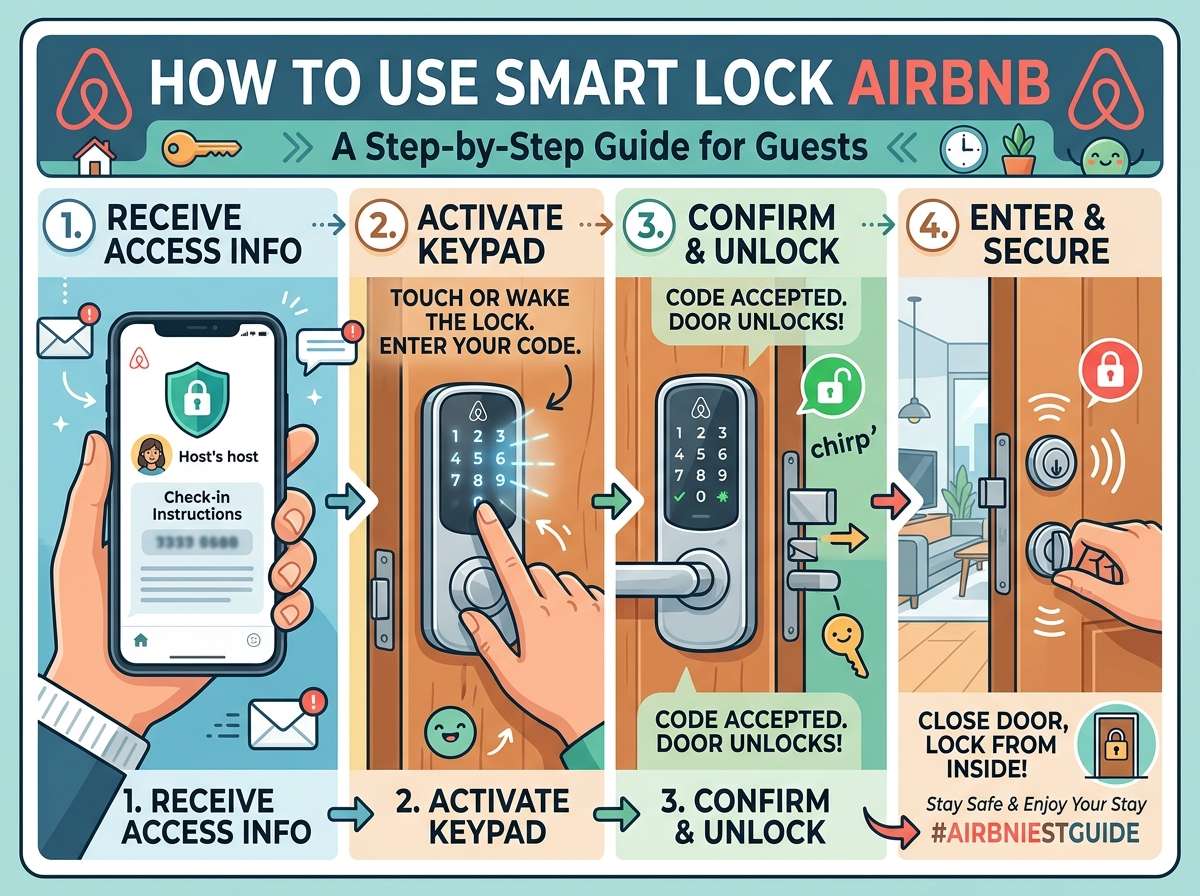
Send the code before arrival. Give guests the code at least a few hours before check-in. Some hosts send it 24 hours early to avoid last-minute messages.
Include instructions. Tell guests exactly how to use the lock. Something simple like: “Enter code XXXX on the keypad and press the checkmark button to unlock.”
Create a backup code. Have a secondary code that only you know. Use it if the guest has issues and you need to let them in remotely via a locksmith or neighbor.
Delete old codes. After checkout, delete the expired code from your app. Some systems do this automatically.
What to Tell Your Guests
Clear instructions make everything smoother. Here’s what to include in your check-in message.
- The exact address and any parking notes
- How to find the front door (especially in apartment buildings)
- The keypad code
- How to enter it (press the code, then press a button to confirm)
- What to do if the code doesn’t work
- Your phone number or a backup contact
Keep it simple. Bullet points work great. Don’t make guests read a wall of text right before they arrive.
Some hosts also leave a small note on the door or near the lock with basic instructions. That’s a nice touch for guests who might panic if they forget the code.
Troubleshooting Common Smart Lock Problems
Things don’t always go perfectly. Here are the most common issues and how to handle them.
Code Doesn’t Work
First, double-check that you entered the code correctly in the app. Check the start and end times too. If everything looks right, try resetting the code and creating a new one. Sometimes a quick restart of the lock (usually done by removing and replacing the batteries) fixes the issue.
Lock Won’t Connect to Wi-Fi
Make sure the Wi-Fi password hasn’t changed. Check if the router is working. Most locks also need 2.4GHz Wi-Fi — they don’t always support 5GHz networks. Check your router settings if needed.
Battery Is Dead
This is why battery alerts matter. If the lock dies, most models still let you unlock with a physical key. Keep a spare key somewhere safe (not under a rock). Some locks also have a USB port where you can power them temporarily with a portable charger.
Guest Can’t Figure Out the Lock
This usually comes down to instructions. Send a short video if you can. Or describe it very specifically: “Enter the 6-digit code, then press the lock icon.” Walk them through it over the phone if needed. It takes two minutes and saves a one-star review.
Smart Lock Safety Tips for Airbnb Hosts
Smart locks are secure, but you still need to be careful.
Use unique codes every time. Never give two guests the same code. If one guest’s code leaks, it won’t affect other stays.
Change your master code regularly. The code you use personally should be updated every few months.
Don’t share codes over unsecured channels. Airbnb’s messaging system is fine. Avoid sharing codes on social media or open group chats.
Use two-factor authentication on your lock app. This protects your account if someone gets hold of your login.
Check the lock’s activity log. Most smart lock apps show a history of when the lock was opened and by which code. Review this after each stay.
Turn off codes after checkout. Even if your lock auto-expires codes, it’s a good habit to manually confirm they’re gone after each guest leaves.
Smart Locks and Your Airbnb Reviews
Guests notice when check-in is smooth. A keyless entry that works perfectly often earns you a mention in reviews. Phrases like “easy check-in” and “felt very safe” come up a lot when hosts use smart locks.
On the flip side, a failed code or a confusing lock setup can ruin a guest’s first impression. That negative energy can color their whole review.
Invest a little time upfront in your smart lock setup, and it pays off in better guest experiences and higher ratings.
Smart Locks for Airbnb Properties With Multiple Units
If you manage a building or multiple units, smart locks become even more valuable.
You can set different codes for each unit. You can give cleaning staff a code that only works between checkout and the next check-in. You can give a property manager a permanent code with full access.
Some systems let you manage dozens of locks from one dashboard. That kind of control is hard to achieve with physical keys.
The Cost of Smart Locks
Smart locks range in price. Budget models start around $100. Mid-range options fall between $150 and $250. High-end or commercial-grade locks can go higher.
Most hosts find that mid-range locks hit the sweet spot of reliability and price.
Don’t forget to factor in the cost of batteries. Most locks use AA or AAA batteries and need a change every few months depending on usage.
If you use a property management platform to manage your codes, that’s usually a monthly subscription cost too. Plans vary by provider and how many listings you manage.
Is a Smart Lock Worth It for Airbnb?
Short answer: yes.
The time you save on key handoffs alone is worth it. Add in the security benefits, the guest experience upgrade, and the automation possibilities, and it’s hard to argue against it.
Hosts who switch to smart locks almost never go back to physical keys. The convenience is just too good.
Final Thoughts
Smart locks take a little setup, but once they’re running, they make your life as an Airbnb host so much easier.
Guests get smooth, hassle-free check-ins. You get remote control over your property’s security. And your listing stands out with a professional, modern touch.
Start with a solid lock that fits your door and budget. Connect it to Airbnb or a property management tool. Set up automatic codes. Write clear instructions for your guests. And check in on your activity logs every so often.
That’s really all there is to it. Your property stays secure. Your guests stay happy. And you get to stop worrying about lost keys forever.

Hi, I’m Mary, the founder of Homygear.com. I’m passionate about creating a comfortable, smart, and beautiful home. I share practical insights and real-world experience on home gear that makes everyday life easier. Behind the scenes, my dedicated research team studies products in depth, and our writers craft honest reviews using trusted, authentic sources—so you can choose home gear with confidence.