5 Best Smart Dimmer Switch In 2026
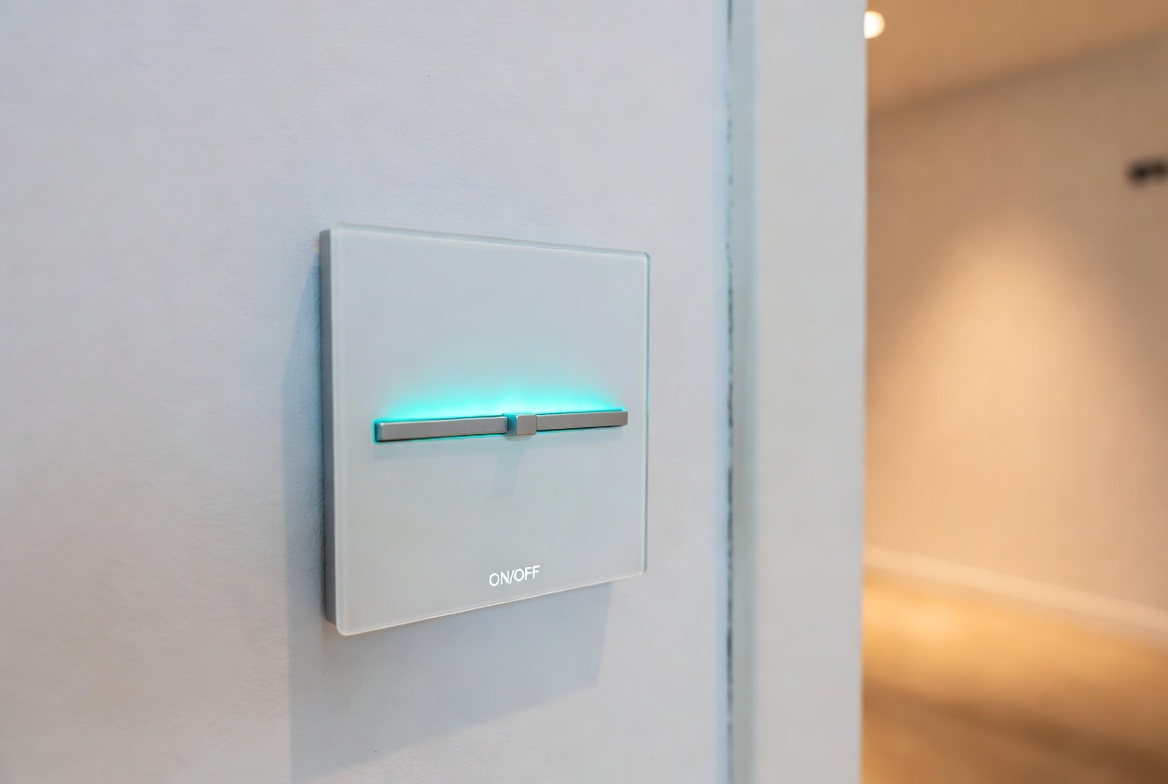
You’re standing in your living room, wishing you could adjust the lights without getting up. Or maybe you’re tired of those clunky traditional dimmer switches that never work quite right. Smart dimmer switches are the answer you didn’t know you needed. They let you control your lights from anywhere using your phone, voice commands, or scheduled automation.
But here’s the thing: not all smart dimmer switches are created equal. Some work great with Alexa, others shine with Google Home. Some cost a fortune, while others offer solid performance for less cash. That’s where this guide comes in.
I’ve tested and researched the top-rated smart dimmer switches on the market to help you find the best fit for your home. Whether you want the most affordable option, the smartest integration, or the best overall performer, you’ll find the answer here.
What Makes a Smart Dimmer Switch Worth Buying?
Before we dive into specific products, let’s talk about what actually matters when you’re shopping for a smart dimmer switch.
Control Options That Work for You
The best smart dimmer switch isn’t just a light switch anymore. It should let you control your lights in multiple ways. Voice commands through Alexa or Google Home. Control from your phone app when you’re away from home. Remote access so you can dim lights before you arrive. Automation that turns lights on and off on a schedule.
Compatibility Matters
Some smart dimmer switches need a hub. Others don’t. Some work with every voice assistant under the sun. Others only work with one or two. Before buying, check what smart home ecosystem you already have in place. If you’ve got Alexa speakers everywhere, you want a switch that plays nice with Alexa. Got an Apple home? Look for Matter support.
Installation Reality
Here’s something many guides won’t tell you: installation difficulty varies wildly. Many smart dimmer switches need a neutral wire. If your house was built before the 1980s, you might not have neutral wires in your light switch boxes. That’s not a small problem. It can mean the difference between a 10-minute install and calling an electrician.
Performance and Reliability
A smart dimmer switch that drops connection every other week will drive you crazy. You want solid Wi-Fi performance, quick response times, and switches that don’t flicker or hum.
Product Reviews: The Best Smart Dimmer Switches
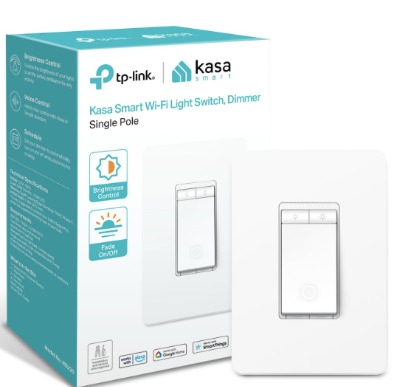
1. Kasa Smart Dimmer Switch HS220 – Best Overall Value
Product Overview
The Kasa Smart Dimmer Switch HS220 is a single-pole dimmer that connects directly to Wi-Fi without requiring a hub. It needs a neutral wire to work. The single-pack option gives you one switch, perfect for testing the waters before committing to multiple units.
This switch comes from TP-Link, a company known for solid networking gear. They apply that networking expertise to their smart home products. The HS220 is one of the most popular smart dimmer switches you can buy right now.
Best Use Cases
This switch shines in bedrooms and living rooms where you want smooth dimming control. Use it in home theaters where you need lights that respond instantly. It’s perfect for people who want voice control without investing in a hub system. Kitchens work well too, as long as you have a neutral wire available.
Key Features Explained Simply
Voice Control: Talk to Alexa or Google Home, and the lights respond. Say “Alexa, dim the lights to 40 percent” and watch them fade. It actually works, and the response is quick.
App Control: The Kasa app is clean and simple. You tap to turn lights on or off, slide a bar to adjust brightness. You can control your lights from anywhere—waiting at the airport? Turn your lights on so your home looks occupied.
Scheduling: Set up routines so lights turn on at sunset and off at bedtime. The app makes this intuitive.
No Hub Required: Unlike some competitors, you don’t need a separate hub box. The switch connects straight to your Wi-Fi.
UL Certified: This means it’s been tested for safety. You’re not taking risks with your home’s electrical system.
Real-Life Usage Insight
In actual homes, the Kasa HS220 performs reliably. The dimming is smooth and natural—not jerky or strange. Voice commands work quickly, usually within a second or two. The app doesn’t require complicated setup. Most people can install it themselves if they’re comfortable with basic electrical work. The biggest limitation? You need that neutral wire. If you don’t have it, this switch won’t work.
Honest Pros and Cons
Pros
- Affordable price point
- Works with both Alexa and Google Home
- No hub needed
- Simple app interface
- Quick response times
- Good dimming range (you can dim all the way to very low levels)
Cons
- Requires a neutral wire in your switch box
- Single-pole only (won’t work for three-way switches without extra equipment)
- Wi-Fi dependent (if your router drops connection, so does the switch)
- App requires internet connection for remote access
Performance Discussion
The Kasa HS220 handles dimming without the flickering problems you sometimes see with cheaper smart switches. It works well with LED bulbs, though some users report occasional compatibility issues with certain LED brands. The Wi-Fi connection is stable in most homes, though houses with poor coverage might experience occasional disconnects.
Voice command response times average around 1-2 seconds. That’s fast enough for real-world use. Brightness adjustments through the app are immediate.
Ease of Use
If you’ve changed a light switch before, you can install this. The wires are labeled clearly. The app setup is straightforward—connect to Wi-Fi, add to your Alexa or Google Home account, and you’re done. The physical switch still works as a backup if you want manual control.
Value for Money
At its price point, the Kasa HS220 offers excellent value. You’re getting brand-name reliability, solid performance, and compatibility with major voice assistants. The single-pack lets you try it before buying multiples.
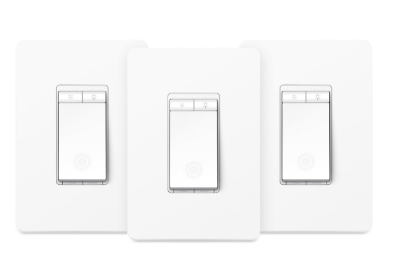
2. Kasa Smart Dimmer Switch HS220P3 – Best for Multiple Rooms
Product Overview
This is the same great HS220 switch, but you get three of them in the pack. Same features, same reliability, same voice control. The main difference is price per unit and convenience if you want to outfit multiple rooms.
Best Use Cases
Perfect for people renovating their home and wanting to upgrade multiple light switches at once. Great for homes with consistent layouts where you want the same switches throughout. Ideal if you’re building out a whole-home automation system and want uniform controls.
Key Features Explained Simply
Everything is identical to the single HS220. You get:
- Three switches instead of one
- Same Wi-Fi connectivity
- Same Alexa and Google Home compatibility
- Same app control and scheduling
- Same neutral wire requirement
Real-Life Usage Insight
Having multiple Kasa switches throughout your home creates a cohesive experience. You control all of them through one app. You can group them together in routines. All three can be included in scenes (like “Movie Time” that dims specific lights).
Honest Pros and Cons
Pros
- Better price per switch than buying singles
- Uniform controls throughout your home
- Can create synchronized lighting scenes
- Same reliability as the single pack
Cons
- Higher upfront cost
- You need neutral wires in all three locations
- If you hate the switches, you’re stuck with three of them
- Not all rooms need the same type of switch
Performance Discussion
The performance is identical to the single HS220. Three switches working together create no conflicts. They connect independently to your Wi-Fi, so one bad connection won’t knock out the others.
Ease of Use
Installation takes longer with three switches, but it’s proportionally easier since you’re following the same process three times. Setup in the app is quick—add all three, name them by room, and organize them into groups.
Value for Money
The three-pack saves money per unit. If you’re definitely buying multiple switches anyway, this is the better financial choice. The downside is committing to three of the same model.
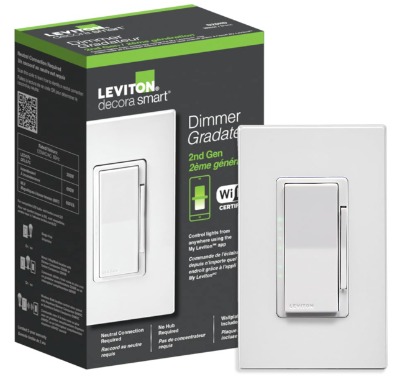
3. Leviton Decora Smart Dimmer Switch Wi-Fi 2nd Gen – Best for Multi-Platform Homes
Product Overview
The Leviton Decora is the premium option in this roundup. It’s pricier than the Kasa switches, but it offers something they don’t: Matter support. If you’re building a future-proof smart home, Matter compatibility is huge.
This is a neutral wire required switch that works in single-pole or wired three-way configurations. It comes in white and works with Alexa, Google Assistant, and Apple Home through Siri.
Best Use Cases
This switch is perfect if you use multiple voice assistants. Some people have Alexa in the kitchen, Google Home in the bedroom, and Apple devices scattered throughout. The Leviton Decora works with all of them. It’s ideal for people who want to future-proof their smart home with Matter.
Families with mixed tech ecosystems benefit most from this switch. If you’ve got Apple fans and Google fans under the same roof, this brings peace.
Key Features Explained Simply
Multiple Smart Home Platforms: Unlike the Kasa switches that work with two platforms, the Leviton works with three major ecosystems. This flexibility is powerful.
Matter Support: Matter is the new universal standard for smart home devices. Buying a Matter-compatible switch means you’re not locked into one company’s ecosystem. If you get frustrated with one platform, you can switch without replacing your hardware.
Decora Style: The design is larger and more modern-looking than traditional switch designs. Many people prefer how it looks.
Wired Three-Way Compatible: Works with traditional three-way switch setups without extra equipment.
Local Control: You can control the switch locally without internet if everything’s connected through Matter.
Real-Life Usage Insight
In homes with multiple voice assistants, the Leviton Decora eliminates the “wrong assistant” problem. You’re not stuck saying “Alexa, turn on the lights” when you’re in the Google Home room. Voice commands work consistently regardless of which platform you use.
The switch responds quickly to all commands. The dimming is smooth and natural.
Honest Pros and Cons
Pros
- Works with Alexa, Google Assistant, and Apple Home
- Matter support for future-proofing
- Works with three-way switch setups
- Premium build quality
- Fast response times
- Larger, more attractive design
Cons
- Higher price than Kasa options
- Requires neutral wire
- Matter features require Matter hub (Apple TV, HomePod mini, etc.)
- Some users report occasional connectivity issues with older routers
Performance Discussion
The Leviton Decora performs excellently across all three platforms. Response times are quick—typically 1 second or less. Dimming is smooth and artifact-free. The switch handles LED and incandescent bulbs without issues.
Wi-Fi stability is excellent in most homes. The Matter connection, when available, offers local control that’s even faster than Wi-Fi commands.
Ease of Use
Installation is similar to the Kasa switches—if you’re comfortable changing a switch, you can do this. The app setup takes slightly longer because you’re connecting to potentially three different platforms. But it’s still straightforward.
The Decora design is slightly larger, which some people find easier to use physically.
Value for Money
The Leviton costs more, but you’re paying for multi-platform support and Matter compatibility. If you’re already invested in multiple smart home ecosystems, this is worth the extra cash. If you’re only using Alexa or Google Home, the cheaper Kasa switches make more sense.
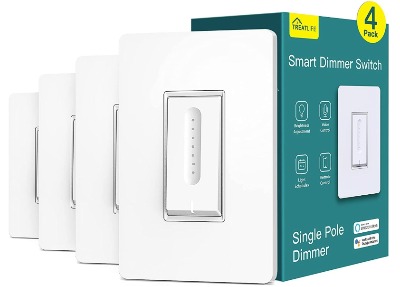
4. TREATLIFE Smart Dimmer Switch 4 Pack – Best for Budget Builders
Product Overview
The TREATLIFE smart dimmer comes in a four-pack, making it the highest-quantity option. It’s the most affordable choice when buying multiple switches. Works with Alexa and Google Home, requires a neutral wire, and connects directly to Wi-Fi without a hub.
Best Use Cases
Perfect for people on a tight budget who want to upgrade multiple rooms. Ideal for rental properties where you don’t want to spend a fortune. Great for testing smart home automation before investing in premium options. Good for people building their smart home from scratch and wanting uniform budget-friendly controls.
Key Features Explained Simply
Voice Control: Works with Alexa and Google Home, though response times are slightly slower than premium options.
App Control: Basic app lets you turn lights on/off and adjust brightness.
Scheduling: Standard automation and scheduling available.
Four-Pack Value: You get four switches for less than you’d pay for two Kasa or Leviton switches.
Wi-Fi Connected: No hub required; connects directly to your network.
Real-Life Usage Insight
The TREATLIFE switches work, but they’re the budget option for a reason. Response times are slower—typically 2-3 seconds instead of 1-2. The app is more basic. The switches are thinner and lighter than premium options, which some people find less satisfying to use.
In homes with good Wi-Fi coverage, they’re reliable enough for daily use. They’re popular with people who want smart lighting without premium pricing.
Honest Pros and Cons
Pros
- Lowest cost per switch
- Four-pack gives you multiple rooms
- Works with Alexa and Google Home
- No hub required
- Works without neutral wire alternative available (though neutral wire version performs better)
- Good starter option
Cons
- Slower response times (2-3 seconds)
- Basic app functionality
- Thinner, less premium feel
- Less reliable Wi-Fi performance
- Limited dimming range compared to premium options
- Occasional compatibility issues with certain bulb types
Performance Discussion
The TREATLIFE switches handle dimming but without the smooth, refined quality of premium options. They work better with incandescent and halogen bulbs than with LEDs. Some users report flickering with certain LED brands.
Wi-Fi performance is adequate in homes with good coverage. In areas with weak signals, these switches drop connection more frequently than premium options.
Response times to voice commands average 2-3 seconds, which feels noticeably slower in real use compared to 1-2 seconds.
Ease of Use
Installation is straightforward. The app is simpler than Kasa or Leviton apps, which some people prefer and others find limiting. Setup is quick.
Value for Money
The TREATLIFE represents the best budget option available. Four switches for a low price means equipping multiple rooms affordably. The trade-off is accepting slower response times and less premium feel. For people testing the waters with smart home automation, this makes sense. For long-term daily use, you might regret not spending more.
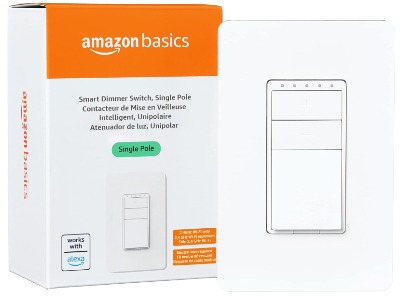
5. Amazon Basics Smart Dimmer Switch – Best Alexa-Only Option
Product Overview
This is the entry-level option made by Amazon itself. It works exclusively with Alexa—no Google Home support. Single pole, needs a neutral wire, Wi-Fi connected with no hub required.
Best Use Cases
Perfect if your entire smart home is already Alexa-centric. Ideal for people who only want voice control through Alexa and don’t care about app control. Good budget option if you’re an Amazon loyalty person and want official Amazon products.
Key Features Explained Simply
Alexa-Only Voice Control: Works with Alexa devices and that’s it. If you ever want Google Home control, this switch won’t do it.
App Control: Basic Alexa app control for brightness and on/off.
No Hub: Connects directly to your 2.4GHz Wi-Fi network.
Budget Price: Cheapest per-switch option when buying singles.
Basic Automation: Limited scheduling and routine options compared to other choices.
Real-Life Usage Insight
The Amazon Basics switch is simple. It works, it’s affordable, and it’s reliable. It doesn’t have bells and whistles, but it doesn’t need them if you’re Alexa-only.
Response times are adequate—around 2 seconds typically. Dimming works smoothly. The physical switch backup works fine.
Honest Pros and Cons
Pros
- Lowest entry price for single switch
- Solid Alexa integration
- No hub required
- Reliable performance
- Simple to install
Cons
- Alexa-only (no Google Home, no Apple Home)
- No Matter support
- Limited app functionality
- Slower response times than Kasa
- No multi-platform flexibility
- Basic dimming range
Performance Discussion
The Amazon Basics switch performs reliably for what it is. It’s not flashy, but it works consistently. Dimming is acceptable. Wi-Fi connectivity is stable.
The main limitation is ecosystem lock-in. Buy this, and you’re committed to Alexa forever. You can’t easily switch to Google Home later without replacing the switch.
Ease of Use
Installation is simple. Setup through the Alexa app is quick. If you already use Alexa extensively, adding this switch is one more Alexa command away.
Value for Money
The cheapest option, but with significant limitations. You save a few dollars upfront, but you lose flexibility and multi-platform support. Only choose this if you’re certain you’ll never want Google Home or Apple Home control.
Comparison Insights: How These Switches Stack Up
Let me break down how these five options compare across important factors.
Speed and Response Time
The winner: Leviton Decora, followed closely by Kasa HS220. Both respond in 1-2 seconds consistently.
Honorable mention: Amazon Basics and TREATLIFE are slower at 2-3 seconds.
If you hate waiting for your lights to respond, the Kasa or Leviton are worth the investment.
Price Per Switch
Going from cheapest to most expensive:
- Amazon Basics (~$25-30)
- TREATLIFE (~$20-25 per switch in four-pack)
- Kasa HS220 (~$30-35 per switch)
- Kasa HS220P3 (~$25-28 per switch in three-pack)
- Leviton Decora (~$45-50)
For budget-conscious shoppers: TREATLIFE or Amazon Basics. For best price-to-performance: Kasa HS220P3. For premium features: Leviton Decora.
Ecosystem Compatibility
Leviton Decora wins with support for Alexa, Google Home, and Apple Home plus Matter.
Kasa HS220 (both versions) handles Alexa and Google Home excellently.
TREATLIFE works with both major platforms but more cheaply.
Amazon Basics is Alexa-only.
If you use multiple platforms, Leviton is your answer. If you use one platform, Kasa is excellent. For budget multi-platform, TREATLIFE works.
Dimming Quality
The Kasa and Leviton switches offer the smoothest, most natural dimming. No flickering, no weird color shifts.
Amazon Basics and TREATLIFE dimming is acceptable but less refined. Occasional flickering with certain bulb types.
Reliability and Stability
All five switches are reliable in homes with good Wi-Fi. In homes with poor coverage, Kasa and Leviton maintain connection better.
Installation Difficulty
All require a neutral wire (except TREATLIFE has a non-neutral option). If you have neutral wires, installation is similar across all options—30 minutes to an hour for someone comfortable with electrical work.
Three-Way Switch Support
Only Leviton Decora handles true three-way wired configurations natively. Kasa requires additional accessories (Kasa Smart Switch HS210 as a companion).
If you need three-way switch control, Leviton is the built-in solution.
Buying Guide: How to Choose Your Smart Dimmer Switch
Step 1: Check Your Electrical Setup
Before buying anything, turn off the breaker to a light switch you want to upgrade. Unscrew the cover and look inside the switch box.
Can you see a neutral wire? Neutral wires are usually white. If you see three wires (black, white, and copper), you have a neutral and can use any of these switches.
If you only see two wires (black and ground), you don’t have a neutral. You’ll need to either hire an electrician to run a neutral wire (expensive) or look for a non-neutral option. Only TREATLIFE offers this, and the performance suffers.
Step 2: Identify Your Smart Home Platform
Do you already have smart speakers?
- All Alexa? Amazon Basics or Kasa or TREATLIFE.
- All Google Home? Kasa or TREATLIFE.
- Mix of Alexa and Google? Kasa or TREATLIFE.
- Mix of everything (Alexa, Google, Apple)? Leviton Decora.
- Building from scratch? Start with Kasa—most compatible.
Step 3: Determine Your Budget
Single switch under $30? Amazon Basics. Multiple switches on a budget? TREATLIFE four-pack. Best value overall? Kasa HS220P3 three-pack. Premium multi-platform? Leviton Decora.
Step 4: Count Your Light Switches
Planning to upgrade one room? Single switches make sense. Doing whole-house? Multi-packs (Kasa three-pack or TREATLIFE four-pack) offer better pricing.
Step 5: Check Your Switch Type
Single pole (one switch controls the lights): All options work.
Three-way (two switches control the same lights): Leviton Decora works natively. Kasa requires a companion switch.
Four-way (three or more switches): More complex. Consider professional help.
Step 6: Think About the Future
Will you ever want to switch ecosystems? Choose something compatible with multiple platforms.
Do you want future-proofing? Matter support (Leviton Decora) is becoming standard.
Are you renting? Choose budget-friendly options you’re okay with leaving behind.
Who Should Buy Each Switch
Kasa Smart Dimmer Switch HS220 (Single)
- First-time smart home buyers wanting to test the waters
- People with one or two rooms to upgrade
- Those wanting to try the brand before committing to multiples
Kasa Smart Dimmer Switch HS220P3 (Three-Pack)
- People outfitting 3+ rooms
- Anyone planning a cohesive smart lighting system
- Those wanting the best combination of price and performance
- Families with distributed Alexa and Google speakers
Leviton Decora Smart Dimmer Switch
- Multi-platform smart home users
- People serious about long-term smart home investment
- Anyone wanting true three-way switch support
- Folks who want the fastest response times
TREATLIFE Smart Dimmer Switch 4 Pack
- Budget-conscious smart home builders
- Rental property owners
- Anyone testing smart lighting before bigger investment
- Apartment dwellers wanting to use the multi-pack
Amazon Basics Smart Dimmer Switch
- Dedicated Alexa-only users
- People wanting the absolute cheapest entry
- Amazon ecosystem loyalists
- Single-room upgrades
Common Mistakes to Avoid When Buying Smart Dimmer Switches
Mistake 1: Not Checking for Neutral Wires
This is the biggest trap. You order a switch, get excited to install it, open your switch box, and find no neutral wire. Installation becomes impossible without running new electrical wire. Buy before checking, and you’ve wasted money and time.
Solution: Check your switch boxes first. If you’re unsure, take a photo and ask an electrician.
Mistake 2: Buying Brand Loyalty Over Compatibility
Someone has Alexa everywhere, so they buy an Alexa-only switch to save money. Then their partner brings in Google Home speakers. Now they’re stuck with a switch that doesn’t work for half the household.
Solution: Buy switches that work with both major platforms unless you’re absolutely certain you’ll never change.
Mistake 3: Underestimating Wi-Fi Importance
A smart switch is only as good as your Wi-Fi. Buying a premium switch in a home with poor coverage means frustration.
Solution: Test your Wi-Fi strength in the room where you’re installing. If it’s weak, improve coverage before buying.
Mistake 4: Mixing Too Many Brands
Some people buy one Kasa, one Leviton, one TREATLIFE, trying to maximize flexibility. They end up with three different apps to manage.
Solution: Pick one or two brands and stick with them. Consistency matters more than mixing.
Mistake 5: Forgetting About Bulb Compatibility
Smart dimmer switches work best with specific bulb types. A fancy dimmer with cheap LED bulbs creates flickering problems.
Solution: Use quality bulbs. Dimmable LED bulbs work best. Avoid the cheapest bulbs.
Mistake 6: Installing Without Turning Off Power
This is dangerous. Always turn off the breaker before touching any electrical work.
Solution: Kill the breaker. Test that power is off with a voltage tester. Then proceed.
Mistake 7: Expecting Perfection Immediately
Some new smart switch users expect instant response times and flawless integration. Real-world performance is usually slightly slower and occasionally requires troubleshooting.
Solution: Have realistic expectations. 1-2 second response times are normal and acceptable.
Real-World Performance: What to Actually Expect
Daily Voice Control
Voice commands work well most of the time. Occasionally, you’ll say “Alexa, turn on the lights” and wait a few seconds. It happens. This isn’t a failure—it’s normal.
Expect 95% of voice commands to work instantly. The remaining 5% might require a repeat command or manual override.
App Control from Away
You can genuinely turn lights on and off from anywhere. Sitting at work and want to make your home look occupied? It works. Out of town and realized you left lights on? You can turn them off remotely.
The delay is slightly longer (3-4 seconds usually) because it goes through the cloud. Still fast enough to be useful.
Physical Switch Still Works
All these switches have a physical button. Flip the switch manually, and the lights work regardless of Wi-Fi. This is important. You’re not dependent on technology.
Scheduling Works Reliably
Setting lights to turn on at sunset and off at bedtime works consistently. It’s one of the most reliable features across all options.
Three-Way Switches Are Complicated
If you’re retrofitting three-way switches, expect more complexity. Solutions exist, but they’re not always elegant.
Final Verdict: Which Smart Dimmer Switch Should You Buy?
The Best Overall Choice: Kasa Smart Dimmer Switch HS220P3
If you’re buying this article’s title keyword—the best smart dimmer switch—the Kasa HS220P3 represents the sweet spot. Three switches for reasonable money. Excellent performance with both Alexa and Google Home. No hub required. Reliable, fast, and simple.
Unless you need something the Kasa doesn’t provide, start here.
Best for Premium Features: Leviton Decora Smart Dimmer Switch Wi-Fi 2nd Gen
If you’re using multiple platforms (Alexa, Google, Apple), or if you want Matter support for future-proofing, the Leviton costs more but delivers genuine advantages. The response times are fastest. The build quality is premium. It’s the choice for people who plan to keep these switches for a decade.
Best for Budgets: TREATLIFE Smart Dimmer Switch 4 Pack
Outfitting your entire home and money’s tight? The TREATLIFE four-pack gives you multiple rooms covered affordably. Performance isn’t premium, but it’s acceptable. You’re making a trade-off: money for speed and smoothness.
Best for Alexa-Only: Amazon Basics Smart Dimmer Switch
If you’re committed entirely to Alexa, the Amazon Basics switch is the cheapest entry point. It works, it’s simple, and it’s made by the company that makes your speakers.
Best for Testing: Kasa Smart Dimmer Switch HS220 (Single)
Unsure about smart switches? Buy one Kasa HS220. Live with it for a month. If you love it, buy the three-pack. If you hate it, you’re out $30-35 instead of $100+.
Setting Up Your Smart Dimmer Switch: The Quick Version
Once you’ve chosen and purchased your switch, here’s the basic process:
1. Turn Off Power
Find the breaker controlling your light. Switch it off. Test that the light doesn’t work with the wall switch. Double-check with a voltage tester.
2. Remove the Old Switch
Unscrew the cover plate. Remove the old switch. Disconnect the wires by loosening the terminal screws. Keep the wires organized—take a photo before disconnecting if you’re unsure.
3. Connect the New Switch
Most smart switches have four connection points:
- Black (hot wire): Where power comes in
- Neutral (white wire): Completes the circuit
- Ground (copper or green): Safety
- Load: Usually just connected to the existing wire structure
Connect wires to matching terminals or using the included terminal connectors. Gently push the switch back into the box.
4. Secure and Test
Screw the switch back into place. Reattach the cover plate. Turn the breaker back on. Test the physical switch—lights should work.
5. Connect to Wi-Fi
Download the corresponding app (Kasa, Leviton, etc.). Create an account if needed. Add the new switch to your Wi-Fi network. The app will guide you through this.
6. Connect to Your Voice Assistant
In your Alexa or Google Home app, enable the company’s skill or action. Add your smart home devices. Name them appropriately.
7. Test Everything
Use the app to control the lights. Test voice commands. Check scheduling. Make sure everything works.
Maintenance and Longevity
Smart switches are reliable, but they’re not maintenance-free.
Keep Them Cool
Don’t cover them with thick wallpaper or thick paint. They generate small amounts of heat and need air circulation.
Avoid Overpowering
Don’t try to control multiple lights from one switch’s circuit. These are designed for single circuits.
Restart When Needed
If a switch acts weird, unscrew the cover plate and hold the small reset button for 10 seconds. This often fixes minor issues.
Update Firmware
The apps occasionally update the switch firmware. Let these updates happen automatically. They fix bugs and improve compatibility.
Replace if Failing
Smart switches last years, but they don’t last forever. If a switch starts dropping connection frequently or behaving erratically after a few years, it’s probably time to replace it.
The Smart Dimmer Switch Future
The smart lighting industry is evolving. Matter support is becoming standard. Local control without Wi-Fi will matter more. Compatibility between different brands will improve.
The switches we review here will work for years. But if you’re buying new, pay attention to Matter support. It’s the future-proof choice.
Wrap-Up: Your Smart Lighting Journey Starts Here
Smart dimmer switches transform how you interact with your home’s lighting. You stop thinking about light switches as simple on-off devices. They become part of your home automation, responding to voice commands, scheduling based on your routine, and contributing to the overall smart home experience.
The Kasa HS220P3 offers the best combination of features, performance, and price for most people. The Leviton Decora is the premium choice for people wanting multi-platform support and future-proofing. The TREATLIFE is the budget option. Amazon Basics is the Alexa-only entry point.
Each has its place. Each solves different problems. Pick the one matching your needs, budget, and ecosystem—and enjoy never having to walk across the room for manual dimming again.
Your home’s lighting control just got smarter.

Hi, I’m Mary, the founder of Homygear.com. I’m passionate about creating a comfortable, smart, and beautiful home. I share practical insights and real-world experience on home gear that makes everyday life easier. Behind the scenes, my dedicated research team studies products in depth, and our writers craft honest reviews using trusted, authentic sources—so you can choose home gear with confidence.