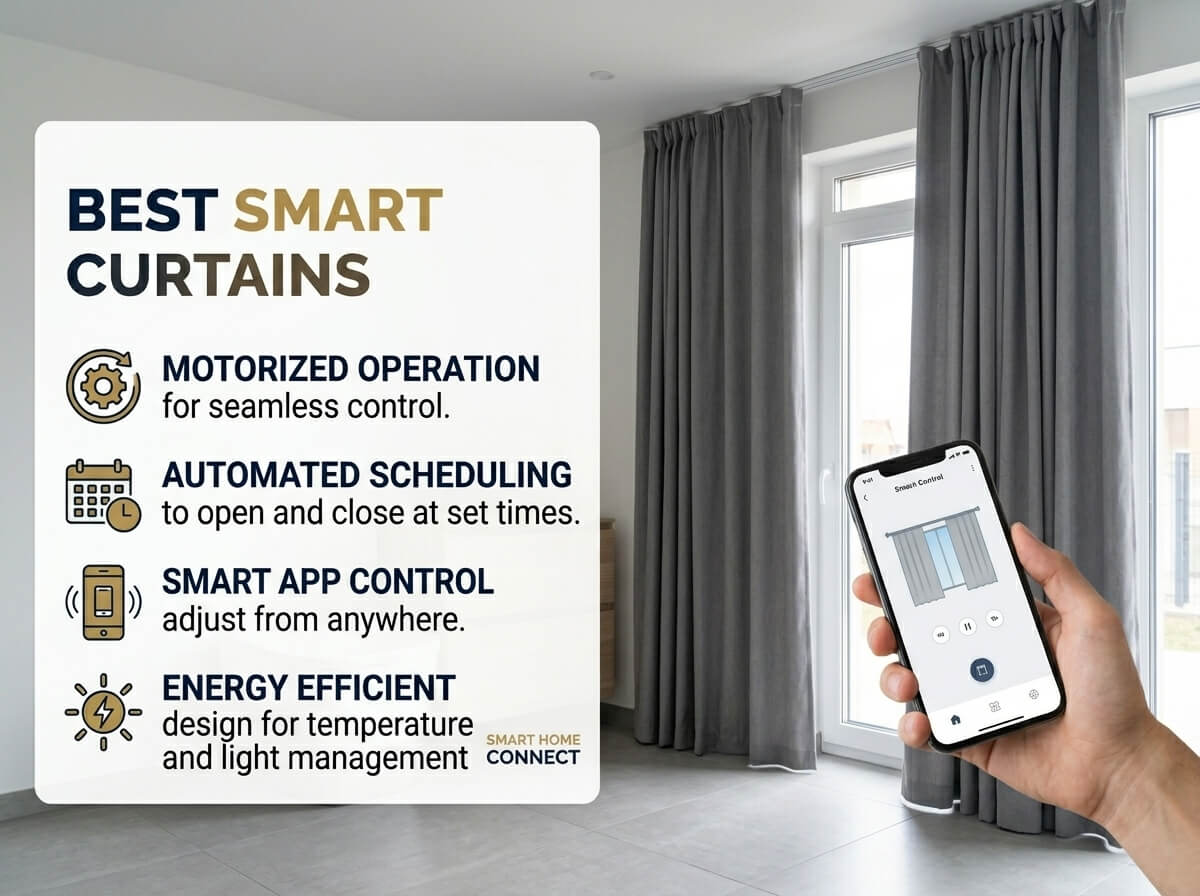
5 Best Smart Curtains In 2026
Smart curtains are no longer a luxury only for tech enthusiasts. They have become one of the most practical upgrades you can make in your home. You can open or close your blinds without leaving your couch. You can schedule them to open at sunrise. You can even control them with your voice while your hands are covered in cooking oil. That is just convenient.
But the market is full of options, and it can be hard to figure out which one is actually worth your money. Some are easy to set up. Some work beautifully with Alexa and Google Home. Some are better for big windows. Some work on your existing curtain rod without replacing anything.
This guide breaks down five of the best smart curtains available right now. Each one is reviewed in plain language, with real-world context, so you can pick the right one for your space. No jargon. No hype. Just honest information.
Let’s get into it.
What Are Smart Curtains, and Why Do They Matter?
Smart curtains is a broad term. It covers motorized roller shades, motorized blinds, and smart curtain openers that slide your existing drapes left or right. They all share one common goal: making window control hands-free.
Here is why people love them:
Energy savings. Automated shades can open in the morning to let in warmth from the sun, then close during the hottest part of the day to keep your room cool. That reduces your heating and cooling bills over time.
Better sleep. You can schedule blackout shades to close before bedtime and open gently in the morning, making your wake-up much more natural.
Convenience. If you have high windows that are hard to reach, or if you have mobility issues, motorized window treatments are a game changer.
Privacy on demand. Close your shades with a tap on your phone whenever you need privacy, no matter where you are in the house.
Home automation. Smart shades integrate with systems like Google Home, Amazon Alexa, and Apple HomeKit, letting them work as part of a broader smart home setup.
Now let’s look at the five products that made this list.
Product Reviews
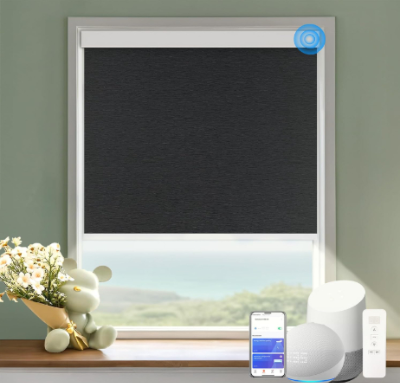
1. Motorized Blinds with Remote – Cordless Automatic Motorized Shades (Custom Size, Blackout Jacquard Black)
Overview
This is a fully motorized blind that you order in a custom size to fit your window. It comes in a blackout jacquard black fabric, which is both stylish and functional. It works with Alexa and Google Home, and it comes with a remote control included. No cords. No chains. Just clean, modern motorized window coverage.
These blinds are designed to replace your existing window coverings entirely. You measure your window, enter the custom dimensions when ordering, and the blind arrives already sized for your space.
Best Use Cases
This blind is best for bedrooms where blackout coverage matters, living rooms where you want smart home integration, or any window where you want to eliminate cords for safety, especially if you have young children or pets. It is also a good fit if you want a product that works with your existing Alexa or Google Home setup without buying a separate smart hub.
Key Features Explained Simply
Motorized operation: A quiet electric motor raises and lowers the shade. You do not pull anything manually.
Remote control included: A handheld remote comes in the box. You do not need your phone or a voice assistant to use it.
Voice control via Alexa and Google Home: Once connected to Wi-Fi, you can say “Alexa, open the bedroom blinds” and they respond. Setup requires the associated app.
Custom sizing: You submit your window dimensions when you order. This means no cutting, no trimming, and a much better fit than off-the-shelf options.
Blackout jacquard fabric: The black jacquard weave blocks light effectively. It also has a textured look that is more elegant than plain fabric.
Cordless design: No dangling cords. This is safer for homes with kids and gives the window a much cleaner appearance.
Real-Life Usage Insight
Imagine waking up every morning and having your blinds open automatically at 7 AM without touching anything. Or coming home from work, saying “Hey Google, close the living room blinds,” and watching them glide down smoothly. That is the everyday experience this product delivers. The remote control is the backup plan for guests or for days when your phone is charging across the room.
The custom sizing is a standout feature because most people struggle with standard-size blinds that are either too narrow or too wide. Getting an exact fit makes the whole setup look professional and intentional.
Pros
- Works with Alexa and Google Home out of the box
- Custom sizing removes the guesswork
- Remote control included — no hub required for basic use
- Cordless design is safer and cleaner looking
- Blackout fabric is excellent for bedrooms and media rooms
- Quiet motor that does not disturb sleep
Cons
- Requires Wi-Fi for smart home features
- Setup via the app can take a little patience for first-timers
- Blackout Jacquard Black is a single style — limited color options in this variant
- Custom ordering means longer wait time compared to off-the-shelf products
Performance
The motor on these blinds is smooth and reliable. It raises and lowers the shade without jerking or hesitation. The blackout fabric performs well — rooms get genuinely dark, not just dimmed. Voice command response is quick when connected to Alexa or Google Home. The remote control works from a solid distance without needing to point it directly at the blind.
Ease of Use
Once installed and connected, using these blinds is very simple. The remote is plug-and-play. The voice commands are natural. The app allows scheduling, which takes a few minutes to configure but then runs automatically. The initial installation requires attaching brackets to your window frame, which is a standard process for any roller blind.
Value for Money
Custom motorized blinds at this price point with smart home compatibility represent solid value. You are getting a tailor-made product with automation features that would have cost significantly more just a few years ago. If blackout performance and smart home integration are your priorities, this is a strong buy.
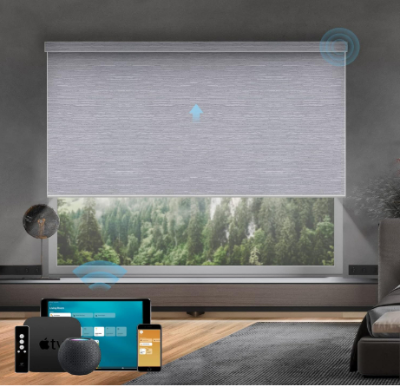
2. SmartWings Motorized Roller Shades – HomeKit Compatible, 100% Blackout (Essential Grey, Custom Size)
Overview
SmartWings is one of the more recognized names in the motorized blind space, and this roller shade is one of their most capable products. It works with Apple HomeKit in addition to other smart platforms, which is a big deal for iPhone and iPad users who use the Apple Home app. The shade is 100% blackout, comes in an Essential Grey fabric, and is available in custom sizes.
This is a high-quality product aimed at users who want reliable performance and deep smart home integration, especially in the Apple ecosystem.
Best Use Cases
This shade is the top pick for Apple HomeKit users. If you use an iPhone, iPad, or HomePod, this shade slots directly into your existing setup. It is also excellent for bedrooms and nurseries where 100% blackout is non-negotiable. The custom sizing makes it suitable for non-standard windows, and the Essential Grey is a neutral that works in most room styles.
Key Features Explained Simply
Apple HomeKit compatibility: This is rare among motorized shades. You can control it with Siri, add it to HomeKit scenes and automations, and manage it from the Apple Home app alongside your other smart home devices.
100% blackout fabric: Not just “room darkening” — this shade actually blocks all light when fully closed. This is critical for quality sleep and for media rooms.
Cordless wireless remote control: No cords. Comes with a remote for easy manual operation.
Custom size: Order to your exact window measurements for a perfect fit.
Quiet motor: SmartWings uses motors that are noticeably quiet. You will hear a soft hum but nothing disruptive.
Battery powered: The shade runs on a rechargeable battery pack, so there is no wiring to hide. You charge it periodically via USB.
Real-Life Usage Insight
For someone deep in the Apple ecosystem, this shade is a pleasure to use. You can build a “Good Morning” HomeKit scene that turns on your lights, starts your coffee maker, and opens your bedroom shades — all triggered by a single tap or voice command to Siri. The 100% blackout performance means even on a bright morning, the room stays dark until you want it light. That level of control over your environment is genuinely restful.
The Essential Grey color is versatile. It works in modern minimalist spaces, Scandinavian interiors, and traditional rooms alike. It is not a bold statement but a clean, tasteful backdrop.
Pros
- One of very few motorized shades with full Apple HomeKit support
- True 100% blackout fabric — no light leakage
- Custom sizing available
- Battery powered — no electrical wiring needed
- Very quiet motor
- Works with Alexa and Google Home too, not just HomeKit
- Remote control included
Cons
- Higher price point compared to non-HomeKit alternatives
- Battery needs to be recharged every few weeks to months depending on use frequency
- Essential Grey is the featured color — other color options may vary
- App setup can be slightly more involved than simpler products
Performance
SmartWings builds solid products, and this shade lives up to the brand reputation. The motor is smooth and whisper-quiet. The 100% blackout claim holds up — rooms get genuinely dark with no light peeking through the sides or bottom when the shade is fully down and properly fitted. HomeKit integration is stable. Automations trigger reliably. The remote control has a good range.
Ease of Use
Installation is similar to a standard roller blind. The SmartWings app guides you through the setup process step by step. Once connected to HomeKit, it behaves like any other HomeKit accessory — familiar and predictable. Scheduling is straightforward through the Apple Home app or the SmartWings app. The remote is simple: up, down, stop.
Value for Money
SmartWings charges a premium, and that premium is justified for Apple users. If you are already invested in the HomeKit ecosystem, getting a shade that works natively with it — without workarounds or third-party bridges — is worth paying more for. For non-Apple users, there may be better-value options on this list. But for HomeKit households, this is close to essential.
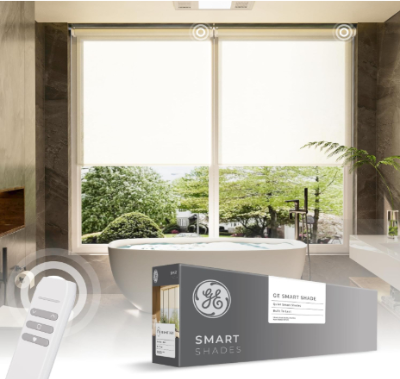
3. GE Smart Shades – Rechargeable Battery Roller Shade with Remote Control (Translucent White, 24-in Wide)
Overview
The GE Smart Shade is a more accessible entry point into motorized window coverings. It comes in a 24-inch wide, translucent white fabric. It uses a rechargeable battery and includes a remote control. This is a simpler product than the SmartWings or custom motorized blinds — it is a fixed size, uses a light-filtering fabric rather than blackout, and focuses on easy setup and reliability over premium smart home integration.
GE is a trusted brand, and that reputation carries into this product. It is straightforward, well-built, and does what it promises.
Best Use Cases
This shade works well for kitchens, home offices, bathrooms, and other spaces where you want light filtering rather than total blackout. The 24-inch width fits many standard windows. It is also a good starter product for someone who wants to try motorized shades without committing to a custom-sized, higher-investment purchase.
Key Features Explained Simply
Rechargeable battery: Plug it in, charge it up, and it runs for weeks. No hardwiring needed.
Remote control: A simple remote lets you raise, lower, or stop the shade. No app required for basic use.
Translucent white fabric: This fabric lets in soft, diffused light while still providing daytime privacy. You can see light through it, but people outside cannot see in clearly during the day.
24-inch width: A fixed standard size that fits many common windows, especially in older homes.
Quiet operation: Smooth, silent motor movement.
Simple setup: No complex wiring or app required to get it running.
Real-Life Usage Insight
The GE Smart Shade is for people who want motorized convenience without the learning curve of full smart home integration. You mount it on the window, charge it, sync the remote, and you are done. It is quick. It is clean. The translucent fabric is great for kitchens — you get natural light during the day without glare on your countertops, and you still have privacy from neighbors outside.
If you have been curious about motorized shades but worried about setup complexity, this is a very approachable starting point.
Pros
- Easy to set up — no complex apps required for basic use
- Trusted GE brand with solid build quality
- Rechargeable battery — no wiring
- Quiet, smooth motor
- Translucent fabric is great for light-filtering without losing natural light
- Remote control included
- Affordable price point compared to custom options
Cons
- Fixed 24-inch width — not suitable for wider windows without buying multiple units
- Translucent fabric only — not ideal for bedrooms needing blackout
- Smart home integration is more limited compared to HomeKit or Alexa-native options
- Single unit only — for large windows, you would need to pair two or more
Performance
For what it is, the GE Smart Shade performs reliably. The motor moves the shade smoothly. The remote works without frustration. The translucent fabric does a good job of diffusing light — rooms feel bright and airy rather than glaring. Battery life is reasonable for everyday use. It is not trying to be a premium smart home device, and it succeeds at being a practical, motorized shade.
Ease of Use
This might be the easiest product on this entire list to get up and running. Mount the brackets, hang the shade, charge the battery, and sync the remote in a few seconds. There is no app to download, no Wi-Fi to configure, and no account to create just to raise or lower your blinds. That simplicity is a real strength.
Value for Money
If you want motorized convenience at the lowest possible barrier to entry — in terms of both cost and setup effort — the GE Smart Shade delivers. It is not trying to compete with premium custom shades, but for standard-sized windows in rooms where light filtering is the goal, it is a smart and practical purchase.
4. SwitchBot Automatic Curtain Opener – Bluetooth Remote Control (With Hub Option for Alexa/Google/HomeKit)
Overview
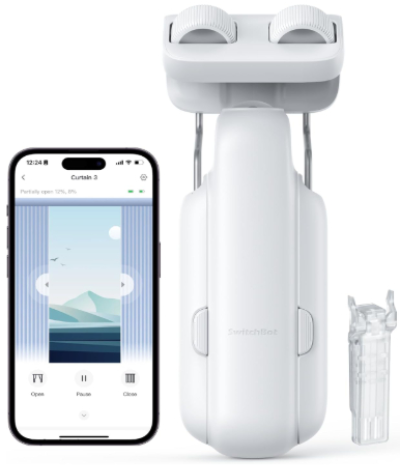
The SwitchBot Curtain Opener is a completely different type of product from the roller shades above. Instead of replacing your curtains, it clips onto your existing curtain rod and moves your current drapes open and closed. If you love your curtains and just want to automate them, this is the product for you.
SwitchBot’s curtain opener attaches to your curtain rod with a clamp, runs along the rod, and pushes or pulls your curtains on demand. It connects via Bluetooth, and with the addition of a SwitchBot Hub (sold separately), you get full Wi-Fi control and compatibility with Alexa, Google Home, and Apple HomeKit.
Best Use Cases
This product shines in situations where you already have curtains you like and do not want to replace them. It is also great for renters who cannot make permanent changes to their windows. It works on standard curtain rods and requires no tools or wall modifications. It is an excellent choice for people who want to automate curtains without the cost or hassle of a full replacement.
Key Features Explained Simply
Clip-and-go design: Clamps directly onto your curtain rod. No drilling. No mounting. No measuring custom sizes.
Bluetooth control: Works with the SwitchBot app on your phone via Bluetooth right out of the box.
Timer and scheduling: Set it to open your curtains every morning and close them at sunset — all automatic.
Upgraded high-performance motor: This version features a stronger motor for heavier curtains compared to earlier SwitchBot models.
Hub compatibility: Add the SwitchBot Hub Mini or Hub 2 to enable Wi-Fi, voice control via Alexa or Google Home, and Apple HomeKit support.
Magnetic solar panel option: A solar charging panel accessory can keep the battery topped up using light energy.
Real-Life Usage Insight
You clip the SwitchBot Curtain Opener onto your existing rod, adjust the clamp to your curtain’s carrier or ring, and within minutes it is running on your phone app. Tap open, tap close. You can also set timers so your curtains open automatically in the morning and close in the evening without you thinking about it.
The hub upgrade is worth considering if you want voice control. Without the hub, it is Bluetooth only — which means your phone needs to be in range. With the hub, it becomes fully Wi-Fi enabled and you can control it from anywhere, including voice commands through your smart speaker.
Pros
- Works on your existing curtains — no replacement needed
- No tools or drilling required for installation
- Great for renters
- Timer and scheduling built into the app
- Strong motor handles heavier curtains
- Expandable to full smart home control with the hub
- Compact and discreet on the rod
Cons
- Hub required for Wi-Fi and voice control — sold separately
- Only works with curtains on a rod, not blinds or shades
- Bluetooth range limits control when far from the window without a hub
- Works best with lightweight to medium-weight curtains — very heavy velvet drapes may challenge the motor
- One opener typically covers one panel — for two-panel setups, you may need two units
Performance
The SwitchBot Curtain Opener does its job quietly and consistently. The upgraded motor is noticeably more confident on heavier fabrics compared to earlier versions. Response via the app is fast over Bluetooth. With the hub added, response time for voice commands and remote control is comparable to other smart home devices. It moves at a steady pace — not lightning fast, but smooth and purposeful.
Ease of Use
Setup takes minutes. Clip, download the app, pair via Bluetooth. The SwitchBot app is well-designed and intuitive. Setting schedules is straightforward. Adding the hub requires a separate pairing step but is still not complicated. Overall, this is one of the more beginner-friendly smart home accessories you can buy.
Value for Money
When you factor in that you are keeping your existing curtains and just adding automation, the value here is excellent. You are not paying for new fabric or custom sizing. You are paying for the mechanism that makes your existing setup smart. For renters, curtain lovers, or anyone not ready to fully replace their window coverings, this is outstanding value.
5. SwitchBot Automatic Curtain Opener 3 Rod – WiFi & App Control (Alexa, Google Home, HomeKit Compatible)
Overview
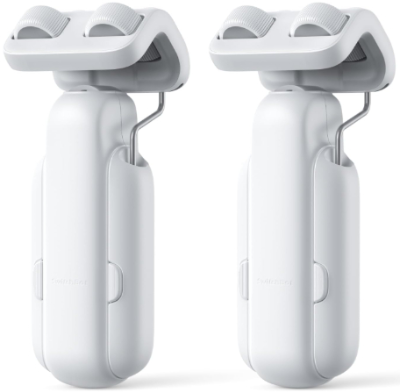
This is the newer, upgraded SwitchBot Curtain Opener designed for three-rod curtain setups — meaning it can handle curtains mounted on a rod with bracket supports in the middle, which previously caused problems for single-unit curtain openers. This version builds in Wi-Fi directly without needing a separate hub for most core features, and it comes with full compatibility for Alexa, Google Home, and Apple HomeKit.
If the previous SwitchBot model caught your attention but you have a more complex curtain rod setup, or you want Wi-Fi built in without buying a hub, this is the model to look at.
Best Use Cases
This model is best for people with longer curtain rods that have mid-rod support brackets — which is common in wider windows. It is also the right pick if you want Wi-Fi control and smart home compatibility without purchasing a separate hub device. It suits slightly more experienced smart home users who want a more capable, plug-and-play setup.
Key Features Explained Simply
Three-rod compatibility: Designed to navigate over middle support brackets on curtain rods. This solves a common frustration with earlier curtain openers that could not get past these brackets.
Built-in Wi-Fi: Unlike the previous model that requires a hub for Wi-Fi, this version connects directly to Wi-Fi for app control from anywhere.
Alexa, Google Home, HomeKit compatible: All three major smart home platforms are supported natively.
App and timer control: Schedule your curtains, control them remotely, or use voice commands through your preferred assistant.
Bluetooth backup: Even without Wi-Fi, Bluetooth control via the app works as a fallback.
Real-Life Usage Insight
Wide windows with center bracket supports are extremely common in living rooms and master bedrooms. Standard curtain openers would stop dead at the bracket. This version keeps going, navigating past it smoothly. If your wide curtains have been a pain point — too big to reach easily, too heavy to pull manually every day — this solves it neatly.
Having Wi-Fi built in means you can tell Alexa to open the curtains from the kitchen while cooking, or close them remotely from your office before a video call. It removes the dependency on the hub, which simplifies the whole setup.
Pros
- Handles three-rod setups — works on wider windows with support brackets
- Wi-Fi built in — no separate hub required for remote and voice control
- Compatible with Alexa, Google Home, and Apple HomeKit
- Easy app-based scheduling
- Works on existing curtains — no replacement needed
- Quiet and reliable motor
- Bluetooth backup if Wi-Fi drops
Cons
- Pricier than the standard SwitchBot Curtain Opener
- Still works best with light to medium curtains — very heavy drapes may slow it down
- Requires a matching SwitchBot Hub for some extended features
- One device handles one curtain panel — two-panel setups need two units
- Wi-Fi setup adds slightly more steps than pure Bluetooth pairing
Performance
Performance is a step up from the previous model. The three-rod navigation works as advertised — it detects the bracket and moves past it without stopping or jamming. Wi-Fi connectivity is stable. Voice commands through all three major platforms respond quickly. The motor handles everyday curtains without straining. App performance is smooth with reliable scheduling.
Ease of Use
SwitchBot has refined their app and setup process over multiple product generations, and it shows. Pairing the new curtain opener with Wi-Fi takes a few minutes but is clearly guided by the app. Scheduling and automation are intuitive. For anyone who has used a SwitchBot product before, this will feel immediately familiar.
Value for Money
This is the premium option in the SwitchBot curtain opener lineup. If you have a wide window with a three-rod setup and you want full smart home integration without extra accessories, the higher price is justified. For simpler setups, the standard SwitchBot Curtain Opener remains the better value. But for those specific needs, this model earns its cost.
Side-by-Side Comparison
Here is a quick comparison of all five products to help you see the differences at a glance.
| Feature | Custom Motorized Blinds | SmartWings HomeKit | GE Smart Shade | SwitchBot Curtain Opener | SwitchBot 3-Rod |
|---|---|---|---|---|---|
| Type | Roller Blind | Roller Shade | Roller Shade | Curtain Opener | Curtain Opener |
| Custom Sizing | Yes | Yes | No (24″) | N/A | N/A |
| Blackout | Yes | Yes (100%) | No (Translucent) | Depends on curtain | Depends on curtain |
| Alexa | Yes | Yes | Limited | With Hub | Yes (Built-in) |
| Google Home | Yes | Yes | Limited | With Hub | Yes (Built-in) |
| HomeKit | No | Yes | No | With Hub | Yes (Built-in) |
| Wi-Fi Built-in | Yes | Yes | Basic | No (Hub needed) | Yes |
| Battery | No (motorized) | Rechargeable | Rechargeable | Battery | Battery |
| For Existing Curtains | No | No | No | Yes | Yes |
| Best For | Blackout + Smart Home | Apple Users | Beginners | Renters/Curtain Lovers | Wide Windows |
Buying Guide: How to Pick the Right Smart Curtain
Before you spend money, there are a few key things to think about. Getting these right means you end up with something that actually fits your life.
Know Your Window Type
Start with your window. How wide is it? Is it a standard size or custom? Do you have a rod already with curtains, or are you starting fresh? For bare windows, a motorized roller shade or blind makes the most sense. For windows with existing curtains, a SwitchBot-style curtain opener is the smarter move.
Light Control Needs
Do you need full blackout, or just privacy and light filtering? Bedrooms and nurseries almost always benefit from blackout fabric. Kitchens, offices, and living rooms usually do fine with light-filtering or translucent options. Match the fabric type to the room’s purpose.
Smart Home Platform
This is critical. If you use Apple devices and the Apple Home app, you need HomeKit compatibility. If you are an Alexa or Google Home household, most motorized shades will work. If you do not use any smart home platform, you just need something with a remote control and maybe an app.
Power Source
Battery-powered options are easier to install because there is no wiring. But batteries need recharging. Hardwired options are more permanent but never run out of power. For most homes, rechargeable battery models offer the best balance.
Budget Range
Entry-level products like the GE Smart Shade offer core motorized functionality at the lowest cost. Mid-range options like the SwitchBot Curtain Opener add smart home integration at a reasonable price. Premium options like SmartWings with HomeKit and custom motorized blinds cost more but offer the best fit, fabric quality, and platform integration.
Installation Complexity
Are you comfortable with a drill and basic mounting? Roller shades and motorized blinds require mounting brackets on the window frame or inside the window recess. The SwitchBot curtain openers need no tools at all. Be honest about your comfort level before committing.
Cord Safety
If you have young children or pets in your home, cordless designs are non-negotiable. All five products on this list are cordless, which is one reason they made the cut.
Who Should Buy These Products?
Best for renters and apartment dwellers: SwitchBot Curtain Opener (standard or 3-rod). No drilling, no permanent changes, clips onto your existing setup.
Best for Apple HomeKit users: SmartWings Motorized Roller Shades. Native HomeKit support is rare and valuable.
Best for beginners and first-timers: GE Smart Shade. Simplest setup, most affordable, no smart home account required for basic use.
Best for bedrooms and media rooms: Custom Motorized Blinds (Blackout Jacquard) or SmartWings 100% Blackout. Both deliver genuine light blocking.
Best for wide windows with complex rods: SwitchBot 3-Rod Curtain Opener. Specifically designed to handle the bracket obstacles in wider windows.
Best for full smart home integration without breaking the bank: SwitchBot Curtain Opener with a hub. Add the hub and you get Alexa, Google, and HomeKit at a competitive total cost.
Common Mistakes to Avoid
Smart curtains are fairly easy to get right, but a few common missteps trip up a lot of buyers. Here is what to watch out for.
Measuring Wrong
For any shade or blind that requires sizing, always measure twice. Measure the width of the window frame inside, not the glass. Measure the height from the bracket position to where you want the shade to fall. Getting this wrong means the shade does not fit.
Ignoring the Hub Requirement
The standard SwitchBot Curtain Opener is Bluetooth only out of the box. Many buyers assume it has Wi-Fi built in. If voice control and remote access from outside your home are important to you, budget for the SwitchBot Hub at purchase time.
Buying Blackout When You Need Light Filtering
A 100% blackout shade in your kitchen will make cooking in the middle of the day feel like you are in a cave. Think about how each room uses natural light before picking a fabric type.
Overlooking Battery Life
Battery-powered shades need occasional recharging. If you set it up in a window you rarely visit, you might forget to charge it until it stops working. Build the recharging reminder into your routine, or consider a solar charging accessory.
Skipping the App Setup
Some buyers plug in the remote, get basic control working, and never set up the app. The app is where scheduling lives. Automations — open at sunrise, close at sunset — dramatically increase the value of your smart curtains. Take the extra twenty minutes to set it up properly.
Buying for the Wrong Rod Type
SwitchBot curtain openers clip onto rods. But not all rods are the same. Round rods, oval rods, and track-style rods may have different compatibility. Check the product specs for rod diameter compatibility before ordering.
Expecting Perfect Blackout from Light-Filtering Fabric
The GE Smart Shade and similar translucent options are honest about what they do — filter light, not block it. If you buy a translucent shade hoping it will darken a room, you will be disappointed. Know the difference before purchasing.
Real Talk: Are Smart Curtains Actually Worth It?
There is a fair question buried in all of this: do smart curtains actually improve daily life, or are they just a cool gadget?
The honest answer is yes — but only if you use the features.
The biggest value comes from scheduling. When your shades open every morning automatically, you do not think about it. It just happens. The room brightens gradually. It is a genuinely pleasant way to start the day. Same thing in the evening — shades close as it gets dark, and you get privacy without having to get up.
The second big value is for hard-to-reach windows. High windows or windows behind furniture that are annoying to reach manually become completely effortless with automation.
The third is energy awareness. People who use smart shades tend to be more intentional about blocking heat in summer and letting warmth in during winter. That habit alone can reduce energy costs over time.
If you are just going to use the remote occasionally but otherwise forget the shades exist, you will not get the same value. Smart curtains reward people who take a little time to set up automations.
Final Verdict
Here is the bottom line on each product:
Custom Motorized Blinds (Blackout Jacquard Black): A well-rounded choice for anyone who wants blackout performance, Alexa or Google integration, and a perfectly fitted blind. The custom sizing removes a common frustration. Strong value for smart home users.
SmartWings Motorized Roller Shades (HomeKit): The best motorized shade for Apple HomeKit users. Premium price, premium performance, and genuinely true blackout fabric. If your home runs on Apple, this is the one to get.
GE Smart Shade (24-inch, Translucent White): The best entry-level motorized shade for beginners or anyone with a standard-sized window who wants simple, reliable motorized operation without smart home complexity. A great first step.
SwitchBot Curtain Opener (Standard): The best product for anyone who loves their existing curtains and just wants to automate them. Perfect for renters. Add the hub for full smart home control at a very reasonable total cost.
SwitchBot Curtain Opener 3-Rod: The best choice for wider windows with support brackets, and for users who want Wi-Fi and full smart home support built in without extra accessories. Worth the upgrade over the standard model for those specific needs.
No single product on this list is perfect for everyone. But every product on this list is genuinely good at what it was designed to do. Pick the one that matches your window, your existing setup, your smart home platform, and your budget — and you will be happy with the result.
Smart curtains are one of those home upgrades that, once you have them, you wonder how you ever managed without them.
Frequently Asked Questions
Do smart curtains work without Wi-Fi? Yes. Most have Bluetooth control or remote controls that work without Wi-Fi. Wi-Fi enables remote access and voice control via smart speakers.
Can I install smart curtains myself? Yes. All products on this list are designed for DIY installation. Roller shades require basic bracket mounting. The SwitchBot curtain openers require no tools at all.
Are smart curtains safe for homes with children? All products on this list are cordless, which is the key safety feature for homes with young children. Traditional corded blinds pose a strangulation risk. Motorized and smart options eliminate that danger.
How long do batteries last? Depending on usage frequency, batteries in rechargeable motorized shades typically last anywhere from a few weeks to several months between charges. Using schedules more frequently depletes the battery faster.
Can I use smart curtains in rental apartments? The SwitchBot curtain openers are specifically well-suited for rentals because they clip onto existing curtain rods with no drilling or permanent modifications.
Do I need a smart hub to use these products? Not always. The Custom Motorized Blinds and SmartWings come with Wi-Fi built in. The GE Smart Shade works with just the remote. The standard SwitchBot Curtain Opener uses Bluetooth natively but needs the SwitchBot Hub for Wi-Fi. The SwitchBot 3-Rod has Wi-Fi built in.

Hi, I’m Mary, the founder of Homygear.com. I’m passionate about creating a comfortable, smart, and beautiful home. I share practical insights and real-world experience on home gear that makes everyday life easier. Behind the scenes, my dedicated research team studies products in depth, and our writers craft honest reviews using trusted, authentic sources—so you can choose home gear with confidence.