How to Automate Your Home Lighting System?
Imagine walking into your home and having the lights turn on automatically before you even flip a switch. Sounds like something from a sci-fi movie, right? The good news is that automating your home lighting is easier and more affordable than you might think. With smart lighting technology becoming cheaper and simpler every day, almost anyone can set up a basic automated lighting system in their home.
This guide will walk you through everything you need to know to get started with home lighting automation. Whether you’re looking to save energy, improve your home’s security, or just make life a little easier, automated lights can help you achieve those goals.
What Is Home Lighting Automation?
Home lighting automation means setting up your lights so they work without you having to manually flip switches. Your lights respond to specific triggers like motion, time of day, or voice commands. They can also adapt to your daily routines automatically.
Think about your typical day. You wake up and turn on the bedroom light. You walk downstairs and flip on the kitchen light. You leave for work and turn everything off. With automation, you can program your lights to do all of this on their own. This saves time and helps you use less electricity.
Automated lighting systems connect to your home’s smart home network. They use wireless technology to communicate with a central hub or your smartphone. This lets you control your lights from anywhere, even when you’re not home.
Why Automate Your Home Lights?
There are several solid reasons to consider upgrading to an automated lighting system. Let’s break down the main benefits.
Save Money on Your Electric Bill
One of the biggest reasons people automate their lights is to cut energy costs. Traditional incandescent bulbs waste a lot of energy as heat. Smart lighting systems use LED bulbs, which are far more efficient. You can also set schedules so lights turn off automatically when rooms aren’t in use.
Imagine forgetting to turn off the bathroom light before you leave for work. With automation, those lights turn off on schedule. Over time, this adds up to real savings on your monthly electric bill.
Improve Your Home’s Security
Automated lighting makes your home look occupied even when you’re away on vacation. You can set lights to turn on and off at different times throughout the day. This creates the illusion that someone is home, which deters burglars and intruders.
Motion-activated lights are also excellent for security. Outdoor lights can turn on automatically when they detect movement near your doors or windows. This surprises anyone trying to approach your home in the dark.
Live More Conveniently
Convenience is a game-changer for most people who switch to automated lighting. No more fumbling for light switches in the dark. No more getting out of bed to turn off lights. You can control everything from your phone or with voice commands through smart speakers.
Automated lights can also adapt to your natural sleep cycle. Some systems gradually brighten in the morning to wake you gently. They can also dim in the evening to help you relax before bed.
Manage Your Home While You’re Away
Traveling for work or taking a vacation becomes easier when you can control your lights remotely. Turn on lights before you arrive home. Create schedules that make it look like someone is there. Monitor which lights are on from thousands of miles away.
Types of Smart Lighting Systems
Before you buy anything, it helps to know what options are available. Smart lighting comes in several different forms.
Smart Bulbs
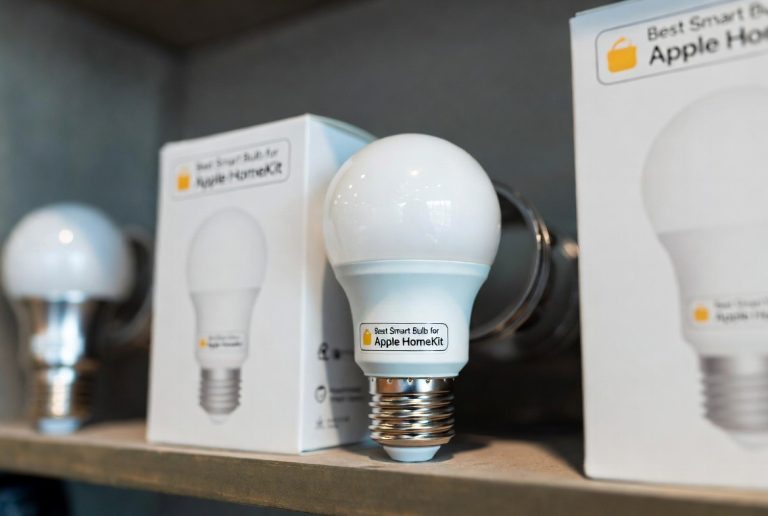
Smart bulbs are the easiest way to start with home lighting automation. You simply screw them into your existing light fixtures. No rewiring or installation needed. These bulbs connect to your home WiFi or a wireless network and can be controlled by an app on your phone.
Smart bulbs come in different colors and brightness levels. Some can produce millions of different colors, letting you set the mood in any room. Others focus on basic on-off functionality and dimming.
The advantage of smart bulbs is that they’re simple to install. The downside is that they can be pricey if you need many of them. You also have to remember to use the app or a voice command to control them. You can’t use a regular wall switch.
Smart Switches
Smart light switches replace your existing wall switches. Once installed, they control any light bulb in that fixture, whether it’s smart or not. This makes them more versatile than smart bulbs.
Smart switches let you use physical switches to control your lights. You can still turn lights on and off manually if you want to. But you also get all the automation features through an app or voice control.
Installing smart switches requires a bit more work than smart bulbs. You need to turn off power at the breaker and swap out your old switch. If you’re not comfortable with electrical work, you might want to hire a professional.
Smart Dimmers
Smart dimmers are similar to smart switches, but they let you adjust the brightness of your lights. You can set different brightness levels for different times of day. Dimmer controls also help reduce energy use and create the perfect ambiance in any room.
Smart dimmers work with both smart bulbs and regular bulbs. They give you fine-grained control over how bright your lights are at any moment.
Smart Lighting Hubs
A smart lighting hub is a central device that connects to your home WiFi. All your smart lights connect to this hub instead of directly to your WiFi. This creates a stronger, more reliable network for your lights.
Hubs are especially useful if you have many smart lights. They reduce the load on your home WiFi network. They also let your lights work together in groups and scenes.
Some hubs have built-in voice assistants. Others work with third-party voice assistants like Alexa or Google Home.
Getting Started: The Basics
Ready to automate your home lighting? Here’s what you need to do to get started.
Step 1: Choose Your Smart Home Ecosystem
The first decision is which ecosystem to use. The three biggest options are Amazon Alexa, Google Home, and Apple HomeKit. Each has its own smart home devices and apps.
This choice matters because most smart lights and switches work best with one specific ecosystem. You want everything to work together smoothly. So think about which voice assistant you prefer and which ecosystem has the most devices you like.
Amazon Alexa is the most popular choice. It has the widest selection of compatible devices. Google Home is a solid second option with excellent integration for those who use Google products. Apple HomeKit is best for people who are deeply invested in Apple products.
Step 2: Pick Your Smart Lights
Once you’ve chosen your ecosystem, pick smart lights that work with it. Start small with just one or two rooms. This lets you learn how the system works before you invest in your whole house.
For beginners, smart bulbs are the easiest starting point. They require no installation expertise. You screw them in, download the app, and you’re ready to go.
Popular smart bulb options include Philips Hue, LIFX, and Wyze. These work with most smart home ecosystems. They’re reliable, affordable, and well-reviewed.
Step 3: Set Up a Smart Speaker (Optional)
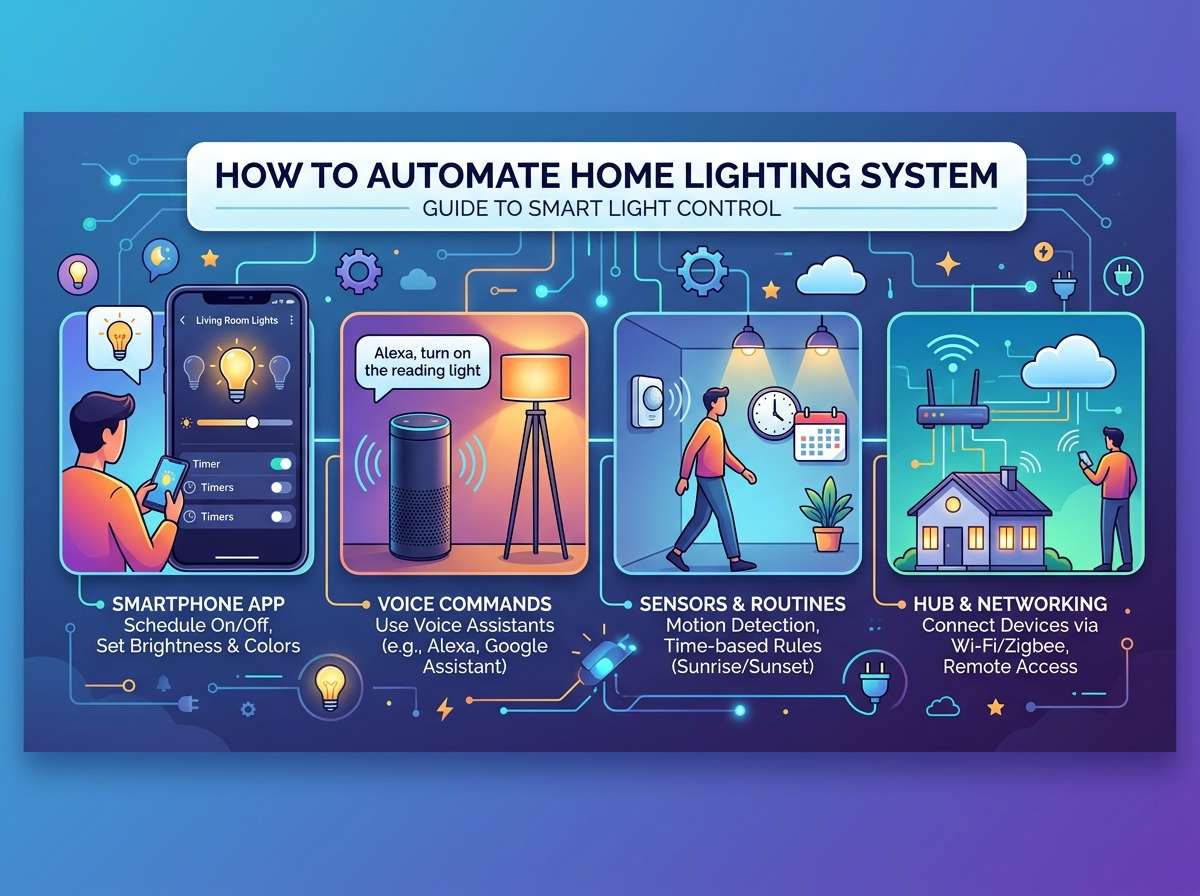
A smart speaker like Amazon Echo or Google Home makes controlling your lights much easier. You can give voice commands like “Turn on the living room light” or “Dim the bedroom lights to 50 percent.”
Smart speakers also serve as hubs for your smart home. This strengthens your wireless network and improves reliability. Some smart lighting systems require a hub to function properly.
If you’re just starting out with one or two smart bulbs, a smart speaker isn’t absolutely necessary. But it dramatically improves the user experience.
Step 4: Download the App and Connect Your Lights
Each smart light brand has its own app. Download it to your smartphone or tablet. Follow the instructions to connect your lights to your home WiFi.
Most smart lights use a simple pairing process. You put the light in pairing mode, open the app, and search for new devices. Within seconds, your light shows up in the app.
Once connected, you can turn lights on and off, adjust brightness, and change colors right from your phone.
Setting Up Automation Rules
Now comes the fun part: creating automation rules. This is where your lights start doing things on their own.
Time-Based Automation
The simplest automation rule is time-based. You tell your lights to turn on or off at specific times. For example, you might set your bedroom light to turn on at 6 AM and turn off at 11 PM.
Time-based rules are perfect for creating routines. You could have a “Good Morning” routine that turns on lights throughout your home at a set time. Or an “Away” routine that turns off all lights when you leave.
Most smart lighting apps let you create multiple time-based rules. You can set different rules for weekdays and weekends. This flexibility makes it easy to match your natural schedule.
Motion-Activated Lighting
Motion sensors detect when someone is in a room and trigger the lights to turn on. This is incredibly convenient for hallways, bathrooms, and outdoor areas.
When you walk into a dark hallway, the lights turn on automatically. When you leave, the light stays on for a set time before turning off. This is both convenient and energy-efficient.
Motion-activated lights work best for spaces you pass through regularly. They’re less ideal for rooms where you sit still for long periods, like living rooms or bedrooms.
Geofencing
Geofencing uses your smartphone’s location to trigger automation. When you arrive home, your location triggers the lights to turn on. When you leave, they turn off.
This is incredibly convenient when you’re coming home with groceries or your hands are full. The lights are already on before you walk in the door.
Geofencing also works for security. You can set lights to turn on when anyone in your household arrives home. This makes your home feel occupied immediately.
Voice Commands
If you have a smart speaker, voice commands are the quickest way to control lights. Just say “Alexa, turn on the kitchen light” and it happens instantly.
Voice control is perfect for times when your hands are full or when you just don’t feel like reaching for your phone. Many people find voice control more intuitive than using an app.
Organizing Your Lights Into Groups and Rooms
As you add more smart lights, organizing them becomes important. Most smart home systems let you group lights by room.
Create a group for your bedroom, another for the living room, and so on. This way, you can control all bedroom lights together with a single command. You can say “Turn off bedroom lights” instead of naming each individual light.
Grouping also makes automation easier to manage. You can create a “Good Morning” routine that turns on lights in multiple rooms at once.
Creating Scenes for Different Moods
A scene is a preset combination of light colors and brightness levels. Think of scenes as different moods for different situations.
You might create a “Movie Night” scene where all lights are dimmed to 10 percent. Or a “Party” scene with bright, colorful lights. A “Dinner” scene might have warm, dim lighting that’s flattering to faces.
Once you create a scene, you can activate it with one button in your app or one voice command. Instead of adjusting each light individually, you set the perfect mood instantly.
Overcoming Common Automation Challenges
As you set up your system, you might run into some problems. Here’s how to solve the most common issues.
WiFi Connectivity Problems
Smart lights need strong WiFi signals to work reliably. If you have dead zones in your home, your lights might disconnect frequently.
Solution: Move your router to a more central location. Or get a WiFi extender to boost the signal in problem areas. Some people place a hub closer to their smart lights to create a separate network just for smart home devices.
Lights Not Responding
Sometimes you give a voice command or tap the app but nothing happens. This usually means your lights aren’t connected to WiFi.
Solution: Check your WiFi network. Make sure it’s working properly. Restart your router if needed. You can also restart individual lights by unplugging them for a few seconds, then plugging them back in.
Conflicting Automation Rules
If you create multiple automation rules, they might conflict. For example, one rule turns lights on at 6 AM while another turns them off at 5:55 AM.
Solution: Review all your automation rules and make sure they don’t overlap. Adjust the times so rules don’t compete. Test your routines to make sure they work as intended.
Integration Issues
Not all smart lights work with all smart home systems. You might buy a light that doesn’t show up in your app.
Solution: Check compatibility before buying. Read the product description carefully. It should clearly state which ecosystems it works with. When in doubt, contact the manufacturer’s customer support.
Best Practices for Home Lighting Automation
Once you have your system up and running, follow these best practices to get the most out of it.
Start Simple, Add Complexity Later
Don’t try to automate your entire home overnight. Start with one or two rooms. Get comfortable with how the system works. Then expand to other areas.
This approach prevents frustration. You’ll have time to learn the app and figure out what automation rules actually work for your lifestyle.
Test Everything Before Relying On It
Before you depend on a routine to make you look occupied while traveling, test it thoroughly. Run through the automation rules manually. Make sure everything happens at the right time.
Testing ensures you won’t have surprises when you’re away from home.
Use Descriptive Names
When you add lights to your system, give them clear names. Instead of “Light 1” and “Light 2,” use names like “Bedroom Ceiling” and “Bedroom Lamp.”
Descriptive names make voice commands work better. They also make it easier to find lights in your app.
Review and Adjust Seasonally
The time you arrive home changes with the seasons. Days get longer or shorter. You might want different automation rules for summer versus winter.
Review your automation rules a few times a year. Adjust them to match the current season and your routine.
Keep Your System Secure
Smart lights connect to your WiFi network, so security matters. Use a strong password for your smart home app. Enable two-factor authentication if available.
Update your smart lights’ firmware regularly. Manufacturers release updates to fix security issues and improve performance.
Don’t Over-Automate
It’s tempting to automate every light in your home. But sometimes manual control is better. If you use a light unpredictably, don’t set strict automation rules for it.
Balance automation with flexibility. Keep some lights under manual control so you can adjust as needed.
Energy Savings and Environmental Impact
One of the biggest benefits of smart lighting is energy efficiency. Let’s look at the numbers.
Smart LED bulbs use about 75 percent less energy than old incandescent bulbs. If you replace a 60-watt incandescent with a 9-watt LED, you save 51 watts every hour the light is on.
Over a year, that adds up to real savings. If that light is on for six hours a day, you save about 112 kilowatt-hours annually. At typical electricity rates, that’s roughly $13 per bulb per year.
When you multiply that across your entire home, the savings become substantial. Many people see 20 to 30 percent reductions in their lighting costs.
Beyond the financial savings, there’s an environmental benefit. Less electricity use means less demand on power plants. It means fewer greenhouse gas emissions from power generation.
Smart lighting automation helps you live more sustainably without sacrificing comfort or convenience.
Advanced Automation Techniques
Once you’re comfortable with the basics, you can explore more advanced features.
Circadian Rhythm Lighting
Some smart lighting systems adjust brightness and color temperature throughout the day. They mimic the natural progression of sunlight.
In the morning, lights are bright and blue-ish, matching natural daylight. This helps you wake up and feel alert. As evening approaches, lights become dimmer and warmer. This helps you relax and prepare for sleep.
Circadian lighting improves your sleep quality and daytime energy levels.
Integration With Other Smart Home Devices
Your smart lights can work together with other smart devices. For example, a motion sensor in your entryway can trigger your hallway lights. A smart thermostat can adjust lighting based on temperature.
You can even create routines that involve multiple device types. A “Movie Time” routine might dim lights, adjust the thermostat, and close your smart blinds simultaneously.
Custom Automation Workflows
Advanced users can create complex automation workflows using apps like IFTTT or Zapier. These let you create “if this, then that” rules across multiple platforms.
For example, you could create a rule that turns on your porch light when it gets dark AND when someone is detected approaching your home.
Troubleshooting Your Smart Lighting System
If things aren’t working as expected, here are steps to take.
Restart Everything
Before trying anything complicated, restart your lights and hub. Unplug them for 30 seconds, then plug them back in. Often this solves minor glitches.
Check the App
Make sure you’re using the most recent version of the app. App updates fix bugs and add new features. Outdated apps can cause compatibility issues.
Review Device Settings
Open the app and check the settings for each light. Make sure lights are assigned to the correct room. Verify that automation rules are correctly configured.
Restart Your Router
Your WiFi network is crucial to smart lighting. Restart your router by unplugging it for 30 seconds. This refreshes your network connection.
Contact Customer Support
If nothing works, contact the manufacturer’s support team. Provide detailed information about what’s happening. They can often resolve issues remotely or replace faulty devices.
The Future of Home Lighting Automation
Home lighting automation technology continues to improve. Here’s what’s coming next.
Matter is a new open standard for smart home devices. It promises better compatibility between different brands and ecosystems. In the future, you’ll be able to mix and match devices from different manufacturers without worrying about compatibility.
Artificial intelligence is also playing a bigger role. Smart lights are learning your habits and adjusting automatically. They’ll predict what you want and act before you ask.
More colors, better brightness control, and longer battery life are coming to wireless and solar-powered lights. This makes automation more accessible and flexible.
Conclusion
Automating your home lighting system is one of the easiest smart home upgrades you can make. The technology is affordable, reliable, and simple to use.
Start with one or two smart bulbs in your favorite room. Experiment with automation rules. See how convenient and energy-efficient smart lighting can be. Once you get comfortable, expand to other rooms.
The combination of convenience, security, energy savings, and environmental benefits makes automated lighting a smart investment for any home. You don’t need to be tech-savvy to enjoy the benefits. Modern smart lights are designed to be easy to use for everyone.
Take the first step today. Pick out a few smart bulbs. Download the app. Experience the future of home lighting. You’ll wonder why you didn’t automate sooner.

Hi, I’m Mary, the founder of Homygear.com. I’m passionate about creating a comfortable, smart, and beautiful home. I share practical insights and real-world experience on home gear that makes everyday life easier. Behind the scenes, my dedicated research team studies products in depth, and our writers craft honest reviews using trusted, authentic sources—so you can choose home gear with confidence.