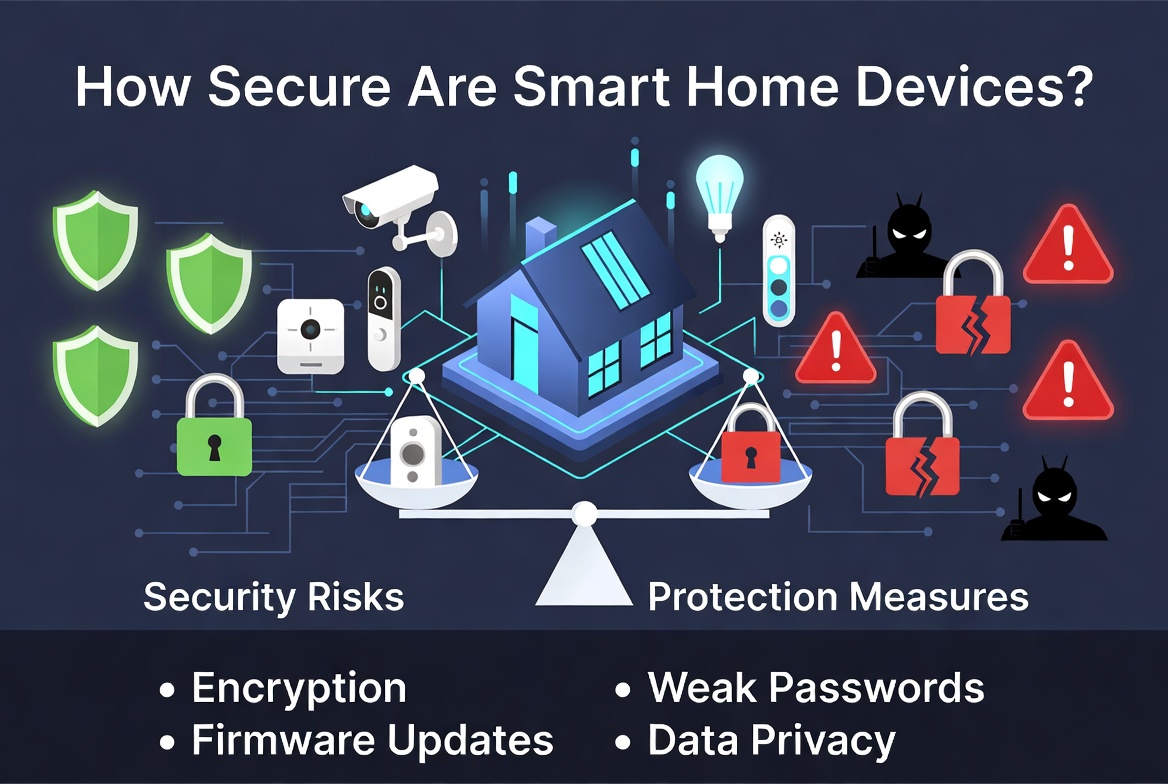
How Secure Are Smart Home Devices?
Smart home gadgets are everywhere now. You wake up and ask a speaker to turn on the lights. Your doorbell sends a video clip to your phone the second someone walks up. Your thermostat learns your habits and adjusts the temperature on its own. It all feels like magic, and honestly, it makes life easier in a hundred small ways.
But here’s the question a lot of people quietly worry about: are these devices actually safe? Can a stranger peek through your smart camera? Can someone unlock your smart lock from miles away? Is your smart speaker always listening, even when you don’t want it to?
This post breaks down the real security risks of smart home devices in plain, simple language. No tech jargon, no scare tactics, just honest facts and practical steps you can use today to keep your home network and your family safe.
What Exactly Counts as a Smart Home Device?
Before we dig into security, let’s get clear on what we’re talking about. A smart home device is any gadget in your house that connects to the internet and can be controlled remotely. This covers a huge range of products, such as:
- Smart speakers and voice assistants
- Video doorbells and security cameras
- Smart locks and garage door openers
- Smart plugs and light bulbs
- Smart thermostats
- Robot vacuums
- Smart TVs and streaming boxes
- Baby monitors
- Smart refrigerators and other kitchen appliances
Each of these gadgets connects to your home Wi-Fi and often talks to a company’s servers over the internet. That connection is what makes them “smart,” but it’s also exactly where security risks come from.
Why Are Smart Home Devices a Target for Hackers?
You might think, “Why would anyone care about hacking my smart plug?” It sounds like a strange target, right? But here’s the thing: hackers don’t always want your data directly. Sometimes they want your device’s processing power or your internet connection.
Weak smart devices get roped into huge networks called botnets. A botnet is basically an army of hijacked devices working together to attack websites, send spam, or mine cryptocurrency, all without the owner knowing a thing. Your smart bulb could be secretly working for a criminal right now and you’d never notice, aside from a slightly slower internet connection.
On top of that, many smart home devices sit right at the center of your daily life. A hacked camera can show someone your living room. A hacked lock can let a stranger into your house. A hacked baby monitor can let someone listen in on your child’s room. These are not small risks. They’re deeply personal.
The Main Security Weak Points in Smart Home Devices
Let’s go through the biggest reasons smart home devices end up getting hacked.
1. Weak or Default Passwords
This is the number one problem, hands down. Tons of smart devices ship with a default username and password, like “admin” and “1234.” Many owners never bother to change it. Hackers know this, and they run automated scripts that scan the internet for devices still using factory settings. Once found, breaking in takes seconds.
2. Outdated Firmware
Firmware is the software that runs inside a device. Just like your phone needs updates, smart devices need firmware updates too. These updates often patch security holes that hackers could otherwise use to break in. The problem is, a lot of people never update their devices after setting them up. Some cheaper brands don’t even bother releasing updates at all, leaving known bugs wide open forever.
3. Unencrypted Data
Some budget smart devices send data across the internet without encrypting it properly. That means someone snooping on the same network, like a shared Wi-Fi at a cafe or even your own home network if it gets compromised, could intercept and read that data. This is especially risky for cameras and microphones, where the data being sent is video or audio from inside your home.
4. Poor App Permissions
Every smart device comes with a companion app on your phone. These apps often ask for permissions that go far beyond what they actually need, like access to your contacts, location, or photos. If that app’s company suffers a data breach, all that extra information you handed over becomes exposed too.
5. Insecure Wi-Fi Networks
A smart device is only as secure as the network it connects to. If your home Wi-Fi uses a weak password or old encryption standards, every device connected to it becomes easier to attack. Hackers who crack your Wi-Fi password gain a doorway into every gadget in your house at once.
6. Cloud Storage Risks
Many devices, especially cameras, store your footage on a company’s cloud servers. If that company gets hacked, your private footage could end up exposed too. It’s not just about your device being secure, but also about how well the company behind it protects its own servers.
7. Devices That Never Get Discontinued Support
Companies sometimes stop supporting older products. No more updates, no more security patches, nothing. That device keeps working, sure, but it slowly becomes a bigger and bigger risk the longer it goes unpatched, since hackers keep finding new tricks that old firmware can’t defend against.
Real Risks You Might Not Have Thought About
Let’s get specific about what can actually go wrong. These aren’t wild hypothetical scares, they’re documented patterns that show up again and again.
Camera and microphone spying. Hacked cameras and baby monitors have let strangers watch and even talk to families through the device’s speaker. It sounds like something out of a horror movie, but it happens because of weak passwords and exposed devices.
Smart lock breaches. A poorly secured smart lock can be tricked or bypassed, letting someone unlock your front door without a physical key at all.
Data harvesting. Some devices quietly collect way more data than needed, tracking your habits, your voice commands, or even your daily routine, then selling that information to advertisers.
Network takeover. Once one weak device is compromised, hackers can use it as a stepping stone to reach other, more sensitive devices on the same network, like your laptop or phone.
Ransomware on connected devices. Some smart devices have been locked by ransomware, with hackers demanding payment to restore access.
None of this means smart devices are doomed or that you should throw them all out. It just means the risks are real, and a little bit of care goes a long way toward closing these gaps.
How to Check If Your Smart Home Devices Are Secure
Here are a few quick ways to check your current setup:
- Log into each device’s app and see when the last firmware update happened
- Check if you’re still using the default password that came with the device
- Look at your router’s connected devices list and see how many gadgets are actually online
- Search the brand name plus the word “breach” or “vulnerability” to see if the company has a history of security issues
- Check the app’s permission settings on your phone and see what it’s actually allowed to access
If any of these checks reveal something outdated or sketchy, don’t panic. Just move on to the fixes below.
Practical Steps to Secure Your Smart Home Devices
This is the part that actually matters. Here’s a simple, no-nonsense checklist to lock things down.
Change Every Default Password
This is step one, always. The moment you set up a new device, change its password to something long and unique. Avoid using the same password across multiple devices. A password manager can help you keep track of them all without losing your mind.
Turn On Two-Factor Authentication
If a device or app offers two-factor authentication, turn it on. This adds a second layer of protection, so even if someone steals your password, they still can’t get in without a code sent to your phone.
Keep Firmware and Apps Updated
Set a reminder to check for updates every so often, or turn on automatic updates if the option exists. These updates often quietly fix security holes before they become a real problem.
Set Up a Separate Network for Smart Devices
Most modern routers let you create a guest network or a separate network just for smart gadgets. This keeps your laptop, phone, and other sensitive devices isolated from your smart home gear. If a smart bulb gets hacked, the damage stays contained instead of spreading to your main devices.
Secure Your Router
Your router is the front door to your whole home network. Give it a strong password, turn on WPA3 encryption if it’s available, and change the router’s own admin login from the factory default. Also turn off remote management unless you truly need it.
Buy From Trusted Brands
Cheaper, no-name smart devices often skip security testing entirely to cut costs. Established brands tend to invest more in security, release regular updates, and respond faster when problems come up. It’s worth paying a bit more for peace of mind.
Review App Permissions Regularly
Go through the apps tied to your smart devices every few months and strip away permissions that don’t make sense. A smart bulb app doesn’t need access to your contacts or location.
Turn Off Features You Don’t Use
Many devices come loaded with extra features, like remote access, voice recording, or cloud backups, that you might never actually use. Every active feature is another potential entry point, so turning off what you don’t need shrinks your risk.
Use a Firewall
Some routers come with a built-in firewall, and there are also standalone smart home security devices that monitor your network traffic for suspicious activity. These tools can flag unusual behavior, like a device suddenly sending huge amounts of data at 3am.
Read Privacy Policies (At Least Skim Them)
Yes, they’re boring. But a quick skim tells you what data a company actually collects and what they do with it. If a policy raises red flags, that’s useful information before you commit to buying the product.
Physically Secure Your Devices Too
Security isn’t only digital. Keep smart locks and outdoor cameras mounted properly so they can’t be tampered with by hand. Cover camera lenses when not in use if privacy is a big concern for you.
Are Big Brands Actually Safer?
Generally, yes, but not perfectly. Bigger companies have more resources to hire security teams, run regular audits, and push out patches quickly. They also have more to lose if a breach becomes public news, so they tend to take precautions seriously.
That said, no brand is completely immune. Even massive tech companies have had security incidents in the past. The difference usually comes down to how fast they respond and how transparent they are with customers after something goes wrong. So look for companies with a track record of quick fixes and clear communication, not just flashy marketing.
Smart Speakers and the “Always Listening” Concern
A lot of people worry that smart speakers record everything all the time. In reality, most devices only start recording after hearing a wake word, like “hey assistant.” Still, mistakes happen, and devices occasionally activate by accident, sending a snippet of audio to the cloud without you meaning to trigger it.
If this worries you, most devices let you review and delete stored voice recordings in their app settings. You can also mute the microphone with a physical switch when you’re not using it, which is the most reliable way to guarantee it isn’t picking up sound.
The Role of Data Privacy in Smart Home Security
Security and privacy go hand in hand, but they’re not the same thing. Security is about keeping unauthorized people out. Privacy is about controlling what a company does with your data, even if no hacker is involved at all.
Many smart home companies collect data on your habits to “improve their service,” which usually means feeding it into advertising systems or training their own AI models. Reading the privacy settings and opting out of unnecessary data sharing gives you back some control, even if a full opt-out isn’t always available.
What the Future Looks Like for Smart Home Security
The good news is that the industry is slowly getting better. Newer standards, like Matter, aim to create a common, more secure language for smart devices to talk to each other, reducing the patchwork of weak, inconsistent protocols we’ve had until now. Governments in several countries are also starting to push manufacturers toward minimum security requirements, like banning default passwords entirely.
None of this happens overnight, and it doesn’t mean you can skip taking your own precautions. But it does mean the baseline is improving, and future devices are likely to ship with much stronger protections built in from day one.
Quick Recap: Your Smart Home Security Checklist
Here’s the short version, all in one place:
- Change every default password immediately
- Turn on two-factor authentication where possible
- Keep firmware and apps updated
- Put smart devices on a separate network
- Secure your router with a strong password and updated encryption
- Buy from established, trusted brands
- Review app permissions often
- Turn off unused features
- Consider a firewall or network monitoring tool
- Skim privacy policies before buying
- Secure devices physically, not just digitally
Common Questions People Ask About Smart Home Security
Can someone hack my Wi-Fi through a smart plug?
Yes, this can happen. A smart plug itself might seem harmless, but if it has weak security, a hacker can use it as an entry point into your whole network. From there, they can try to reach other devices connected to the same Wi-Fi, including your phone or laptop. This is exactly why keeping every device updated matters, even the small, seemingly boring ones like plugs and light bulbs.
Do I really need a separate network for smart devices?
It’s one of the single best things you can do, and it costs nothing extra if your router already supports guest networks. Think of it like keeping your valuables in a separate room with its own lock. Even if someone breaks into the smart device room, they can’t easily wander into the room with your sensitive files and personal information.
Is it safe to use voice assistants for shopping or banking?
Voice assistants tied to shopping accounts can be convenient, but they also carry more risk. Anyone within earshot, including a house guest or even someone shouting through an open window, could trigger a purchase or ask for sensitive information. Most platforms let you set a voice PIN or turn off voice purchasing entirely, which is worth doing if this concerns you.
What should I do with old smart devices I no longer use?
Don’t just toss them in a drawer or the trash without a second thought. Reset them to factory settings first, which wipes out saved Wi-Fi passwords and personal data. If the device connects to an online account, remove it from that account too, so it can’t be reactivated by someone else later.
Are cheap smart devices always risky?
Not always, but price often reflects how much a company invested in security testing and long-term support. A very low price with no clear update history is a warning sign worth paying attention to. Reading reviews and checking how often a brand pushes updates gives you a much clearer picture than price alone.
How often should I change my smart home passwords?
There’s no strict rule, but updating passwords once or twice a year is a solid habit, along with changing them immediately after any news of a breach involving that brand. Using a password manager makes this far less annoying since you don’t have to memorize a new one every time.
Building Better Digital Habits Beyond Just Devices
Smart home security doesn’t exist in a bubble. It connects to your broader digital habits too. The same weak password you use on a smart camera might also protect your email or bank account, and reusing passwords across accounts is one of the fastest ways hackers spread damage after a single breach.
Take a few minutes every so often to review your entire digital footprint, not just your gadgets. Check which apps and services still have access to your accounts. Remove ones you no longer use. Turn on alerts for unusual login activity where available. These habits stack together and create a much stronger overall defense than any single fix on its own.
Family members matter here too. Kids and older relatives often use smart devices without thinking twice about security. Take a few minutes to walk them through the basics, like not sharing passwords out loud or clicking suspicious links sent through connected apps. A home is only as secure as its least careful user, so getting everyone on the same page pays off.
Final Thoughts
Smart home devices bring real convenience into everyday life, and that’s not going away. But convenience and security need to go together, not compete against each other. A few small habits, like changing default passwords and keeping firmware updated, close most of the common gaps that hackers rely on.
You don’t need to become a cybersecurity expert to protect your home. You just need a bit of awareness and a handful of good habits repeated consistently. Treat your smart devices the way you’d treat your front door key: something worth protecting, not something to leave lying around for anyone to grab.
Stay curious, stay a little cautious, and enjoy the convenience your smart home brings, just with your eyes open.

Hi, I’m Mary, the founder of Homygear.com. I’m passionate about creating a comfortable, smart, and beautiful home. I share practical insights and real-world experience on home gear that makes everyday life easier. Behind the scenes, my dedicated research team studies products in depth, and our writers craft honest reviews using trusted, authentic sources—so you can choose home gear with confidence.