How to Set Up a Smart Home for Beginners?
Getting started with home automation might seem complicated, but the truth is that setting up a smart home has never been easier. Thousands of people just like you are making their homes smarter every single day, and you can do it too. This guide will walk you through every step of the process, breaking down complex ideas into simple, easy-to-understand advice. By the time you finish reading, you’ll know exactly how to get your home running on smart technology.
What Is a Smart Home Anyway?
Before you jump into buying gadgets, let’s talk about what a smart home actually is. A smart home is simply a house where you control devices and appliances from your phone, voice commands, or automated schedules. That’s it. You might turn off your lights from bed, adjust your thermostat while you’re driving home, or set your coffee maker to start brewing at 6 AM every weekday. None of this requires you to be a tech genius.
The beauty of smart homes lies in convenience and energy savings. You stop wasting electricity by forgetting to turn off lights. You heat or cool your home only when needed. You can monitor your house from anywhere on Earth if you want. Smart home devices give you peace of mind and save you money over time.
Start Small and Build Gradually
Here’s the biggest secret to setting up a smart home successfully: start small. Too many beginners try to automate everything at once, get overwhelmed, and give up. Instead, pick one or two devices to begin with. Maybe you want a smart speaker or smart bulbs. Maybe you prefer starting with a smart thermostat or a video doorbell. Your choice.
Starting with one or two devices helps you understand how the system works before investing in more. You’ll learn the apps, get comfortable with voice commands, and figure out what features you actually use. Then you can add more devices knowing exactly what you need. This step-by-step approach makes the whole process less stressful and more enjoyable.
Know Your Ecosystem: Apple, Amazon, and Google
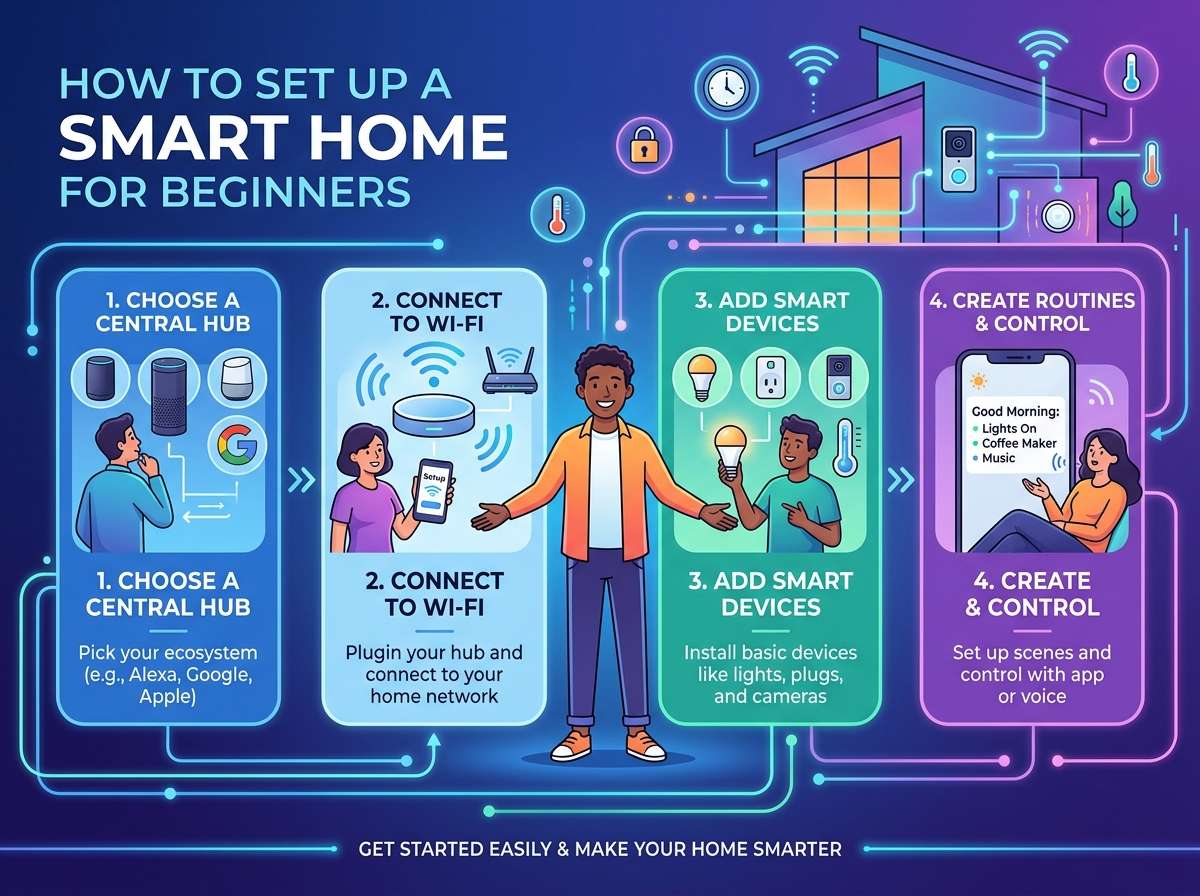
Smart home devices come in different ecosystems. Think of an ecosystem as a family of devices that work together. The three main ones are Apple HomeKit, Amazon Alexa, and Google Home. They’re like different brands of phones—they mostly do the same things, but they work best when you stick with one brand.
Amazon Alexa is the most popular choice for beginners. It’s affordable, has tons of compatible devices, and works great for most people. If you already use Amazon products or prefer the widest selection of gadgets, go with Alexa. Alexa runs on Echo speakers and other devices. You control everything through the Alexa app on your phone.
Google Home is Google’s smart ecosystem. If you use Google services like Gmail, Google Calendar, or Google Photos, Google Home integrates nicely with your existing life. Google Home devices are also affordable and reliable. The Google Home app lets you manage everything from your phone.
Apple HomeKit is for people who love Apple devices. If you use iPhones, iPads, and Macs, HomeKit fits naturally into your world. HomeKit is generally more secure and private than the other options, but it has fewer compatible devices. If you’re not in the Apple ecosystem, you might find fewer options.
None of these is better than the others. Just pick the one that fits your life best. You can even mix devices a bit, but life gets easier when you stick with one main ecosystem.
Get a Smart Speaker: Your Command Center
A smart speaker is your best first purchase. A smart speaker is a device with a voice assistant built in. You talk to it, and it plays music, answers questions, controls other devices, and handles your schedule. Popular models include Amazon Echo, Google Home, and Apple HomePod.
Why start with a smart speaker? Because it’s the easiest way to control other smart devices without pulling out your phone every single time. Just say “Alexa, turn off the living room light” or “Hey Google, set the thermostat to 72 degrees.” Voice control feels like magic the first time you use it.
Smart speakers also work as entertainment devices. They play your favorite music, podcasts, and audiobooks. They give you weather updates, sports scores, and news. They answer random questions you might ask. The speaker itself costs between 30 and 150 dollars depending on the model and brand you choose, so it’s not a huge investment.
Put your smart speaker in a central location like your living room or kitchen. Avoid putting it in bedrooms if you don’t want it listening while you sleep. Most speakers have a mute button so you can disable the microphone anytime you want.
Smart Bulbs Make Life Brighter
Smart bulbs are the second thing most beginners buy, and for good reason. They’re simple, useful, and actually fun to play with. Smart bulbs screw into your existing light fixtures just like regular bulbs. Once installed, you control them with your phone, voice commands, or automation schedules.
The coolest part about smart bulbs is that many of them change color. You can have white light for reading, warm light for relaxing, or any color you want for parties. Some people set up their lights to slowly brighten in the morning, mimicking a natural sunrise. Others dim their lights at night to help them sleep better.
Smart bulbs come in different shapes and styles. Standard A19 bulbs work in most lamps and ceiling fixtures. Get a few smart bulbs for the rooms you spend the most time in. You don’t need to replace every single bulb right away. Just do the main living areas first.
One heads-up: some older light switches with dimmer functions don’t work well with smart bulbs. If you run into trouble, you might need to add a smart switch instead. Smart switches replace your regular light switches and control regular bulbs, giving you the same smart features.
Smart Thermostats Save You Money
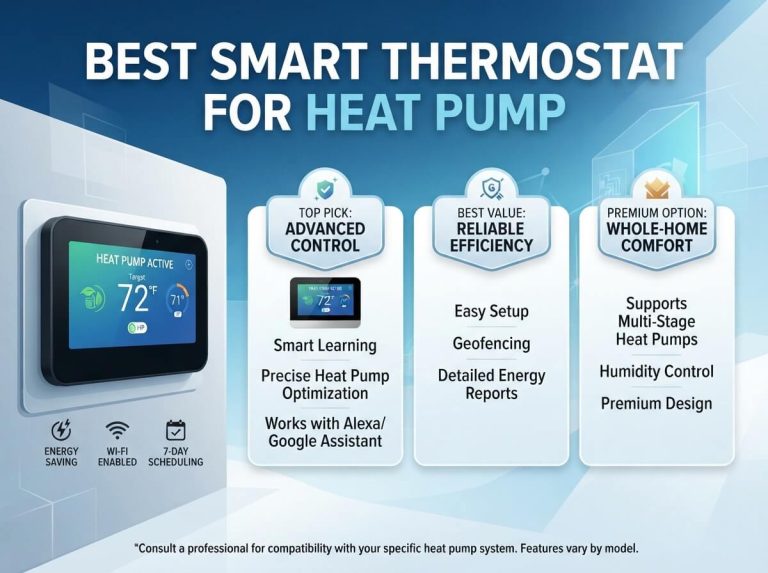
A smart thermostat is one of the smartest purchases you can make. Traditional thermostats sit on your wall looking dumb and basic. Smart thermostats learn your habits and adjust your home’s temperature automatically to save energy.
Here’s how it works: a smart thermostat like a Nest or Ecobee learns when you’re home and when you’re away. It knows that you like your house at 72 degrees during the day but prefer 68 degrees at night. After a few weeks, it adjusts automatically without you doing anything. When you’re away for a week, it saves energy by letting the temperature drift a bit. The result? Many people save 10 to 15 percent on their heating and cooling costs.
Smart thermostats also let you control your temperature from your phone. Leaving work early? Crank up the AC so your house is cool when you arrive. Forgot to adjust the temperature before vacation? No problem, just open the app and fix it remotely.
Installing a smart thermostat takes about 30 minutes if you’re comfortable with basic wiring. If not, hire an HVAC technician to do it safely. This is one area where getting professional help is worth the cost. A smart thermostat costs between 150 and 400 dollars, and the energy savings pay back the cost over a couple of years.
Video Doorbells Add Security and Convenience
A video doorbell replaces your regular doorbell with a smart camera. Now when someone rings your bell, you get a notification on your phone with a live video feed. You can talk to them even if you’re not home. You’ll know who’s at your door before you even open it.
Video doorbells record video, creating a security record of everyone who visits. This helps you spot packages being stolen or find out who that mysterious visitor was. Many people feel safer having video doorbells, especially if they live in high-crime areas.
Installation depends on your current doorbell setup. If you already have a wired doorbell, installation is pretty straightforward and takes about an hour. If you don’t have a wired doorbell, you have two options. You can hire an electrician to add wiring, or you can get a battery-powered video doorbell that doesn’t need wiring. Battery models are easier to install but need charging every few months.
Popular video doorbell brands include Ring, Logitech, and Arlo. Most cost between 100 and 200 dollars. The video recording feature usually requires a subscription, typically around 3 to 5 dollars monthly.
Smart Plugs Connect Ordinary Devices
Smart plugs are small adapters that fit between your wall outlet and any regular device. Plug a lamp into a smart plug, and suddenly that lamp becomes smart. You can turn it on and off from your phone, set schedules, or control it with your voice.
Smart plugs are incredibly useful for appliances that aren’t natively smart. Your regular coffee maker isn’t smart, but plug it into a smart plug and boom—now you can turn it on from bed. Your fan, space heater, Christmas tree lights, or printer can all become smart with a smart plug.
Smart plugs cost around 15 to 25 dollars each, making them one of the cheapest ways to add smart features to your home. Just keep in mind that you can’t fully control the device itself. You can turn the power on and off, but you can’t change the device’s settings. For example, a smart plug on a coffee maker can turn it on, but it can’t brew it stronger or weaker.
Lock Your Doors Smartly
A smart lock lets you lock and unlock your doors from your phone. No more fumbling for keys. No more wondering if you locked the door as you drive away. Just pull out your phone and lock it from anywhere.
Smart locks work with your existing deadbolts on exterior doors. They replace the internal mechanism while keeping the same look and feel. You can still use your regular key if you want. You can also give temporary codes to guests, family, or service people. Need someone to feed your cat while you’re traveling? Give them a code that expires when you return.
Smart locks offer peace of mind and convenience. You can see a log of who locked and unlocked your door and when. You don’t have to carry house keys anymore. If you have kids, you don’t have to worry about them forgetting their keys.
Installation varies by lock model. Some are easier to install than others. Many people hire locksmiths to do the job, which costs an extra 50 to 100 dollars on top of the lock price. A good smart lock costs between 200 and 400 dollars, making it one of the pricier devices. Wait on this one until you’re comfortable with the smart home setup.
Security Cameras Keep Watch
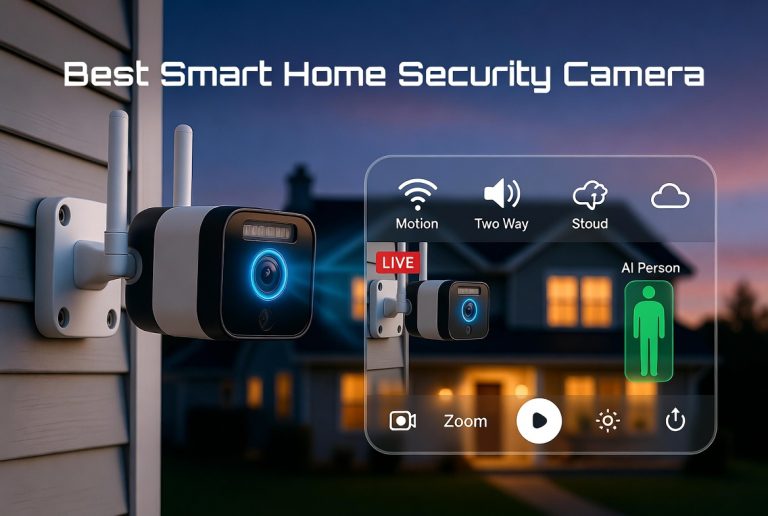
Security cameras are another great addition once you have the basics set up. Indoor cameras watch the inside of your home. Outdoor cameras monitor your yard and entryways. They record video continuously or when motion is detected. You get alerts on your phone if anything unusual happens.
Security cameras give you peace of mind. You can check on your home anytime. You can make sure your pet is okay while you’re away. You can monitor deliveries and outdoor activity. High-quality security systems work together with video doorbells to give you full coverage.
Popular security camera brands include Arlo, Ring, Wyze, and Logitech. Prices range from 50 dollars for basic models to over 300 dollars for fancy ones. Like video doorbells, most cameras need a subscription for cloud recording, usually 3 to 10 dollars monthly.
Set Up Your Network First
Before you buy any devices, make sure your home internet is ready. Smart home devices need a strong WiFi signal to work properly. A weak WiFi network causes devices to disconnect, respond slowly, or fail to work at all.
Check your WiFi signal in the rooms where you plan to put smart devices. Use a WiFi analyzer app on your phone to see signal strength. If your signal is weak in certain areas, you have options. You can move your router to a more central location. You can buy a WiFi extender or mesh WiFi system to spread the signal further. A mesh WiFi system using multiple nodes gives the best coverage for larger homes or homes with thick walls.
Your WiFi router should support the latest WiFi standards. A newer router handles multiple smart devices better than an old one. If your router is more than five years old, consider upgrading to one that supports WiFi 6 or WiFi 6E. Better routers cost between 100 and 300 dollars and last several years.
You should also secure your WiFi network with a strong password. When you add smart devices, connect them to your home WiFi network only. Don’t create a separate network for smart devices unless your router specifically recommends it.
Download the Right Apps
Each smart device comes with its own app, but you don’t need ten different apps open all the time. Most smart home devices work with hub apps. A hub app is like a remote control that manages all your devices in one place.
If you chose Amazon Alexa, the Alexa app is your main hub. All your Alexa devices and compatible third-party devices show up in this app. You can control them all from here.
Google Home devices work through the Google Home app, which serves the same purpose. Apple users get the Home app on their iPhones and iPads.
Download the main hub app for your ecosystem. Sign in with your account. This app is where you manage almost everything. You only go into individual device apps if you need to adjust special features or settings that the main app doesn’t show.
Keep your apps updated. Developers constantly improve apps with bug fixes and new features. Automatic updates are usually enabled by default, but you can check your app store settings to be sure.
Create Automation and Routines
Once you have a few devices, automation makes them truly useful. Automation means setting rules that happen automatically without you doing anything. A routine is a set of actions that happen together when you trigger them.
Here’s a simple automation: “When the sun sets, turn on the living room lights to 50 percent brightness.” You set this up once, and it happens every single night automatically. No more remembering to turn on lights.
Another automation: “When everyone leaves home, turn off all the lights, lock the doors, and set the thermostat to away mode.” This happens automatically when the last person leaves. When the first person comes home, another automation runs that reverses everything.
Routines are things you trigger yourself, usually by voice command. “Alexa, goodnight” could lock doors, turn off lights, set the thermostat lower, and arm your security system. “Google, I’m leaving” could lock doors and close the garage. These routines save time by doing multiple things with one command.
Start with simple automations and routines. Once you understand how they work, you can create more complex ones. Don’t go crazy trying to automate everything—keep it simple and practical.
Protect Your Privacy and Security
Smart home devices hear and see things, so privacy matters. Take a few simple steps to protect your information.
First, use strong passwords for all your accounts. Don’t use the same password for your smart home account as you use for email or banking. A password manager like Bitwarden or 1Password helps you create and remember strong passwords.
Second, check the privacy settings in your device apps. Many smart speakers let you review voice recordings. You can delete any recording you don’t want. You can also turn off recording features you don’t use. For example, if you don’t need shopping list features, turn that permission off.
Third, turn off your devices when you don’t need them. Use the mute button on speakers so they don’t listen to conversations. Most devices have physical mute buttons you can press.
Fourth, set up two-factor authentication on your smart home account. This adds an extra security layer that makes it much harder for hackers to get into your account.
Fifth, update your device software regularly. Smart home companies send updates that fix security issues. Keep your devices updated to stay safe.
Troubleshoot Common Problems
Even when you do everything right, sometimes smart devices act weird. Here are solutions to the most common problems.
Device won’t connect: If a device won’t connect to your WiFi, restart it and your router. Unplug the device for 30 seconds, plug it back in, and try again. If it still won’t connect, move it closer to your router to see if it’s a signal issue. If that works, you need better WiFi coverage in that area.
Device responds slowly: Slow responses usually mean WiFi issues. Check your WiFi signal strength in that room. Close other apps using bandwidth like video streaming. Restart your router. If nothing helps, you might need WiFi improvements.
Voice commands don’t work: Make sure your device is unmuted and the microphone is enabled. Check that you’re speaking clearly and saying commands the right way. Some devices need you to say the wake word first, like “Alexa” before giving your command.
App won’t control device: First, make sure the device is online by checking your app. Restart the app and try again. Log out of the app and log back in. Restart your phone. If the problem continues, restart the device itself.
Device won’t update: Make sure your device is plugged in and has good WiFi. Wait a bit—updates sometimes take hours. If it’s still stuck, restart the device and try again.
Most problems fix themselves with a restart. If a device keeps having issues, contact customer support. Companies usually help out quickly since they want happy customers.
Plan Your Smart Home Growth
You don’t need to buy everything at once. A great approach is to add one or two devices every few months as your comfort grows. This lets you learn each device properly before adding new complexity.
Here’s a typical progression for beginners:
Month 1: Get a smart speaker. Put it in your main living area and learn how voice commands work. Play with it for a couple of weeks.
Month 2 or 3: Add smart bulbs to rooms you use most. Start with five to ten bulbs and get comfortable with the light control system.
Month 3 or 4: Add a smart thermostat. This one requires more setup, so give yourself time to learn it properly.
Month 4 or 5: Add a video doorbell or smart locks. These add security and convenience when you’re ready for them.
Months 6+: Add security cameras, smart plugs, or other devices as you identify needs.
This slow growth gives you time to learn and prevents you from getting overwhelmed. You’ll end up with a home automation system that works perfectly for your lifestyle.
Common Mistakes to Avoid
Learn from other people’s mistakes. Here are things beginners commonly get wrong.
Buying too much at once: You’ll get overwhelmed and confused. Start with one or two devices and grow from there.
Ignoring your WiFi: Poor WiFi ruins the whole experience. Invest in good WiFi before buying lots of smart devices.
Not reading instructions: Smart devices aren’t intuitive at first. Read the quick start guide and spend time learning the basics.
Expecting perfection: Smart home devices work great 99 percent of the time, but sometimes things go wrong. Don’t expect perfection and you won’t be disappointed.
Mixing incompatible devices: Stick with one ecosystem unless you know what you’re doing. Mixing Amazon Alexa, Google Home, and Apple HomeKit creates more headaches than it’s worth.
Forgetting to update: Keep your devices and apps updated. Updates bring bug fixes and new features.
Budget Reality Check
How much does a smart home actually cost? You can start very cheaply and scale up based on your budget.
A basic smart home setup with a smart speaker, five smart bulbs, and a smart plug costs about 100 to 150 dollars. This gives you a functional smart home that makes a real difference in daily life.
Adding a smart thermostat bumps your budget to around 250 to 400 dollars total, but the energy savings often pay for it.
A complete smart home with thermostat, cameras, smart locks, and lots of other gadgets can cost anywhere from 500 to 3000 dollars depending on what you choose. But remember, you don’t need all of this. Even a 150 dollar setup transforms your home.
Start Your Smart Home Journey Today
Setting up a smart home is not intimidating or complicated. It’s actually fun and rewarding. You get to make your life easier and your home more secure. You save money on energy bills. You get peace of mind knowing you can control your home from anywhere.
Start with a smart speaker and smart bulbs. Learn how those work. Add a smart thermostat when you’re ready. Expand from there based on your needs and comfort level. Before you know it, you’ll have a truly smart home that works the way you want it to work.
The technology is ready. The devices are affordable. The apps are user-friendly. All that’s left is for you to take the first step. Pick a device, order it, and get started. You’ve got this.
Smart home automation is the future, and the future is now. Your journey toward a smarter, easier, more connected home starts right now. Welcome to the wonderful world of home automation. We’re excited to see what you build.

Hi, I’m Mary, the founder of Homygear.com. I’m passionate about creating a comfortable, smart, and beautiful home. I share practical insights and real-world experience on home gear that makes everyday life easier. Behind the scenes, my dedicated research team studies products in depth, and our writers craft honest reviews using trusted, authentic sources—so you can choose home gear with confidence.