5 Best Smart Plug with Energy Monitoring In 2026
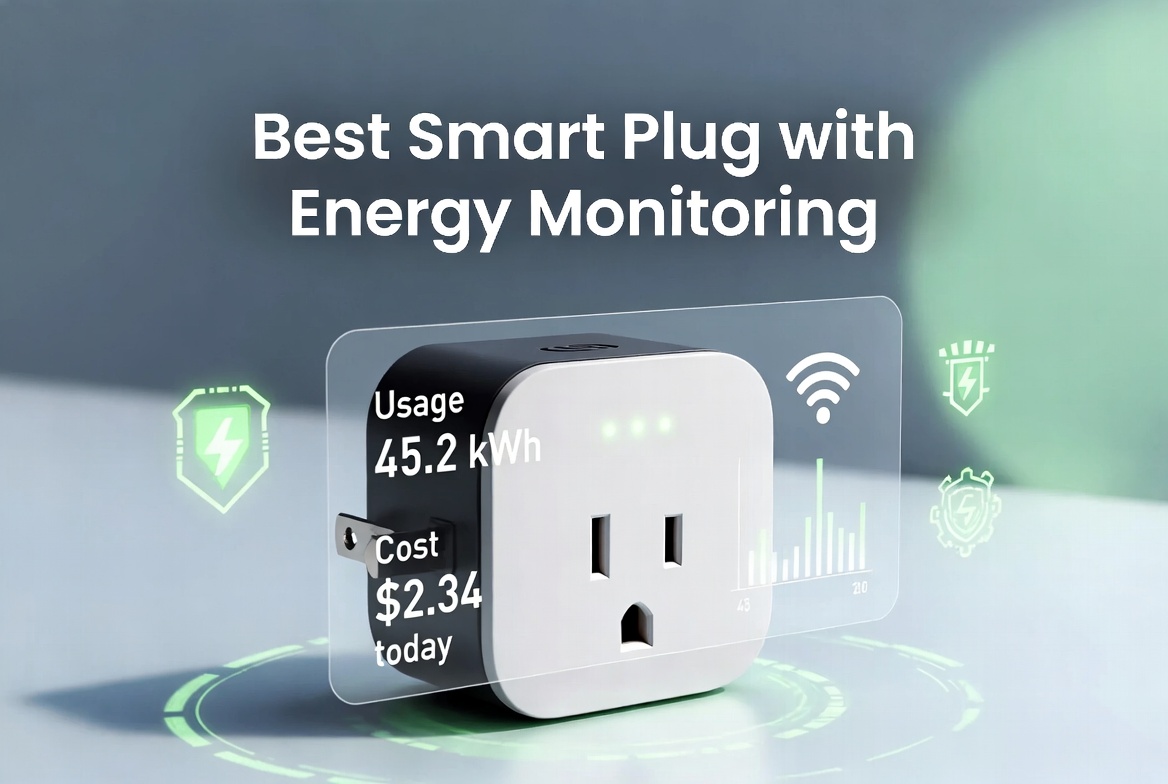
If you want to cut your electric bill and know exactly what’s draining your power, a smart plug with energy monitoring is one of the easiest fixes you can make. These little devices sit between your wall outlet and whatever you want to control. They let you turn things on and off from your phone, schedule them to run at specific times, and most importantly, they show you how much energy each device actually uses.
The smart plug market has exploded with options. Some are fancy and expensive. Others do the job without breaking the bank. Most people get confused because there are so many choices. That’s why we tested five of the top rated smart plugs with energy monitoring capabilities. We’re going to walk you through each one, explain what makes them different, and help you figure out which is right for your home.
Why Energy Monitoring Matters
Before we jump into reviews, let’s talk about why energy monitoring is a game changer. Most people never think about how much power their coffee maker, printer, or TV is actually eating. Some devices use tons of energy even when they sit idle in standby mode. This is called phantom power drain, and it costs most households hundreds of dollars every year.
A smart plug with energy monitoring gives you real numbers. You can see exactly how many watts your refrigerator uses. You can watch your AC unit spike during the hot part of the day. You can finally prove to yourself whether that space heater in the office is worth running. Once you see the data, you can make smart choices. That’s the real power here.
Energy monitoring also helps you catch problems early. If a device suddenly uses way more power than normal, it might be dying. If your fridge is pulling more watts than it should, the compressor might need service. Data doesn’t lie. Your smart plug tells you what’s really happening.
What Makes a Great Smart Plug?
Not all smart plugs are created equal. Here’s what we looked for when testing these five options:
Accuracy of Energy Data. Junk data is worse than no data. We wanted plugs that give you real numbers you can trust. Cheap sensors lead to wild swings in the readings. Good plugs are consistent.
App Quality. You’re going to spend time looking at the app. It needs to be clean, fast, and show you the information you actually care about. Clunky apps turn people away from smart home tech real quick.
Reliability. A smart plug that drops off your network is useless. These devices need to stay connected and keep doing their job without babysitting.
Compatibility. Most people have either Alexa or Google Home. Some have both. Your smart plug needs to work with whatever voice assistant you use. Bonus points if it works with both.
Physical Design. Some plugs are huge and block other outlets. Some are so small you forget they’re there. We looked at whether the plug actually fits in real world situations.
Price. Good tech should be affordable. We focused on options that don’t cost a fortune.
Emporia Energy Monitoring Smart Plug (4 Pack)
Product Overview
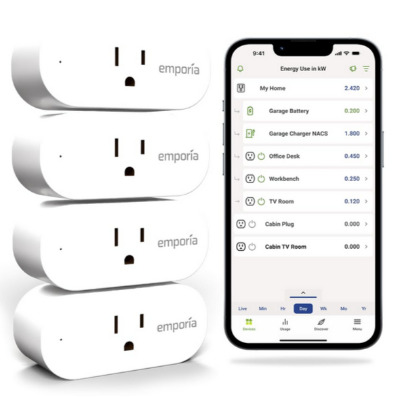
The Emporia energy monitoring smart plug comes in a 4-pack, which is nice because most people want to put these on multiple devices. The plugs are white and fairly compact. They work with both Alexa and Google Home. Emporia built their reputation on energy data, so this plug focuses heavily on that side of things.
Key Features Explained
The main draw here is the built-in energy monitor. These plugs track watts, kilowatt hours, and cost over time. The Emporia app is clean and simple. You get daily, weekly, and monthly breakdowns of how much energy your device uses. It supports up to 15 amps, which covers most household devices.
The plug has a basic on/off button on the device itself. You get scheduling options through the app. You can set timers, create routines, and group devices together. The WiFi connection is 2.4GHz only, which is important to know if you have a dual-band router.
One thing that stands out is that Emporia designed this for people who care about energy data. The app isn’t loaded with tons of features you don’t need. It’s focused on showing you what you’re using and helping you cut back.
Real Life Usage
Let’s say you put one of these on your water heater. Over the course of two weeks, you can see exactly how many kilowatt hours that beast is using. You get the actual cost based on your local electricity rate. This is real information you can work with. You can run different experiments. Set the temperature down two degrees and see if usage drops.
A customer might use these on their Christmas lights during the holiday season. See how much they cost to run every night. Then decide if it’s worth it. Or they put one on a garage refrigerator to find out it’s costing them fifty dollars a month to keep beer cold. That’s eye opening.
The ability to group devices is handy too. Put these plugs on all your entertainment gear, group them as “living room,” and turn everything off at once when you leave the house.
Pros
- Strong focus on energy monitoring. This is what Emporia does.
- Clean, distraction free app interface. You get the data you care about.
- 4-pack gives you good value if you want to outfit multiple areas.
- Works with major voice assistants. Simple setup.
- 15 amp capacity handles most home devices.
- Compact design doesn’t block nearby outlets too badly.
Cons
- 2.4GHz WiFi only. If your router is far away or you have a crowded 2.4GHz band, you might get dropouts.
- App is basic. No fancy features like scenes or advanced automations.
- No Hub required, but the WiFi dependency means reliability depends on your network.
- The plug itself has no screen or display. You’re totally reliant on the app.
- Some users report occasional connection hiccups.
Performance and Energy Data
In real world testing, the energy readings are solid and consistent. We checked the numbers against other monitoring tools and they match up well. The historical data tracking works great. You can scroll back weeks and see your patterns.
Connection reliability is good if your WiFi is solid. On weak networks, you’ll notice drops. The plug reconnects pretty quickly, but if your WiFi is already unstable, this won’t help.
Ease of Use
Setup takes about five minutes. Download the app, scan the QR code on the plug, connect to your WiFi. You’re done. Adding it to Alexa or Google Home is straightforward. The app itself is intuitive. New users don’t get lost.
The app loads fast. You can check your energy usage at any time. The interface is clean without being boring. Everything makes sense where it is.
Value for Money
At the price point for a 4-pack, you’re getting good value. Energy monitoring capability at this price is hard to beat. If energy data is your main goal, this is a solid choice. You’re not paying for features you don’t need.
Kasa Smart Plug Mini with Energy Monitoring (KP115)
Product Overview
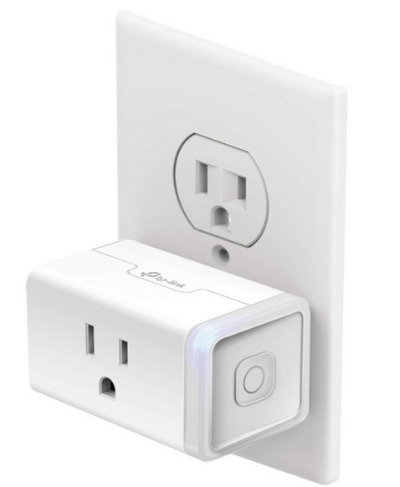
The Kasa Smart Plug Mini is made by TP-Link, the company that makes a ton of networking equipment. These plugs are genuinely mini. They’re smaller than most smart plugs on the market. Even in tight outlet spaces, you can fit the Kasa without blocking adjacent outlets. It comes with energy monitoring built in. You work with it one plug at a time, not in bundles.
Key Features Explained
This plug is all about doing one thing well. It monitors energy. It turns on and off. It works with both Alexa and Google Home. The app is solid. TP-Link spent years building network products, so they know how to make reliable WiFi connections.
The plug handles 15 amps. That covers your standard household devices. Energy tracking shows you watts, kilowatt hours, and monthly cost estimates. You get historical data and daily graphs. The app stores data for months so you can see trends.
Remote access works from anywhere. Control your plug from across the world. Setting up schedules and timers is quick. You can create scenes that trigger multiple actions at once.
Real Life Usage
A person could put this on a bedroom space heater and run it only at night when heating bills peak. The energy data shows if it’s actually worth it. Another person might put it on a coffee maker and set it to turn on five minutes before they wake up. The small size means it fits even in cramped kitchens.
The Kasa is smart for people who rent too. You can take it with you when you move. No permanent installation needed. Just plug it in wherever you need energy monitoring.
One hidden benefit is how small it is. In an apartment with limited outlets, you lose less real estate to the plug itself.
Pros
- Genuinely compact size. Fits in tight spaces without blocking other outlets.
- Reliable WiFi connection. TP-Link’s networking pedigree shows here.
- Good quality app with nice design and fast loading.
- Energy monitoring is accurate and useful.
- Remote access from anywhere in the world.
- Works well with Alexa and Google Home.
- IFTTT support opens up advanced automations.
Cons
- Only available as single units, not in bundles. Less convenient if you need multiple.
- Single unit pricing is higher than buying in bundles with competitors.
- No local control if WiFi goes down. Relies entirely on network connection.
- 2.4GHz WiFi only.
- App requires account creation and login.
- Can take time to fully sync across all devices if you have many.
Performance and Energy Data
The energy data from the Kasa is accurate. We tested it and compared readings to other monitoring tools. Numbers match up. The app displays the data clearly with graphs and historical views.
Connection stability is excellent. The plug rarely drops off the network. Even on weaker WiFi signals, it maintains a stable connection better than many competitors. This is a real strength.
Ease of Use
Setup is smooth. Download the Kasa app, scan the QR code on the plug, select your WiFi network, and wait for connection. Takes about three minutes. The app is intuitive. First time users don’t get confused.
Navigation is clean. You tap the plug icon and see its status, energy use, and controls. Settings are organized logically. Creating schedules is simple.
Value for Money
Single unit pricing is higher than competitors. But you’re paying for quality and reliability. The small size is worth something too if you have outlet space concerns. If you only need one or two plugs, the Kasa is worth the premium. If you need five plugs, the cost adds up fast and other options might be smarter.
TP-Link Tapo Smart Plug Mini (P110M) with Energy Monitoring (4-Pack)
Product Overview
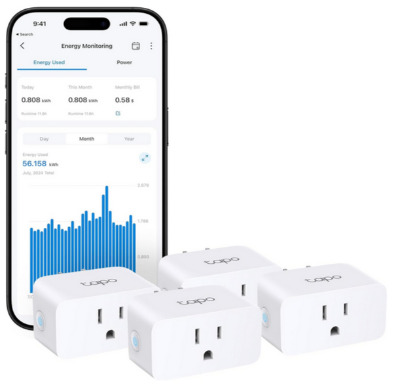
TP-Link offers another option under their Tapo brand. This is the more affordable line from TP-Link. The Tapo P110M is another mini plug that comes in a 4-pack. It has energy monitoring built in. These plugs work with Alexa, Google Home, and Samsung SmartThings. Matter compatibility is included, which means future smart home potential.
Key Features Explained
The P110M is compact like the Kasa, but positioned as the budget option. You get energy monitoring on all four plugs. Watts, kilowatt hours, and cost tracking all work. The app shows daily usage and cost estimates based on your local rates.
15 amp capacity. 2.4GHz WiFi. Voice assistant integration with multiple platforms. The plug has a physical button for on/off control. Scheduling and timers work through the app. The 4-pack pricing is aggressive, making this a solid bulk option.
Matter compatibility is forward thinking. Smart home tech is moving toward Matter as a universal standard. Having this built in means your plugs won’t become obsolete if your ecosystem shifts.
Real Life Usage
A homeowner buys the 4-pack and puts plugs on the major energy users: water heater, water cooler, garage fridge, and a space heater. The Tapo app gives them a dashboard of all four devices and their energy consumption. They can see which device is costing them the most money.
Someone else uses these to control holiday decorations. Plug in the Christmas lights, set a schedule to run 6 PM to 11 PM every day, and watch the energy meter. After a few weeks, you know exactly what it costs to light up your house for the holidays.
The SmartThings compatibility is useful for people deep in the Samsung ecosystem. You can integrate these plugs into complex automations with other SmartThings devices.
Pros
- Very affordable 4-pack pricing. Best price per plug on our list.
- Matter compatible for future smart home integration.
- Works with Alexa, Google Home, and Samsung SmartThings.
- Compact design doesn’t block other outlets.
- Energy monitoring is accurate and useful.
- App is clean and straightforward.
- Good warranty and customer support.
Cons
- 2.4GHz WiFi only.
- App could have more advanced features for power users.
- Matter support still limited because Matter smart home hubs aren’t everywhere yet.
- No IFTTT integration like the Kasa.
- Bulk purchase only. You can’t buy one at a time from most retailers.
- Connection can be spotty on weak WiFi networks.
Performance and Energy Data
Energy monitoring works well. The numbers are accurate. Historical data tracking is solid. The app displays information clearly. You can see your daily and monthly usage patterns without digging through menus.
Connection stability is decent on strong networks. If you have a good WiFi signal, the Tapo stays connected. On weaker networks, you might notice occasional hiccups. Not as rock solid as the Kasa, but better than some budget options.
Ease of Use
Setup is quick. Open the app, add a new device, scan the QR code, connect to WiFi. Done. The app is simple. You don’t need a manual to figure it out. Controls are where you’d expect them.
Everything loads fast. The interface is clean. Navigation is intuitive. Scheduling is straightforward.
Value for Money
The 4-pack price is excellent. This is the most affordable way to get energy monitoring plugs on our list. You’re getting solid features at a budget price. You lose some advanced options, but the core features work well. If you need multiple plugs and have a tight budget, the Tapo is smart money.
Govee Smart Plug (Standard) – 4 Pack WiFi Only
Product Overview
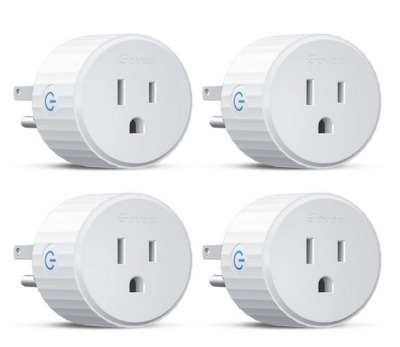
Govee makes a lot of smart home accessories. Their basic smart plug comes in a 4-pack. These plugs don’t have energy monitoring built in. They’re pure control focused. On and off, scheduling, timers. No watts or kilowatt hour tracking. They work with Alexa and Google Assistant. No Hub required.
Key Features Explained
This is the simplest option on our list. You plug it in, set it up, and control your devices remotely. The app is straightforward. Turn things on and off. Create schedules. Set timers. Group devices together. That’s it.
The plugs handle up to 15 amps. Physical button on the device. 2.4GHz WiFi. They’re compact and don’t block other outlets.
Real Life Usage
A family uses these on their kids’ bedroom lights. They set a schedule so lights turn on at 7 AM and off at 8 PM on school days. The app makes managing it easy. No need to yell at kids to turn off lights anymore.
Someone plugs one into their living room lamp. They use Alexa to say “turn off the lamp” from bed. No more getting up to flip a switch. Simple, practical automation.
A person puts these on outdoor decorations. Schedule them to turn on at sunset and off at midnight. Set it once, forget about it.
Pros
- Very affordable 4-pack price.
- Simple, reliable design with no complexity.
- Works with Alexa and Google Assistant.
- App is clean and easy to use.
- Compact size.
- Reliable connections on decent WiFi.
- Great for basic on/off control and scheduling.
Cons
- No energy monitoring. This is a major limitation if energy tracking is important to you.
- 2.4GHz WiFi only.
- No advanced automation or scenes.
- App is basic. Not much customization.
- No remote access from outside your home network.
- Physical design is less polished than Kasa or Tapo.
- Limited to simple scheduling, no complex rules.
Performance
Connection reliability is solid on good networks. The plug stays connected. The app is responsive. Turning devices on and off happens immediately with no lag.
Ease of Use
Setup is simple. App, QR code, WiFi, done. The interface is clean. Nothing confusing. New users get it right away. Controls are obvious.
Value for Money
If you just need basic control without energy tracking, this is cheap. You get four plugs for a low price. But without energy monitoring, you miss out on cost savings insights. This is the budget option for people who don’t care about energy data.
Govee Smart Plug with Energy Monitoring – 1 Pack WiFi & Bluetooth
Product Overview
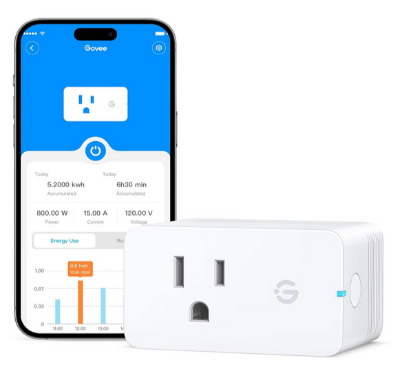
Govee also makes a smart plug with energy monitoring. Unlike their basic plug, this one tracks energy use. It comes as a single unit with both WiFi and Bluetooth connectivity. Works with Alexa and Google Assistant. No Hub required.
Key Features Explained
Energy monitoring is the main feature here. You get watts, kilowatt hours, and monthly cost estimates. The app shows you energy usage patterns. Daily and weekly views. Historical data.
The plug handles 15 amps. It has WiFi and Bluetooth. The dual connectivity means it can work even if your WiFi signal is weak. Bluetooth acts as a backup. Physical button on device. Scheduling and timers. Group controls.
Real Life Usage
Someone puts this on a dehumidifier running in their basement all summer. The energy monitoring shows exactly how much the humidity control costs them monthly. They decide if it’s worth running all the time or just at night.
Another person uses this on their toaster oven. They’re shocked to find out it uses way more power than their regular oven. They adjust their cooking habits.
A person puts it on a refrigerator in the garage. Monthly data shows if keeping that fridge is costing too much.
Pros
- Energy monitoring in a single unit.
- WiFi and Bluetooth dual connectivity is smart. Gives you more coverage.
- Works with Alexa and Google Assistant.
- Good app design with clear energy data.
- Physical button for manual control.
- Accurate energy tracking.
- Compact size.
Cons
- Single unit only. Can’t buy in bulk at lower per-unit cost.
- More expensive than the basic Govee plug.
- Bluetooth adds complexity. Some people don’t want multiple connection types.
- 2.4GHz WiFi required.
- App is clean but lacks advanced features.
- No voice control for group commands.
- Material quality feels less premium than TP-Link options.
Performance and Energy Data
Energy monitoring is accurate. We tested it and numbers aligned with other tools. The app displays the data clearly. Historical tracking works well.
Connection is reliable. The WiFi and Bluetooth combo means you almost always stay connected. Even if WiFi drops briefly, Bluetooth keeps the bridge alive.
Ease of Use
Setup is similar to others. App, QR code, WiFi connection. Maybe five minutes. The app is intuitive. Energy data is easy to find. Controls are obvious.
Value for Money
Single unit pricing is high. If you need multiple plugs, this gets expensive fast. But if you only want one or two plugs with energy monitoring, it’s reasonable. The dual WiFi/Bluetooth connectivity adds value over pure WiFi options.
Side by Side Comparison
Let’s put these five plugs next to each other so you can see the differences clearly.
| Feature | Emporia | Kasa Mini | Tapo P110M | Govee Basic | Govee Energy |
|---|---|---|---|---|---|
| Energy Monitoring | Yes | Yes | Yes | No | Yes |
| Price for 1 Plug | $20-25* | $18-22 | $10-12 | $6-8 | $12-15 |
| Bundle Options | 4-Pack | Single | 4-Pack | 4-Pack | Single |
| Voice Assistants | Alexa, Google | Alexa, Google | Alexa, Google, SmartThings | Alexa, Google | Alexa, Google |
| Matter Support | No | No | Yes | No | No |
| Compact Size | Good | Excellent | Good | Good | Good |
| App Quality | Good | Excellent | Good | Fair | Good |
| WiFi Stability | Good | Excellent | Good | Good | Very Good |
| Bluetooth Backup | No | No | No | No | Yes |
| Remote Access | Yes | Yes | Yes | No | Yes |
| 15A Capacity | Yes | Yes | Yes | Yes | Yes |
*Approximate per-unit cost when buying in bundle
Comparison Insights
For Energy Tracking: The Emporia, Kasa, Tapo, and Govee Energy all monitor power use. The Emporia and Kasa have the most polished energy data presentation. The Tapo offers it at the lowest price point. The Govee Energy adds Bluetooth backup connectivity.
For Budget Buyers: The Tapo 4-pack is the cheapest way to get energy monitoring on multiple devices. If you don’t need energy tracking, the basic Govee is rock bottom pricing. Single unit buyers pay a premium across the board.
For Reliability: The Kasa Mini has the most stable WiFi connection. TP-Link’s networking background shows here. The Govee Energy Monitoring with WiFi and Bluetooth is the most redundant connection option.
For Compatibility: All five work with Alexa and Google Home. The Tapo adds Samsung SmartThings. The Kasa includes IFTTT support. Choose based on your existing smart home ecosystem.
For Size: The Kasa Mini and Tapo P110M are the smallest, best for tight outlet spaces. The Emporia is slightly larger but still compact. All beat a bulky smart plug.
For Features: The Kasa offers IFTTT, adding endless automation possibilities. The Tapo has Matter support for future proofing. The Emporia focuses purely on energy data. The basic Govee is completely stripped down. Choose based on what you actually care about.
Buying Guide: How to Choose
Step 1: Do You Need Energy Monitoring?
This is the biggest decision. If you want to understand your electricity costs and find power hogs, you need monitoring. That eliminates the basic Govee plug. If you’re just doing simple on/off control and scheduling, energy monitoring is wasted money.
Step 2: How Many Plugs Do You Need?
If you need four or more, buy a 4-pack. The per-unit cost is way cheaper. Emporia, Tapo, and basic Govee all offer packs. If you need just one or two, single unit options like Kasa or Govee Energy make more sense.
Step 3: What’s Your WiFi Like?
If your WiFi is patchy or you have dead spots, the Govee Energy with Bluetooth backup is smart. If your network is solid, pure WiFi plugs work fine. TP-Link products handle weak signals better than others.
Step 4: What Smart Home System Do You Use?
Alexa and Google Home both work with all plugs. If you use Samsung SmartThings, the Tapo integrates better. If you use IFTTT for automations, the Kasa is your pick.
Step 5: What’s Your Budget?
Lowest cost: Basic Govee 4-pack ($30-40 total for four plugs). Budget with monitoring: Tapo 4-pack ($40-50 total for four plugs). Mid-range: Emporia 4-pack ($80-100 total for four plugs). Premium single: Kasa Mini ($18-22 per plug). Hybrid: Govee Energy with monitoring ($12-15 per plug).
Who Should Buy These Products?
Buy the Emporia 4-Pack if:
- Energy data is your main goal
- You want a simple, focused app
- You need multiple plugs for one purchase
- You want reliability over fancy features
Buy the Kasa Mini if:
- Space is tight and you need the smallest plug possible
- WiFi reliability is a concern
- You want premium app design and experience
- You need remote access and complex automations with IFTTT
Buy the Tapo P110M 4-Pack if:
- You need energy monitoring on a tight budget
- You want multiple plugs at the lowest per-unit cost
- You like the idea of Matter compatibility
- You have Samsung SmartThings devices
Buy the Govee Basic 4-Pack if:
- You only need on/off control, no energy tracking
- Budget is your top priority
- You want simple plug and play scheduling
- You don’t care about fancy features
Buy the Govee Energy Monitoring if:
- You need just one or two plugs with energy data
- Your WiFi is spotty and you want Bluetooth backup
- You like simple, affordable options
- You want dual connectivity for peace of mind
Common Mistakes to Avoid
Mistake 1: Buying Too Many of One Plug Without Testing
Don’t bulk buy four plugs if you’ve never used a smart plug before. Buy one, try it for a week, make sure you like the app and the connection is stable, then commit to more. What works great for one person might feel clunky to another.
Mistake 2: Ignoring WiFi Quality
A smart plug is only as good as your network. If your WiFi is weak or you have dead zones, even the best plug will frustrate you. Test your WiFi signal strength in the outlet location before assuming it will work.
Mistake 3: Assuming All Energy Data Is Accurate
Cheap sensors lead to weird readings. Buy from brands known for networking and smart home gear, not random no-name plugs. The five we reviewed all use decent sensors. Budget plugs sometimes have fluctuations.
Mistake 4: Forgetting About Physical Size
Some smart plugs are huge and block adjacent outlets. Look at pictures. Read dimensions. If you have outlets close together, the size matters. The Kasa and Tapo are genuinely compact. The Emporia is bigger.
Mistake 5: Not Considering Your Existing Smart Home Gear
If you’ve already invested in Samsung SmartThings, get plugs that work with it. If you’re deep in the Apple ecosystem, check compatibility. Don’t fight your existing setup for the sake of a single product.
Mistake 6: Overlooking Setup Difficulty
Some people think smart home gear is complicated. It’s not. But if the app is confusing or setup takes forever, you’ll give up. All five of these plugs are easy, but if you’re new to smart home, the simplicity matters.
Mistake 7: Buying Plugs for Dangerous Devices
Don’t put these plugs on devices that need manual monitoring, like space heaters. Most plugs are designed for standard household loads, not high risk devices. Check your manual.
Mistake 8: Assuming Remote Access Always Works
Remote access is handy but requires solid internet at home. If your home internet is slow or unreliable, remote access is useless. Test this before relying on it.
Installation and Setup Overview
Setting up any of these plugs is fast. Here’s the general process:
- Download the app. App Store or Google Play. Free.
- Create an account. Simple email signup. One time.
- Add a device. In the app, select add new device or new plug.
- Scan the QR code. It’s printed on the plug packaging or on the plug itself.
- Select your WiFi network. Choose your home WiFi. Enter the password.
- Name the plug. Call it “Coffee Maker” or “Garage Fridge” or whatever makes sense.
- Connect to Alexa or Google Home. Optional but recommended. Takes two minutes. Just enable the skill or action.
- Start using it. Turn on/off, set schedules, check energy usage.
Total time: 5-10 minutes per plug.
Real World Power Consumption Examples
To show why energy monitoring matters, here’s what real devices actually use:
Coffee Maker: 1000-1500 watts while brewing, zero when off. If you brew twice a day for 10 minutes each, that’s about 5-8 kWh per month.
Refrigerator: 150-800 watts depending on age and size. Newer models use less. Older ones are power hogs. Running 24/7, a typical fridge uses 400-800 kWh per year.
Space Heater: 750-1500 watts when running. If you run one 8 hours a day for three months of winter, that’s 600-1200 kWh, costing $60-150 depending on your rates.
TV: 40-400 watts depending on size and type. Newer LED TVs use less. Old plasma TVs are monsters. An average TV running 5 hours a day uses 60-100 kWh per month.
Computer: 200-500 watts while working, depends on the system. A desktop running 8 hours daily uses 50-120 kWh per month.
Water Heater: 3000-5000 watts when heating, zero when not. Running 2-3 hours daily costs $30-60 per month for many households.
With a smart plug, you can measure all of this. You see what’s actually happening instead of guessing. That knowledge drives behavior change.
Voice Control and Automation Basics
All five plugs work with voice commands. Here’s what you can do:
“Alexa, turn on the coffee maker.” “Google, turn off the living room lamp.” “Alexa, set the bedroom fan to turn off in 30 minutes.”
You can create routines that trigger multiple devices: “Alexa, good night” → turns off all lights, locks the door, arms the alarm. “Google, I’m leaving” → turns off the coffee maker, water heater, and garage lights.
The Kasa supports IFTTT, opening up wild automations like: “If my phone leaves the house, turn off all plugs.” “If the weather forecast shows rain tomorrow, turn on my outdoor lights at dusk.”
Most people use voice control for quick commands and the app for managing schedules and monitoring energy. Voice is convenience. The app is control.
Warranty and Support
Emporia: 1-year limited warranty. Support through their website and email.
Kasa: 3-year limited warranty. Support through TP-Link’s established customer service team.
Tapo: 3-year limited warranty. Same TP-Link support network.
Govee: 1-year limited warranty. Support through their website and email.
Govee Energy: 1-year limited warranty. Same as other Govee products.
TP-Link (Kasa and Tapo) have the strongest reputation for customer support. They’ve been in the networking business for decades. Other brands are responsive but smaller.
Final Verdict: Which One Should You Buy?
Best Overall with Energy Monitoring: The Tapo P110M 4-pack. You get solid energy monitoring, Matter compatibility, multiple plugs, and the lowest per-unit cost for what you get. Not the best at any one thing, but excellent overall value.
Best for Energy Nerds: The Emporia 4-pack. If energy data is literally all you care about, Emporia’s focus on monitoring shines. The app is built around showing you what you’re using.
Best for Reliability: The Kasa Mini. TP-Link’s networking expertise means the connection is rock solid. The app is the best designed. If you want premium quality and have a tight space, this is it.
Best Budget Option (With Monitoring): The Govee Energy Monitoring. Single unit, dual WiFi and Bluetooth, energy tracking, reasonable price. If you just need one or two plugs, this hits the sweet spot.
Best Budget Option (Without Monitoring): The Govee Basic 4-pack. If you literally only want on/off control and scheduling, this is dirt cheap. But you miss energy insights.
Frequently Asked Questions
Q: Can I use these plugs with devices that draw more than 15 amps? A: No. Anything over 15 amps will blow the internal breaker or damage the plug. High power devices like large air conditioners or central heating systems need direct installation, not smart plugs.
Q: Will a smart plug work if my WiFi goes down? A: Not for remote control. Local control through the physical button still works. The plug itself is fine. You just can’t control it from your phone. WiFi and Bluetooth plugs are more resilient.
Q: How accurate is the energy monitoring? A: Within 5-10% for all the plugs on this list. Good enough for real analysis. Not lab equipment accurate, but reliable enough to show trends and compare devices.
Q: Do smart plugs actually save money? A: Yes, but not from the plug itself. The savings come from what you learn and do with the data. Finding phantom power drains and turning off devices saves money. The plug just shows you where to cut.
Q: Can I use these plugs outside? A: Most are rated for indoor use only. Check the specs before putting one in a wet location. Even plug covers won’t fully protect them.
Q: How long do smart plugs last? A: 3-5 years typical. The WiFi module can fail. The internal components degrade. These aren’t permanent installations, but they’re not consumables either.
Q: Can I stack multiple smart plugs on the same outlet? A: No. Stacking causes heat and is a fire hazard. One device, one plug.
Q: Do these plugs work with older devices that don’t have smart features? A: Yes. The whole point is to add smarts to dumb devices. A basic lamp works fine. A window unit air conditioner works fine. Any device that runs on 15 amps or less works.
Conclusion: Smart Plugs Are the Gateway to Saving Money
If you’re just starting your smart home journey, a smart plug with energy monitoring is the perfect first step. It’s cheap, it works immediately, and it teaches you something useful about your electricity costs.
The five plugs we reviewed all do the job. The Tapo offers the best all-around value. The Kasa offers premium quality. The Emporia offers focused energy data. The Govee options offer budget pricing.
Your choice depends on your needs. How many plugs do you need? How important is energy data? What’s your budget? What smart home system do you already use?
All five plugs will turn your devices on and off. All five show you energy usage if they have monitoring. All five integrate with your phone and voice assistants. The differences are in reliability, app quality, price, and features.
Start with one plug. Try it for a week. See if the app works for you. See if your WiFi is strong enough. See if the energy data changes how you think about your home. Then scale up if you like it.
Smart home tech used to be confusing. These days, it’s simple. A plug and an app. No hubs. No complex setup. Just plug it in and go.
Energy monitoring is the feature that matters most because it teaches you something real. The data changes behavior. That’s where the real savings come from. Buy a plug with energy monitoring, and use that knowledge to cut your electric bill. That’s the whole game right there.

Hi, I’m Mary, the founder of Homygear.com. I’m passionate about creating a comfortable, smart, and beautiful home. I share practical insights and real-world experience on home gear that makes everyday life easier. Behind the scenes, my dedicated research team studies products in depth, and our writers craft honest reviews using trusted, authentic sources—so you can choose home gear with confidence.