5 Best Smart Bulb for Google Home In 2026
If you’ve got Google Home sitting in your house, you’re probably wondering what smart bulbs actually work best with it. The smart lighting world is packed with options, and not all of them play nice with Google’s ecosystem. This review cuts through the noise and shows you exactly which bulbs deliver real value without the confusing tech jargon.
I’ve spent time looking at how different smart lights work with Google Home, how reliable they are, and whether they’re actually worth your money. Let me walk you through the top contenders so you can make a smart choice.
What Makes a Smart Bulb Work Great with Google Home?
Before we jump into the products, let’s talk about what matters. A good smart bulb for Google Home needs three things: it actually connects to Google Home without issues, it does what you want it to do, and it doesn’t drain your wallet.
The best smart light bulbs work over WiFi or use a hub to stay connected. They let you control brightness, change colors (if they support it), and automate your lights based on routines. Some bulbs work even better when you have both Google Home and Alexa in your setup.
Key things to look for:
- Direct WiFi connection or hub requirement
- Dimming capability (almost all do this now)
- Color options (if that matters to you)
- App control and voice command support
- How easy they are to set up
- Long-term reliability and support
Now let’s get into the actual products and see how they stack up.
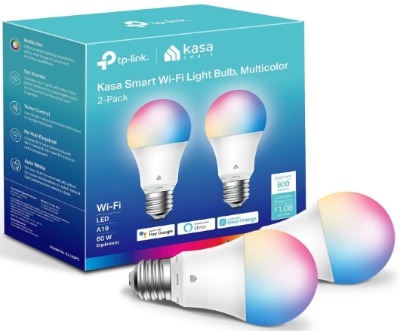
1. Kasa Smart Light Bulbs (KL125P2) – 2-Pack
Product Overview
The Kasa Smart Light Bulbs from TP-Link come as a 2-pack and hit a sweet spot for most people. These are full color-changing bulbs that work with both Google Home and Alexa. They produce 800 lumens, which is about what you’d get from a traditional 60-watt bulb. The important part: they don’t need a hub to work. Just WiFi and you’re done.
What You Get
These bulbs connect directly to your 2.4GHz WiFi network. They offer 16 million color options, full dimming control, and scheduling features. The app gives you a simple way to control everything from your phone when you’re not at home. Google Home integration means you can turn lights on and off by voice and set them to specific colors using Google Assistant.
Best Use Cases
The Kasa bulbs work great in living rooms where you want flexible color options but don’t want complexity. They’re also solid for bedrooms if you like adjusting light color for different times of day. A lot of people use them in entryways because they’re bright enough to actually see what you’re doing. The color-changing aspect makes them fun for parties or creating different moods without swapping bulbs.
Key Features Explained
No Hub Required: This is huge. You don’t need a separate device. Just screw them in, connect to WiFi, and go. Fewer devices means fewer things to troubleshoot.
16 Million Colors: Sounds wild, but really you’re picking from a color wheel. The practical upside is that you can dial in almost any shade you want. From warm amber to bright cool white to vibrant green for a game night setup.
Dimming from 1-100%: You can set brightness anywhere in that range. This means subtle nightlight mode or full brightness. Voice commands work great for this too. “Hey Google, set the bedroom to 30 percent” actually works as expected.
Scheduling: Build routines so lights turn on at sunrise or shut off at a set time. Helpful for people who travel or want consistent lighting without thinking about it.
Energy Efficient: At 9 watts actual power draw, these use way less electricity than real 60-watt bulbs while giving off the same light.
Real-Life Usage Insight
When you first set these up, the app walks you through the WiFi connection pretty clearly. Most people get them working in under five minutes. The Kasa app itself is clean and doesn’t clutter your phone with useless features. You tap what you want, and it does it.
The voice control with Google works reliably. “Turn on the lights,” “Set to red,” “Dim to 50 percent” – all standard commands execute without confusion. Where these shine is in routines. Set up a “Movie Time” routine that dims lights and shifts them to warm white, then trigger it with one voice command.
Color accuracy is solid. The reds look red, the blues actually look blue. They’re not as saturated as expensive specialty bulbs, but they look natural and vibrant for everyday use.
One thing to watch: if your WiFi signal is weak, these bulbs sometimes take a few seconds to respond. That’s not unique to Kasa, but it’s worth knowing. Positioning your router closer to where you place the bulbs helps.
Pros and Cons
Pros:
- No hub needed, so setup is straightforward
- Reliable voice control with Google Home
- Good brightness and color options for the price
- Works with both Google and Alexa
- Solid build quality, no obvious cheap plastic feel
- App is intuitive and fast
Cons:
- Requires 2.4GHz WiFi (won’t work on 5GHz-only networks)
- Occasional lag if WiFi is spotty
- Color saturation isn’t quite as deep as premium brands
- Bulb body is fairly thick, might not fit tight fixtures
Performance Discussion
These bulbs hold up well over time. They stay connected to WiFi without constant reconnection issues. The brightness output is consistent – you don’t get that annoying flicker where dimmed lights pulse weirdly.
Color transitions are smooth. When you change from one color to another, it happens gradually unless you want it instant. This matters if you’re using them for ambient lighting rather than dramatic effects.
Response time to voice commands runs about 1-2 seconds on a decent WiFi setup. That’s fast enough that it doesn’t feel sluggish. The occasional delay is WiFi-related, not the bulb itself.
The dimming curve works naturally. Going from 100% to 50% brightness feels like a normal light getting dimmed, not a jarring jump.
Ease of Use
Setting up is one of the easiest parts of the Kasa ecosystem. The Kasa app has a big “add device” button. It guides you to the bulb’s WiFi network, gets it onto your main network, and names it. Then Google Home picks it up automatically if you’ve already linked the Kasa skill.
Renaming bulbs in the app is simple. Organizing them by room works intuitively. Creating automation rules doesn’t require a computer science degree. “Turn on this bulb when sunset arrives” is genuinely that simple to set up.
The one piece of friction: they only work on 2.4GHz WiFi networks. If you have a dual-band router, you’ll need to make sure you’ve got 2.4GHz enabled and give it a network name separate from your 5GHz band (or just connect the phone to 2.4GHz to add them).
Value for Money
At the price point these land, they’re solid. Two bulbs give you enough to test the smart lighting concept without dropping serious cash. The 800-lumen output is legitimate brightness – not some underpowered “mood light” thing that leaves you in the dark.
Compared to buying regular smart bulbs separately, the 2-pack price advantage is real. You’re looking at good value if you want color-changing bulbs without paying premium prices. The reliability means you’re not replacing them every year, which adds to the value equation.
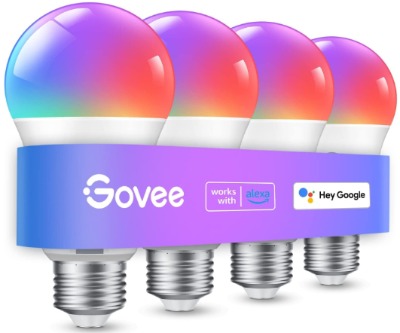
2. Govee Smart Light Bulbs (4-Pack)
Product Overview
Govee’s four-pack of smart light bulbs is another full-color option. These are 800-lumen A19 bulbs that work with both Google Assistant and Alexa. The big pitch here is that they work over both WiFi and Bluetooth. That dual connectivity is interesting because it means they work even if your WiFi drops.
What You Get
The 4-pack gives you enough bulbs to kit out most rooms in an average house. They support the full RGBWW spectrum, which means warm whites, cool whites, and colors. Music sync is a feature that pulses the lights to your music if you want something fun and interactive.
Bluetooth connectivity means you can control them directly from your phone even without WiFi. The trade-off is they need the Govee app to work properly.
Best Use Cases
Four bulbs let you do a whole room setup or put them in multiple rooms. The music sync feature makes them popular for home theater setups or game rooms where synchronized lighting adds to the experience. The Bluetooth backup is excellent if you have unreliable WiFi, since the bulbs stay responsive.
Some people use them specifically for the music-reactive lighting in bedrooms or living areas. It’s the kind of thing that sounds gimmicky until you try it and suddenly it’s fun.
Key Features Explained
WiFi and Bluetooth Dual Connection: This is the standout. Bluetooth means local control even when your WiFi has issues. The app uses WiFi for remote control and scheduling, but Bluetooth keeps them responding to commands in real-time regardless of network status.
Music Sync Capability: The bulbs respond to music playing on your phone. Bass hits can trigger brightness pulses. It’s not perfect – sometimes the timing feels off – but it works well enough for the novelty factor.
16 Million Colors (RGBWW): Same color range as Kasa, good variety for setting moods and creative use.
No Hub Required: Like Kasa, these screw in and go.
Tunable Whites: You can adjust the white point from very warm (like candlelight) to very cool (like overcast daylight).
Real-Life Usage Insight
Setup requires the Govee app, and that’s a bit different from some competitors. The app is functional but busier than Kasa’s. It has more features packed in, so there’s more to explore and more ways to customize things.
The Bluetooth connection is genuinely useful. When WiFi is having a moment, the bulbs still respond through Bluetooth. That’s nice insurance against network hiccups.
Music sync works best with music apps that send audio data to your phone. Spotify, Apple Music, YouTube Music – they all work. The sync isn’t perfectly timed every time, but it’s close enough that it adds fun to the experience. The light pulses to bass and rhythm in a way that feels natural most of the time.
Google Home integration is straightforward. The bulbs show up in Google Home and respond to basic commands. If you want advanced automations, you do that in the Govee app.
The four bulbs give realistic brightness. At 800 lumens each, they work well as primary lighting, not just accent lighting.
Pros and Cons
Pros:
- Dual WiFi and Bluetooth means more reliable control
- Music sync is genuinely fun if you like that sort of thing
- Four bulbs instead of two is better value on bulb count
- Works with Google Home, Alexa, and local Bluetooth control
- Good color accuracy
- Tunable white range is impressive
Cons:
- The Govee app is busier and more complex than some competitors
- Google Home control is basic – most features need the Govee app
- Music sync doesn’t always feel perfectly timed
- Requires both app and Google integration, more moving parts
- Bluetooth range is limited to about 30 feet
Performance Discussion
These bulbs are reliable once you get them set up. The WiFi connection stays stable. The Bluetooth backup means even if your router takes a nap, you can still turn lights on and off right from the app.
Color rendering is clean and accurate. Reds are true, whites are actually white and not slightly tinted. Brightness is consistent across the color spectrum – changing colors doesn’t make the light noticeably dimmer or brighter unless you want it to.
Response time is quick – about 1-2 seconds from voice command to light action. Similar to Kasa. The Bluetooth path is even faster since it’s a direct local connection.
The music sync feature works reasonably well. Sometimes it feels slightly delayed, which is understandable since audio processing takes processing power. The choreography between music and light pulses is generally smooth enough that it looks intentional and fun.
Ease of Use
The app setup is clear but requires more steps than Kasa. You add the device, connect to the bulb’s WiFi network, move it to your home WiFi, and then set preferences. It takes five to ten minutes typically, which is still pretty straightforward.
Adding these to Google Home is easy – the Govee skill connects and the bulbs show up. But you’ll find yourself back in the Govee app often for fine-tuning, since Google Home only gives basic control.
The app has good organizational tools. Grouping bulbs by room and creating scenes (saved color and brightness combinations) is intuitive. The learning curve is minimal if you’ve used smart home apps before.
Value for Money
Four bulbs is a better per-bulb value than the Kasa two-pack. If you want to outfit multiple rooms, the math works in Govee’s favor. The music sync and Bluetooth backup are features you don’t always need, but they’re nice to have.
If you only want basic on-off-dim control in one or two rooms, you might not need these extras. But if you like the idea of backup control and the music sync sounds fun, they deliver solid value.
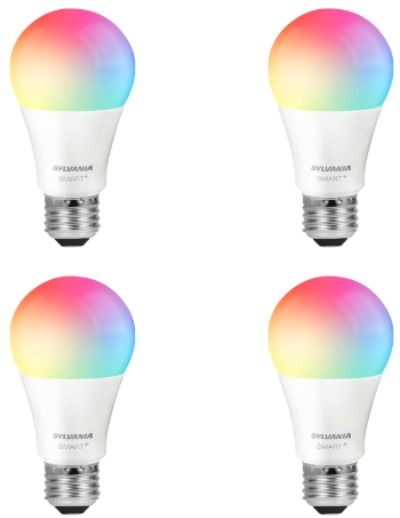
3. SYLVANIA Wifi LED Smart Light Bulb
Product Overview
SYLVANIA is a traditional lighting brand that jumped into the smart bulb game. Their WiFi bulbs come as a four-pack and hit on the full-color, full-features side. These are 60W equivalent bulbs (so same brightness as Kasa and Govee), and they work with Google Home and Alexa.
What You Get
Four bulbs per pack means you can light up multiple rooms. Full color capability, dimming, white tuning, and scheduling are all standard. The app is clean and designed for straightforward control. These don’t have Bluetooth like Govee, but they also don’t have the complexity that comes with it.
Best Use Cases
The SYLVANIA bulbs are great if you want a simple, no-nonsense smart light experience. They’re perfect for someone coming from traditional lighting who wants to dip into smart bulbs without getting overwhelmed by features.
The four-pack makes them ideal for doing an entire room or spreading across a small home. The reliable WiFi connection makes them good for rooms further from your router since they’re solid at connecting and staying connected.
Key Features Explained
Full Color and Tunable White: The complete spectrum of colors plus the ability to dial whites from warm to cool. This covers basically every lighting need short of specialized situations.
60W Equivalent Brightness: 800 lumens (this is becoming standard among good smart bulbs), so you’re getting real usable brightness.
Dimming Control: Down to low nightlight levels or full brightness.
Scheduling and Automation: Set lights to turn on and off at specific times or based on other triggers.
No Hub Required: WiFi-only operation, clean and simple.
Real-Life Usage Insight
Setup is refreshingly simple. The SYLVANIA app is one of the least cluttered experiences. You get the essentials: power, brightness, color, scheduling. No excess features taking up space.
Once set up, the bulbs are rock-solid. They stay connected. They respond quickly. The app doesn’t try to be everything under the sun – it does lighting well and stops there.
Google Home integration is solid. Your bulbs appear automatically and respond to standard commands without fussing around. Setting up automation in the app is straightforward, with clear options for time-based routines.
The brightness output is proper. These genuinely light rooms, not just accent lights.
Pros and Cons
Pros:
- Simplest app experience – no bloat, no unnecessary features
- Four bulbs give better per-unit pricing
- Reliable WiFi connection and fast response times
- Works with Google Home and Alexa without complications
- Color range is complete
- White tuning from warm to cool works great
Cons:
- No Bluetooth backup like Govee
- Less advanced automation compared to some competitors
- Fewer customization options in the app
- Not as many fun features like music sync
- Brand is less talked about in smart home forums
Performance Discussion
These are stable performers. The WiFi connection is solid – bulbs stay online and responsive. Voice commands execute quickly, typically within one second.
Color accuracy is good. The bulbs render colors faithfully, and the white tuning works smoothly from warm amber to cool blue-white.
Brightness is consistent. Dimming works naturally – the light doesn’t flicker or get weird at low levels. Transitioning between colors is smooth.
The response time is reliable. No weird delays or lag, even on moderately congested WiFi networks.
Ease of Use
The SYLVANIA app is genuinely easy. Even if you’ve never used a smart home app, you’ll figure it out. Power button, brightness slider, color wheel, done.
Adding to Google Home is automatic. Once the Kasa skill is enabled (yes, SYLVANIA uses Kasa’s infrastructure), your bulbs show up and work.
Scheduling is simple. You pick a time, a state (what colors or brightness), and confirm. The app does the rest.
The whole experience is designed to be low-friction. You’re not fighting the interface to do basic things.
Value for Money
Four bulbs at a reasonable price makes these good value, especially if you don’t care about advanced features. You’re paying for reliability and simplicity more than cutting-edge features.
If you want music sync and Bluetooth backup, Govee offers more. If you want the absolute lowest price per bulb, there might be options elsewhere. But SYLVANIA hits a nice sweet spot of features, reliability, and price.
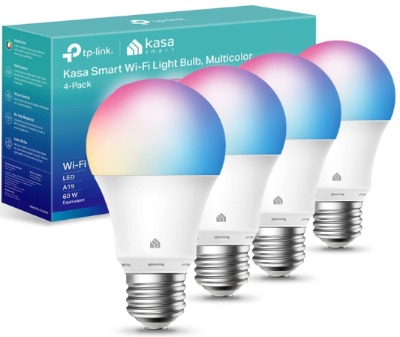
4. Kasa Smart Light Bulbs (KL125P4) – 4-Pack
Product Overview
This is Kasa’s larger pack – four bulbs instead of two. Same great bulbs as the 2-pack, so everything that worked well there applies here. You get more bulbs, more rooms covered, and better per-unit pricing.
What You Get
Four Kasa bulbs at the full 800-lumen brightness. Full color spectrum, dimming, scheduling, and all the Kasa features you get in the 2-pack. No hub required, works with Google Home and Alexa.
Best Use Cases
The four-pack makes sense if you want to outfit a whole house or a significant portion of it. It’s perfect if you’re ready to go all-in on smart lighting rather than testing with one or two bulbs. Multiple rooms mean you can set up different routines for different spaces.
Key Features Explained
Everything is identical to the KL125P2 – the main difference is quantity. You get all the same features: no hub, 16 million colors, dimming, scheduling, voice control, energy efficiency.
The bulk discount you get with four bulbs instead of buying two packs of two is worth noting.
Real-Life Usage Insight
Setup is identical to the 2-pack. Add each bulb individually to WiFi or just reset them all to the same WiFi network if you’re doing a bulk installation.
Once set up, the per-bulb experience is the same. They’re reliable, respond well to voice commands, and integrate seamlessly with Google Home.
Having four bulbs in a single app ecosystem means you can manage them together. Create a “Good Morning” routine that brightens multiple bulbs at sunrise. Or a “Movie Time” routine that dims them all at once.
Pros and Cons
Pros:
- Better per-bulb pricing than buying two 2-packs
- Same reliable performance as the 2-pack
- Ability to manage multiple rooms from one app
- Flexible because you can split them up however you want
- Proven reliability from the 2-pack plus more volume
Cons:
- Same 2.4GHz-only WiFi requirement
- Requires good WiFi signal for four devices
- No Bluetooth backup
- No music sync capability
Performance Discussion
No new performance concerns here – these are the same bulbs as the 2-pack. The only consideration is WiFi loading. Adding four WiFi devices instead of two means your router has to handle four connections. On modern routers, this isn’t an issue.
Response times remain fast – 1-2 seconds for voice commands. No degradation from managing multiple bulbs.
Ease of Use
Setup is simple multiplication – the same process four times. Most people get all four bulbs up and running in 15 minutes.
The app handles groups well. You can control each bulb individually or set routines that affect all of them at once. The learning curve is still minimal.
Value for Money
The four-pack pricing is better than buying two separate 2-packs. If you’re planning to outfit multiple rooms, this is the more economical choice. You’re getting the same reliable product with better economies of scale.
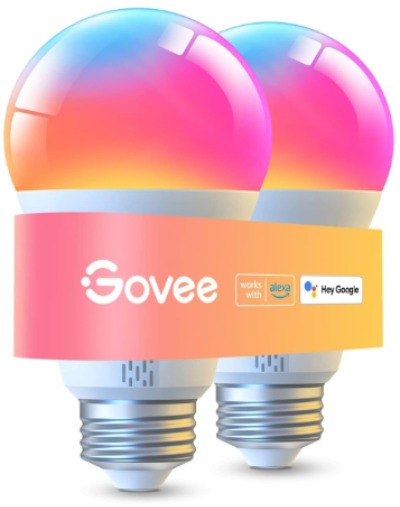
5. Govee LED Smart Light Bulbs (1000LM, 2-Pack)
Product Overview
This is Govee’s higher-lumen option – these bulbs put out 1000 lumens, which is equivalent to a 75W traditional bulb. Brighter than the standard 800-lumen options. They’re a two-pack, so fewer bulbs than their other offering but more power per bulb.
What You Get
Two bulbs at significantly higher brightness. These are actually legitimately bright lights that can be your primary room lighting rather than just accent lights. WiFi and Bluetooth dual connectivity like the other Govee model. Full RGBWW color support, dimming, tuning.
Best Use Cases
These are perfect for spaces that need serious brightness – kitchens, home offices, basements that don’t get much natural light. If you want the music sync and Bluetooth backup of Govee but only need two bulbs, this is the set.
Bedrooms where you want realistic brightness for reading or working during the day, with the color-changing bonus for mood lighting at night.
Entryways where you need the light to actually work as a functional light, not just a smart feature.
Key Features Explained
1000 Lumen Output: This is the standout. These are properly bright lights. You don’t feel like you’re being stingy with brightness. They’re nearly equivalent to old 75W incandescent bulbs.
WiFi and Bluetooth: Same dual connectivity as Govee’s 4-pack. Local control via Bluetooth even when WiFi is down.
RGBWW Full Color: Same 16 million color capability.
Music Sync: Same capability to respond to music.
Tunable Whites: Full spectrum from warm to cool whites.
Real-Life Usage Insight
The higher brightness is noticeable. These are legitimately good for primary lighting. You don’t get that feeling of “oh, this is a smart light” – they just feel like normal, good lights that happen to be smart.
Bluetooth connectivity at this brightness level is still solid. The local control works the same way as the 800-lumen version.
Music sync works at this brightness level too, and is actually more noticeable because the overall light output is higher. Brightness pulses to music are more dramatic.
Google Home control works the same as the 4-pack version – good for basic commands but full features live in the Govee app.
Pros and Cons
Pros:
- Significantly brighter than standard smart bulbs
- High brightness makes them genuinely usable as primary lighting
- Bluetooth backup still included
- Music sync capability
- Works with Google Home and Alexa
- High lumen output means you’re not sacrificing practical lighting for smart features
Cons:
- Price is higher due to higher lumen output
- Only two bulbs, so limited room coverage unless you buy multiple sets
- Still requires the Govee app for full features
- Same app complexity as the 4-pack
Performance Discussion
These bulbs are solid performers. The higher brightness doesn’t create any heat or reliability issues. The WiFi connection is stable. Voice command response time is the same 1-2 second range.
Color rendering at high brightness is consistent. The white output is clean across the tuning range.
The brightness output is consistent – you’re getting legitimate light, not just a bright bulb that dims to weird levels at lower settings.
Ease of Use
Setup is identical to the other Govee model – app-based, requires a few minutes to connect to WiFi and home network.
Google Home integration is straightforward.
The app complexity is the same – more features to explore but not harder to use for basic functions.
Value for Money
The higher price per bulb is justified by the increased brightness. If you need proper, functional lighting rather than just accent lights, the extra lumen output is worth the cost difference.
Buying two high-brightness bulbs is a good option if you want to light critical spaces like a kitchen or office without dedicating four bulbs to the job.
Comparison Insights
Brightness
SYLVANIA, Kasa (both models), and Govee 4-pack all offer 800 lumens. Govee 2-pack jumps to 1000 lumens. For most rooms, 800 lumens is plenty. The 1000-lumen option is better if you want pure brightness without having to buy extra bulbs.
Price Per Bulb
Kasa 4-pack: Best per-bulb pricing for the feature set Govee 4-pack: Similar per-bulb pricing, adds Bluetooth and music sync SYLVANIA 4-pack: Slightly lower price per bulb, simpler feature set Govee 2-pack (1000LM): Highest price per bulb due to brightness Kasa 2-pack: Moderate price per bulb
Best for Google Home Only Users
If you don’t have Alexa and only care about Google Home integration, all of these work fine. But Kasa and SYLVANIA have simpler experiences if that’s all you need. You don’t pay for features you won’t use.
Best for Google Home Plus Alexa Users
All of them work with both ecosystems. No disadvantage here.
Easiest Setup Experience
SYLVANIA is probably the simplest, followed by Kasa. Govee requires more app interaction, which isn’t bad but takes longer.
Most Advanced Features
Govee 4-pack offers the most – Bluetooth, music sync, the busiest app. SYLVANIA is the most stripped-back.
Most Reliable
Kasa has the reputation for reliability and it’s earned. Govee is reliable with the added complexity risk. SYLVANIA is solid without much to break.
Smart Light Buying Guide for Google Home
Step 1: Decide on Quantity
How many bulbs do you need? A single room needs 1-2 bulbs usually. A whole house is more like 5-10. Start with how many rooms you want to automate and how many fixtures per room.
Step 2: Prioritize Features
Do you care about colors, or just on-off-dim? Do you need Bluetooth backup? Do you want music sync or is that not your thing? List what actually matters to you and ignore the rest.
Step 3: Check Your WiFi
Make sure you have 2.4GHz WiFi. Most modern routers have it, but dual-band routers sometimes let you disable it. You need it for these bulbs. Test the signal strength where you’ll put bulbs – weak signal creates unreliable control.
Step 4: Consider Hub vs Hub-Free
All the bulbs here are hub-free, meaning they connect directly to WiFi. This is simpler but means your WiFi has to be solid. If your WiFi is spotty, a hub-based system might be better.
Step 5: Prioritize Setup Simplicity vs Features
Simpler = SYLVANIA Middle ground = Kasa Feature-rich = Govee
Pick based on whether you like tinkering with apps or prefer things that just work.
Step 6: Test with a Starter Pack
Unless you’re sure, start with a 2-pack. Test how they work in your home, see if you like the experience, then buy more.
Step 7: Make Sure Google Home Recognizes Them
Once you set them up in the bulb app, enable the skill in Google Home app. The bulbs should appear automatically in Google Home. Test voice commands before buying more.
Who Should Buy These Products
Best for: Google Home Users Who Want Colors
Kasa (both models) and Govee (both models) and SYLVANIA. All do colors well. Pick based on how many bulbs you need and feature complexity.
Best for: People Who Want the Most Affordable Smart Bulbs
Kasa 4-pack or SYLVANIA 4-pack. Both offer good value and all the essentials.
Best for: People Who Want Maximum Brightness
Govee 1000 lumen 2-pack. These are genuinely bright lights first, smart features second.
Best for: People Who Value Simplicity
SYLVANIA. Clean app, straightforward features, no overwhelming options.
Best for: People With Unreliable WiFi
Govee (for Bluetooth backup). The local control via Bluetooth keeps them working even when your network is hiccupping.
Best for: Whole-House Smart Lighting
Kasa 4-pack. Great pricing, proven reliability, good feature set.
Best for: People Who Want Music Sync
Govee (either model). It’s their unique feature and it actually works well.
Best for: Alexa Plus Google Home Users
All of them work with both. No differentiation here – pick based on other factors.
Common Mistakes to Avoid
Mistake 1: Assuming All Smart Bulbs Work with Google Home
They don’t. Some are Alexa-only or require proprietary hubs. Always check compatibility first.
Mistake 2: Forgetting About WiFi Requirements
These bulbs need good WiFi. If your home has dead zones, they won’t work well there. Check your WiFi coverage before buying.
Mistake 3: Buying More Bulbs Than Your WiFi Can Handle
Your router has limits. If you have an older router, adding 10 WiFi bulbs might overload it. Add them gradually and test.
Mistake 4: Expecting Smart Bulbs to Solve WiFi Problems
They don’t. If your WiFi is bad, smart bulbs won’t be reliable. Fix your network first.
Mistake 5: Overcomplicating Your Setup
You don’t need 50 automations. Start with one or two – like “turn on at sunset” or “turn off at midnight” – and build from there. Too many rules create bugs.
Mistake 6: Ignoring the 2.4GHz Requirement
Check your router settings. Some routers hide or disable 2.4GHz by default. Make sure it’s enabled before buying.
Mistake 7: Assuming Brightness Numbers
800 lumens or 1000 lumens – understand what these mean. They’re measured units, not marketing fluff. 1000 is noticeably brighter than 800. Know which you need.
Mistake 8: Buying Bulbs for Fixtures They Won’t Fit
A19 bulbs fit standard light sockets. Check your fixtures. Some recessed lights need different bulb types.
Mistake 9: Expecting Instant Nationwide Response Times
1-2 second delays are normal. These bulbs are local, not cloud-based for speed. If you expect instant response like a light switch, you’ll be disappointed.
Mistake 10: Setting Up Without Reading Compatibility
Spend five minutes checking that your phone, router, and home router configuration are compatible. It prevents frustration later.
Final Verdict: Which Smart Bulb Wins for Google Home?
If we’re honest, there’s no single “best” because it depends on what you need.
Kasa Smart Light Bulbs (4-Pack) Win for Overall Value. The pricing is excellent, the reliability is proven, the feature set covers everything you need, and the app experience is straightforward. You get color, dimming, scheduling, and Google Home integration without overpaying. If I were starting from scratch with Google Home and wanted to outfit multiple rooms, these are what I’d grab.
Govee Smart Light Bulbs (4-Pack) Win if You Want Extras. The Bluetooth backup means they work even when your WiFi has a moment. Music sync is actually fun. The tuning and color options are comprehensive. If you like having more control and don’t mind spending five more minutes exploring the app, these deliver.
SYLVANIA Win for Simplicity. If you want smart lights but don’t want to think about it, these are it. The app gets out of your way. They just work. The price is competitive. You lose music sync and Bluetooth, but you gain peace of mind.
Govee 1000 Lumen 2-Pack Win if You Need Brightness. If you have a kitchen, office, or any space that needs serious light, these deliver. Proper brightness as the primary feature, with smart capabilities as the bonus.
Kasa 2-Pack Wins for Testing. If you’ve never done smart bulbs and want to try without committing to four, this is the foot-in-the-door option. Same quality as the 4-pack, just fewer bulbs.
Real Talk About Smart Bulbs in 2026
Smart bulbs have matured. They’re not the temperamental gadgets they used to be. The products here are reliable, integrate well with Google Home, and honestly just work. The biggest predictor of success is your WiFi, not the bulb.
Pick one based on how many bulbs you need, whether you want colors (you probably do), and how much app complexity you can tolerate. All of these are solid choices. You won’t regret any of them.
The investment is small enough to try one set. Once you experience the convenience of voice control and automation, you’ll probably want more bulbs. Start somewhere, learn what works for you, and scale from there.
Google Home compatibility is no longer a differentiator – these all work fine. Your choice comes down to price, feature set, brightness level, and app philosophy. Pick based on what matters to you and you’ll be happy.
Final Thoughts
Smart bulbs for Google Home have become genuinely useful home automation. The days of buying bulbs that don’t work properly with your assistant are behind you. The products in this review are all legitimate, functional, reliable smart bulbs.
Kasa offers the best overall package. Govee offers the most features. SYLVANIA offers the simplest experience. All three manufacturers deliver quality that stands up to actual use.
Start with a small pack, try them out, see how they fit into your home. Then expand if you like the experience. You’re not making a permanent decision – you’re taking a first step. That first step with any of these bulbs will be solid.

Hi, I’m Mary, the founder of Homygear.com. I’m passionate about creating a comfortable, smart, and beautiful home. I share practical insights and real-world experience on home gear that makes everyday life easier. Behind the scenes, my dedicated research team studies products in depth, and our writers craft honest reviews using trusted, authentic sources—so you can choose home gear with confidence.