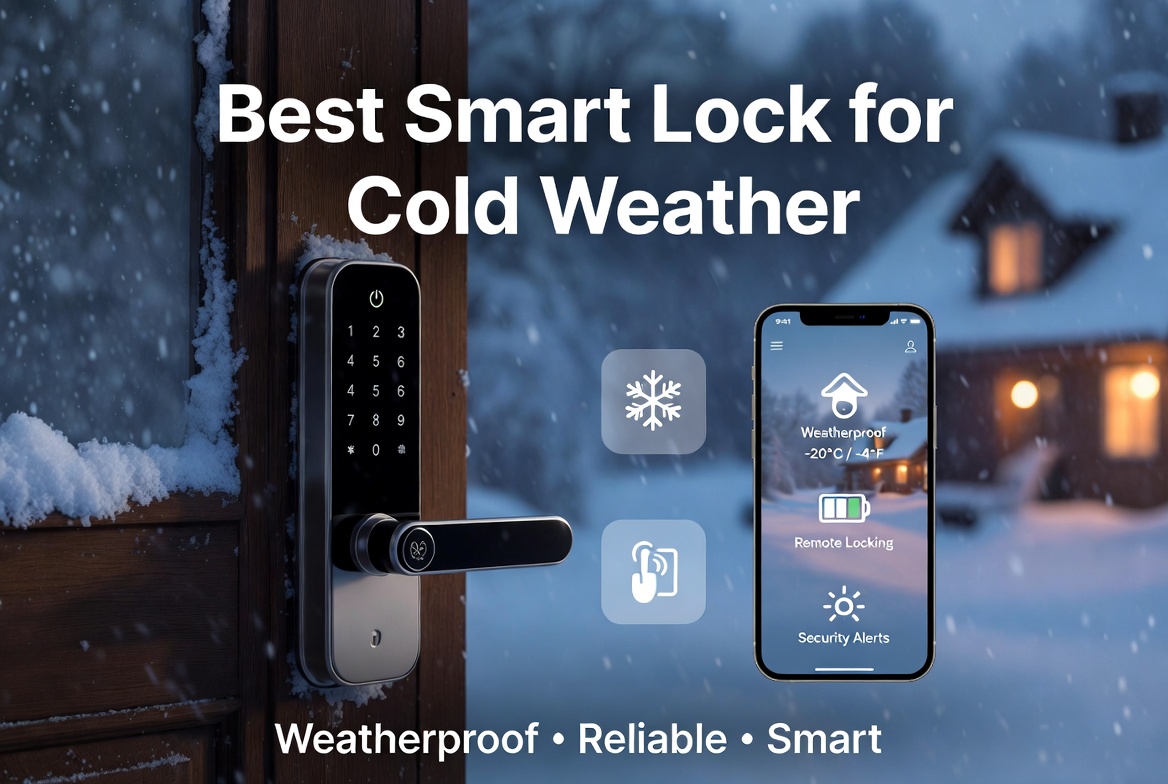
5 Best Smart Door Locks In 2026
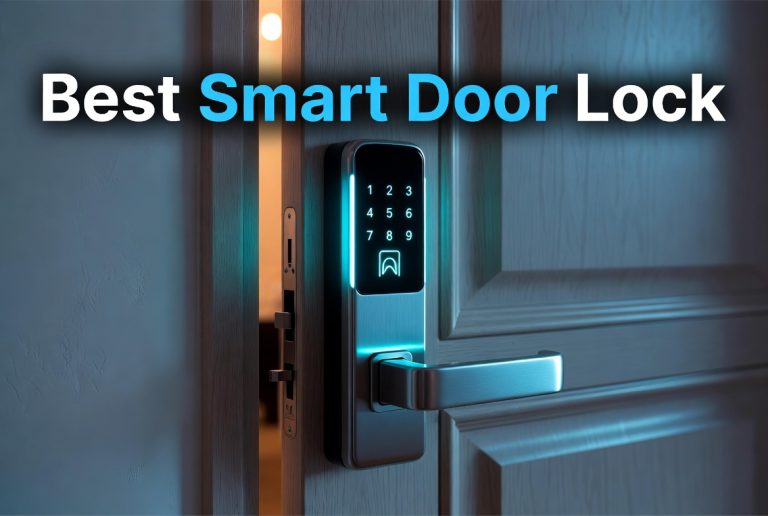
If you are tired of digging for keys in your bag or you keep worrying if you locked the door on your way out, a smart door lock can fix that headache for good. These little gadgets have come a long way, and now you get fingerprint scanners, app control, voice unlock, and even Apple Home Key support packed into a single deadbolt. But with so many brands shouting for your attention, it gets confusing fast to know which one actually fits your door, your budget, and your daily routine.
That’s exactly why I put together this roundup. Below you’ll find five smart locks that stand out for different reasons, from the feature-packed Philips WiFi lock to the budget-friendly Yamiry knob lock. I’ll walk you through what each one does well, where it falls short, and who should actually buy it. By the end, you’ll know exactly which lock deserves a spot on your front door.
Why A Smart Lock Is Worth The Upgrade
Before jumping into the reviews, let’s talk quickly about why people are moving away from plain metal keys. A smart lock gives you keyless entry, so you can open your door with a fingerprint, a code, your phone, or even your voice through a smart speaker. Most models also come with auto-lock, so the door locks itself a few seconds after you close it. That one feature alone stops a lot of “did I lock the door” anxiety.
On top of that, these locks let you give temporary codes to guests, dog walkers, or cleaners without handing out a physical key. Many connect to Wi-Fi directly, so you can check the lock status and get alerts on your phone from anywhere. Some tie into bigger smart home systems like Alexa, Google Home, or Apple HomeKit, turning your front door into part of your automated routine. It’s a small investment that pays off in daily convenience and, in many cases, better security than a basic pin tumbler lock.
Now let’s get into the actual products.
1. Philips WiFi Keypad Door Lock With Handle
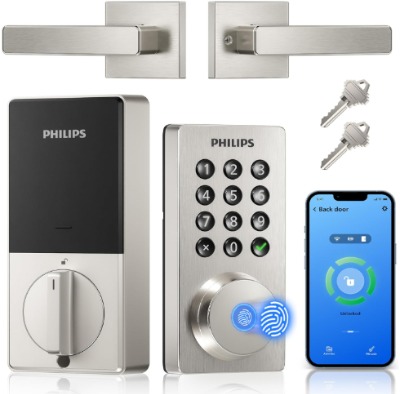
The Philips WiFi Keypad Door Lock is built for people who want every unlock method under one roof. It combines a keypad, fingerprint sensor, app control, and voice unlock, plus it comes with a full handle rather than just a knob, giving it a more traditional front-door look. The satin nickel finish blends in nicely with most modern and traditional door hardware, so it doesn’t scream “gadget” the way some smart locks do.
Best Use Cases
This lock fits families who want flexibility. Parents can set up fingerprints for themselves and older kids, while younger family members or visitors get a keypad code instead. It also works well for anyone who wants voice control tied into a smart speaker setup, since not every lock on this list supports that.
Key Features Explained Simply
- Built-in Wi-Fi: No extra hub or bridge needed. The lock connects straight to your home network, so remote control just works out of the box.
- App Remote Control: Lock or unlock the door from your phone, even when you’re not home, and check the status any time.
- Voice Unlock: Pair it with a compatible smart speaker and use a voice command to lock or unlock, handy when your hands are full of grocery bags.
- Fingerprint Unlock: Store multiple fingerprints so each household member gets their own quick entry method.
- Auto Lock: The deadbolt locks itself automatically after a set delay, so forgetting to lock up becomes a non-issue.
- Keyless Entry Deadbolt: Standard deadbolt strength with the added convenience of no physical key needed day to day.
Real-Life Usage Insight
Think about a household where everyone comes and goes at different times. One person is unlocking with a fingerprint on the way to work, another is punching in a code after school, and a family member out running errands can check on their phone that the door is actually locked. That kind of flexibility is where this lock really shines, since it doesn’t force everyone into the same unlock method.
Pros
- Multiple unlock methods in one lock, covering nearly every use case
- Full handle design gives a more finished, traditional look on the door
- Built-in Wi-Fi means setup is simpler than locks needing a separate bridge
- Voice unlock is a nice extra most competitors skip
Cons
- More unlock options can mean a slightly steeper learning curve during setup
- The handle style may not fit every door prep, so double-check compatibility first
- Battery life tends to run shorter than fingerprint-only competitors, given all the extra features drawing power
Performance Discussion
In daily use, the fingerprint sensor responds quickly for a keypad-style lock, and the app connection stays stable since there’s no bridge in the middle to cause dropouts. Voice unlock adds a small delay compared to fingerprint or keypad, which is normal for any voice-activated lock, but it still gets the job done reliably.
Ease Of Use
The setup process takes a bit longer than a basic keypad lock because there are more features to configure, but the app walks you through each step. Once it’s running, day-to-day use is simple. Anyone in the house can pick their preferred unlock method without needing to relearn anything.
Value For Money
Given how many unlock methods are packed into one device, this lock offers solid value for a household that wants an all-in-one solution rather than buying separate smart home gadgets.
2. eufy Security Smart Lock C220
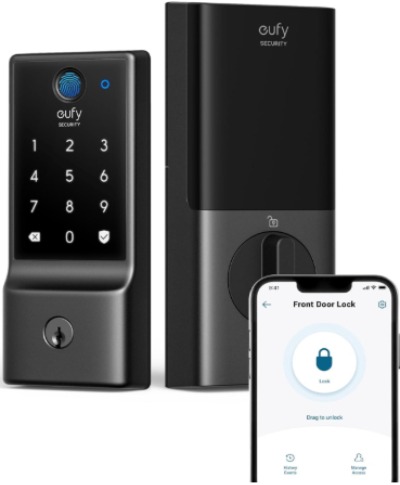
The eufy C220 leans into simplicity and reliability rather than piling on every feature possible. It’s a fingerprint keyless entry deadbolt with built-in Wi-Fi, app control, and a battery life rating around eight months. It also carries an IP53 waterproof rating and BHMA Grade 3 certification, which tells you it’s built to handle everyday weather exposure and meets a recognized security standard.
Best Use Cases
This lock is a great fit for anyone who wants dependable fingerprint access without a ton of extra bells and whistles. It also suits homes in areas with rain or humidity, thanks to that water resistance rating, and works well for renters or first-time smart lock buyers who want something straightforward.
Key Features Explained Simply
- Fingerprint Keyless Entry: Fast and simple, just touch and go, no code to remember.
- Built-in Wi-Fi: Connects directly, so you get app access and remote notifications without a separate bridge accessory.
- 8-Month Battery: Long battery life means fewer trips to swap batteries, which is a common annoyance with smart locks.
- IP53 Waterproof Rating: Handles rain, splashes, and general outdoor exposure without issue.
- BHMA Grade 3 Certification: A recognized security grade that confirms the hardware meets baseline durability and strength standards.
Real-Life Usage Insight
Consider a front door that faces the street with no covered porch overhead. Rain and weather hit it directly through the seasons. A lock with a solid waterproof rating like this one holds up better under that kind of exposure compared to locks that don’t list any water resistance rating at all.
Pros
- Long battery life reduces maintenance hassle
- Water resistance makes it suitable for exposed doors
- Simple, focused feature set that’s easy to learn quickly
- Reliable brand reputation in the smart home space
Cons
- Fewer unlock methods than some competitors, since there’s no separate keypad on the main unit in every configuration
- Grade 3 certification, while solid, is a step below the higher security grades some premium locks carry
- App features are more basic compared to locks aimed at power users
Performance Discussion
The fingerprint sensor here is quick and consistent, rarely requiring a second attempt once your print is registered properly. Wi-Fi connectivity holds steady for remote locking and status checks, and the waterproof build genuinely helps with long-term durability on exposed doors.
Ease Of Use
Setup is refreshingly quick since the feature list stays focused. Registering fingerprints takes just a few taps in the app, and the whole process is beginner-friendly without a confusing manual to dig through.
Value For Money
For the price point, you get a genuinely reliable fingerprint lock with strong battery life and weather resistance, making it a smart pick for anyone who wants dependable performance without paying for extras they won’t use.
3. Wyze Auto-Lock Bolt v2
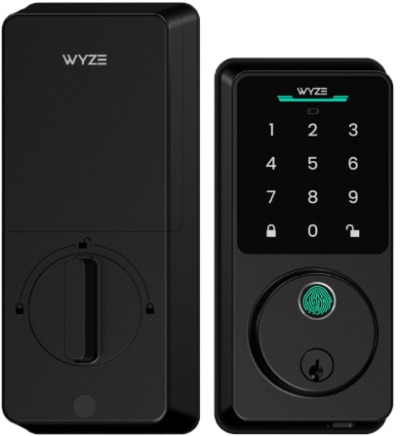
The Wyze Auto-Lock Bolt v2 brings AI-assisted fingerprint scanning into the mix, along with an anti-peep keypad designed to block onlookers from guessing your code by watching your finger movements. It also ships with backup physical keys, a nice safety net if the battery ever dies at an inconvenient moment.
Best Use Cases
This lock is a strong option for tech-curious buyers who like the idea of an AI learning scanner that improves fingerprint recognition accuracy the more you use it. It also suits people who live in busier areas where someone might watch you enter your code, thanks to the anti-peep keypad design.
Key Features Explained Simply
- AI Learning Scanner: The fingerprint sensor gets smarter over time, adapting to small changes like a dry finger or a slightly different touch angle.
- Anti-Peep Keypad: Numbers shuffle or scramble visually so someone watching from a distance can’t easily figure out your code.
- 8 Months Battery: Similar long-lasting battery performance to keep maintenance low.
- BHMA2 And IP53 Ratings: Solid security certification paired with weather resistance for outdoor doors.
- Backup Keys Included: A physical key override in case electronics ever fail or the battery runs flat unexpectedly.
Real-Life Usage Insight
Picture an apartment building or a busy street-facing home where neighbors or passersby are often nearby when you’re unlocking the door. The anti-peep keypad becomes genuinely useful here, since it makes shoulder-surfing your code far harder than on a standard keypad lock.
Pros
- AI scanner improves fingerprint accuracy over repeated use
- Anti-peep keypad adds a real privacy and security bonus
- Backup keys offer peace of mind if the lock ever loses power
- Strong battery life keeps upkeep minimal
Cons
- Brand’s smart home ecosystem is still growing compared to more established competitors
- Some users may find the AI learning period takes a short while before recognition feels fully smooth
- App integrations with third-party smart home platforms can be more limited
Performance Discussion
Fingerprint recognition starts solid and becomes noticeably smoother after the first week or two of regular use as the AI scanner adapts. The anti-peep keypad works exactly as advertised, scrambling the digit layout so a code isn’t easy to guess just by watching.
Ease Of Use
Installation follows a familiar deadbolt swap process, and the app guides you through fingerprint registration clearly. The anti-peep feature requires zero extra learning, you just type your code as normal and the lock handles the privacy part on its own.
Value For Money
Considering the combination of AI-assisted fingerprint tech, anti-peep protection, and included backup keys, this lock delivers strong value, especially for buyers who care about both convenience and extra privacy protection at the door.
4. Aqara UWB Smart Lock U400
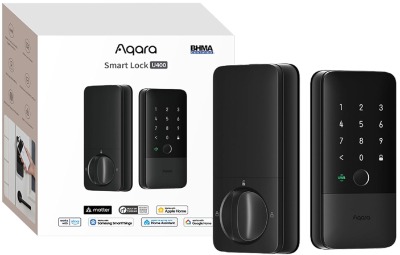
The Aqara U400 sits at the premium end of this roundup, built around Matter over Thread connectivity and full Apple Home Key support. That means it plays exceptionally well with Apple devices, letting you unlock just by tapping your iPhone or Apple Watch near the door, similar to how a tap-to-pay card works. It also supports HomeKit, Alexa, Google Home, and Home Assistant, making it one of the more universally compatible locks on this list.
Best Use Cases
This lock is ideal for smart home enthusiasts who already run a Matter or Thread-based setup, or Apple users who want the seamless tap-to-unlock experience through Apple Home Key. It’s also a great match for anyone building out a broader home automation system, since it plugs into so many different platforms.
Key Features Explained Simply
- UWB (Ultra-Wideband) Technology: Allows for precise proximity detection, so the lock can recognize exactly when your phone is close enough to unlock automatically.
- Matter Over Thread: A modern smart home standard that improves reliability and speed compared to older Wi-Fi-only smart home protocols.
- Apple Home Key: Tap your iPhone or Apple Watch to unlock instantly, no app opening required.
- Touchscreen Keypad: A sleek, modern keypad replaces old-style physical buttons for code entry.
- Rechargeable Battery: Skip disposable batteries entirely and just recharge when needed, which is more convenient long term and better for the environment.
- Broad Platform Support: Works across HomeKit, Alexa, Google, and Home Assistant, so it fits almost any smart home setup already in place.
Real-Life Usage Insight
Think about walking up to your door with grocery bags in both hands and your phone in your pocket. With UWB and Apple Home Key working together, the lock can sense your phone’s proximity and unlock automatically, no fumbling for a code or pulling your phone out at all. That kind of hands-free entry is genuinely one of the more advanced conveniences available in a residential smart lock right now.
Pros
- Best-in-class smart home compatibility across major platforms
- Apple Home Key support offers a genuinely seamless unlock experience for iPhone users
- Rechargeable battery is more convenient and eco-friendly than swapping disposables
- Sleek touchscreen keypad gives it a premium, modern look
Cons
- Higher price point compared to the rest of this roundup
- Full benefits require a Matter/Thread-compatible smart home hub, so non-smart-home households won’t get the full experience
- Rechargeable battery means you do need to remember to charge it periodically, unlike swap-and-go disposable batteries
Performance Discussion
The UWB proximity unlock feels close to instant once it’s configured correctly, and Matter over Thread connectivity tends to be more stable and responsive than older Wi-Fi-only smart lock protocols. Fingerprint and touchscreen keypad entry both perform smoothly as backup options when you don’t have your phone on you.
Ease Of Use
Initial setup is more involved than the other locks here, mainly because you’re configuring it across a broader smart home ecosystem rather than just a standalone app. Once everything is linked up, though, daily use becomes remarkably smooth, especially for Apple users leaning on Home Key.
Value For Money
This lock costs more upfront, but for a household already invested in a connected smart home, the level of integration and the hands-free unlock experience can genuinely justify the higher price tag.
5. Yamiry Keypad Smart Door Lock With Knob
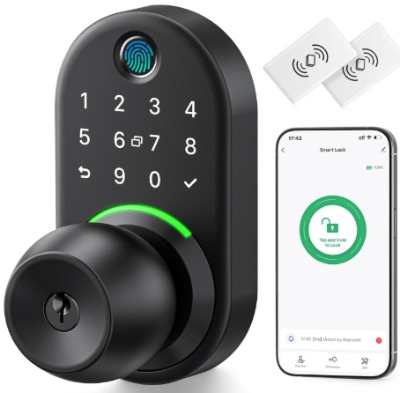
The Yamiry lock takes a simpler, budget-friendly approach with a classic knob design instead of a lever or handle. It offers fingerprint and keypad entry in a compact, no-frills package, making it a solid pick for anyone who just wants an affordable upgrade from a traditional key-only knob lock.
Best Use Cases
This lock works well for secondary doors, rental units, guest rooms, or anyone on a tighter budget who still wants the basics of keyless entry without paying for advanced smart home integrations they won’t use.
Key Features Explained Simply
- Fingerprint Electronic Entry: Quick fingerprint unlock without needing an app or Wi-Fi connection in most basic configurations.
- Keypad Entry: A backup numeric code option alongside fingerprint access.
- Knob Design: A traditional round knob style rather than a lever or full handle, matching many standard interior and secondary exterior doors.
- Compact, Straightforward Build: Fewer moving digital parts means a simpler install and fewer things that can go wrong.
Real-Life Usage Insight
Think of a side door, garage entry, or a rental property where you don’t need full smart home integration, you just want to ditch the physical key hassle. This lock covers that need without asking you to set up an app, connect to Wi-Fi, or link smart home platforms at all.
Pros
- Budget-friendly price point compared to the rest of this roundup
- Simple setup with no app or network configuration required
- Knob design fits doors where a lever or handle lock won’t work
- Good option for secondary doors or rental properties
Cons
- No built-in Wi-Fi or app control, so no remote access or notifications
- Lacks advanced features like voice unlock or smart home platform integration
- Knob locks are generally considered less secure against forced entry than deadbolt-style locks with a separate cylinder
Performance Discussion
For a lock at this price and feature level, fingerprint and keypad recognition perform reliably for daily use. It won’t compete with the advanced sensors on the pricier options above, but for a secondary door, it gets the basic job done without fuss.
Ease Of Use
This is the easiest lock on the list to set up. There’s no app to download, no network to configure, just fingerprint registration and code setup directly through the lock itself.
Value For Money
If your main goal is ditching a physical key on a low-traffic door without spending much, this lock delivers solid value simply by keeping things affordable and uncomplicated.
Comparison Insights
Now that you’ve seen each lock individually, here’s how they stack up against each other on the things that matter most.
Feature range: The Philips lock and the Aqara U400 pack in the most features, covering fingerprint, keypad, app control, and either voice or proximity unlock. The eufy C220 and Wyze Bolt v2 sit in the middle with a more focused feature set, while the Yamiry knob lock keeps things basic on purpose.
Smart home integration: The Aqara U400 wins clearly here with Matter, Thread, HomeKit, Alexa, Google, and Home Assistant support. The Philips lock offers solid voice unlock through app-based smart speaker pairing. The Yamiry lock offers no smart home integration at all.
Battery life: The eufy C220 and Wyze Bolt v2 both advertise around eight months of battery life, which is strong for this category. The Aqara U400 uses a rechargeable battery instead, a different but equally convenient approach depending on your preference.
Security certification: The eufy C220 carries BHMA Grade 3 certification, and the Wyze Bolt v2 carries BHMA2 certification, giving both a recognized security baseline. Always check current certification details directly from the manufacturer before buying, since specs can be updated.
Weather resistance: Both the eufy C220 and Wyze Bolt v2 list an IP53 waterproof rating, making them better suited to exposed, uncovered doors compared to locks without a listed rating.
Design style: The Philips lock uses a full handle, the Yamiry lock uses a knob, and the eufy, Wyze, and Aqara locks use a more standard deadbolt-style body. Your door prep and personal taste will likely decide this one more than raw specs.
Price range: Generally speaking, the Yamiry knob lock sits at the most affordable end, the eufy and Wyze locks land in the mid-range, the Philips lock runs a bit higher due to its feature count, and the Aqara U400 sits at the premium tier thanks to UWB and Apple Home Key support.
Buying Guide: What To Check Before You Buy
Shopping for a smart lock isn’t just about picking the flashiest feature list. Here’s what actually matters when you’re comparing options.
Door Compatibility
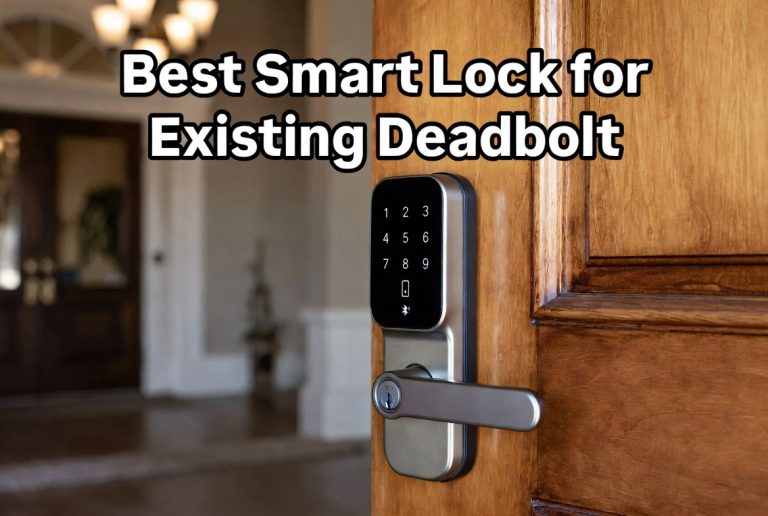
Measure your door thickness and check your existing hole prep before ordering. Some locks fit standard deadbolt cutouts easily, others need specific backset measurements. A lock that looks great online can turn into a frustrating return if it doesn’t match your door.
Connectivity Type
Decide if you want built-in Wi-Fi, a separate hub-based system like Matter over Thread, or a simpler offline lock with no network connection at all. Built-in Wi-Fi means easier setup but can drain batteries faster. Hub-based systems like Thread tend to be more efficient and reliable but need supporting smart home hardware.
Unlock Methods
Think about how many different ways you actually need to get in. A busy family benefits from multiple options like fingerprint, keypad, and app control. A secondary door might only need one or two simple methods.
Battery Type And Life
Check whether the lock uses disposable batteries or a rechargeable pack, and look at the advertised battery life. Longer battery life means less maintenance, but rechargeable options cut down on battery waste over time.
Weather Exposure
If your door faces direct rain, sun, or humidity, prioritize a lock with a listed IP rating for water resistance. Locks without this rating may hold up fine on covered porches but struggle on exposed entries.
Security Certification
Look for recognized certifications like BHMA grades, which indicate the lock has been tested against a defined security and durability standard. Higher grades generally mean stronger resistance to forced entry attempts.
Smart Home Ecosystem Fit
If you already use Alexa, Google Home, Apple HomeKit, or Home Assistant, check that your chosen lock actually supports your specific platform before buying, since not every lock integrates with every ecosystem equally well.
Backup Access
Confirm the lock includes a backup method, like a physical key override or a backup code, in case the battery dies or the electronics ever malfunction. This small detail matters a lot in an actual lockout situation.
Who Should Buy These Products
Families with kids or multiple residents will get the most out of a feature-packed lock like the Philips model, since it supports different unlock methods for different people.
Renters or first-time smart lock buyers will likely appreciate the eufy C220 for its simplicity, reliability, and strong battery life without an overwhelming learning curve.
Privacy-conscious buyers, especially those in busier neighborhoods or apartment complexes, should lean toward the Wyze Bolt v2 for its anti-peep keypad feature.
Dedicated smart home users, particularly those already using Apple devices or a Matter/Thread setup, will find the Aqara U400 worth the higher price tag for its deep integration and hands-free unlock.
Budget-focused buyers or those upgrading a secondary door should consider the Yamiry knob lock, since it delivers basic keyless convenience without a big spend.
Common Mistakes To Avoid
Skipping the door measurement step. A lot of returns happen simply because buyers didn’t check their door thickness or existing hole prep before ordering. Always measure first.
Ignoring battery type until after purchase. Some people assume every lock uses the same battery setup, then get surprised by a rechargeable pack or an unusual battery size. Check this detail early.
Overlooking weather exposure. Installing a lock without a water resistance rating on a fully exposed, uncovered door can shorten its lifespan considerably. Match the lock to your door’s actual exposure level.
Assuming every lock works with every smart home platform. Compatibility varies a lot between brands. Confirm platform support directly rather than assuming it’ll just work with your existing setup.
Forgetting about backup access. Relying only on fingerprint or app access without a backup key or code is risky. Batteries die, apps glitch, and Wi-Fi goes down occasionally, so always keep a backup method ready.
Rushing the installation. Smart locks involve more wiring and calibration than a standard deadbolt swap. Take your time during setup, follow the app instructions closely, and test the lock several times before fully relying on it.
Final Verdict
Each lock in this roundup earns its spot for a different kind of buyer. If you want the most complete feature set with voice control and a traditional handle look, the Philips WiFi Keypad Door Lock is a strong all-rounder. If you’d rather keep things simple, reliable, and weather-ready, the eufy Security Smart Lock C220 delivers exactly that without overcomplicating things.
For anyone who wants a bit of extra privacy protection built right into the keypad, the Wyze Auto-Lock Bolt v2 stands out with its anti-peep design and improving AI fingerprint scanner. If you’re deep into a connected smart home and want the smoothest possible unlock experience, especially as an Apple user, the Aqara UWB Smart Lock U400 is the clear premium pick despite the higher cost.
And if you just need an affordable, no-fuss upgrade for a secondary door or a rental property, the Yamiry Keypad Smart Door Lock gets the basic job done without asking much of your budget or your patience.
At the end of the day, the best smart door lock isn’t the one with the longest spec sheet, it’s the one that actually matches your door, your household, and how you like to get in and out each day. Use the buying guide above, weigh your priorities, and you’ll land on the right pick without any guesswork.

Hi, I’m Mary, the founder of Homygear.com. I’m passionate about creating a comfortable, smart, and beautiful home. I share practical insights and real-world experience on home gear that makes everyday life easier. Behind the scenes, my dedicated research team studies products in depth, and our writers craft honest reviews using trusted, authentic sources—so you can choose home gear with confidence.