How to Connect Smart Home Devices Together?
So you’ve bought a few smart home gadgets, and now they’re sitting in boxes around your house. You’re excited but maybe a little confused about how to actually get them all working together. Don’t worry – connecting smart home devices is easier than you might think. By the end of this guide, you’ll understand how to set up your home automation system and make all your devices talk to each other like best friends.
What Does It Mean to Connect Smart Home Devices?
Before we jump into the how, let’s talk about the what. When we talk about connecting smart devices, we mean linking them together so they can share information and work as a team. Think of it like a school classroom – each device is a student, and the network is the classroom itself. When students communicate with each other, they can work together on projects much better.
A connected smart home device network lets your devices send signals to each other. This means your motion sensor can tell your lights to turn on, your thermostat can share temperature data with your phone, and your security camera can send alerts to your laptop. All of this happens without you having to do anything manually.
The core idea is automation. Instead of walking around flipping switches and adjusting settings, your devices do the work for you. Your coffee maker can start brewing when your alarm goes off. Your door lock can unlock when you arrive home. Your air conditioner can cool your house before you wake up. This is the magic of a smart home.
Understanding the Basics: WiFi, Bluetooth, and Hubs
Your smart devices need a way to communicate, and they do this through wireless technology. Let’s break down the main types of connections you’ll encounter.
WiFi Connections
WiFi is probably the most common connection type you already use at home. Many smart devices connect directly to your WiFi network, just like your phone and laptop do. These devices send messages over your wireless internet connection.
The great thing about WiFi is that you probably already have it. The not-so-great thing is that WiFi uses quite a bit of power, so some small battery-powered devices don’t use it. WiFi devices also need to be reasonably close to your router to work well.
Bluetooth Connections
Bluetooth is a short-range wireless connection that uses very little power. Many wearables, smart speakers, and some smart lights use Bluetooth. The range is typically about 30 feet, though walls and other obstacles can reduce this distance.
Bluetooth works great when you want to control a device from nearby, like using your phone to adjust your smart lights in the bedroom. However, Bluetooth isn’t ideal for building a whole-home network because the range is limited.
Zigbee and Z-Wave Networks
These are special wireless protocols designed specifically for smart home devices. They’re like secret languages that smart home gadgets use to talk to each other. Both Zigbee and Z-Wave create a mesh network, which means devices can relay messages through each other. If one device can’t reach the hub directly, another device can pass the message along.
Think of it like a game of telephone – the message goes from device to device until it reaches where it needs to go. This is incredibly powerful because it means you can cover your entire house, even large homes.
The Role of Smart Hubs and Bridges
Here’s an important concept: many smart devices need a hub or bridge to connect to your network. A hub is a central device that sits on your network and acts as a translator and controller.
Different brands and types of smart devices speak different languages. Your Zigbee lights speak Zigbee. Your Z-Wave door locks speak Z-Wave. Your WiFi thermostat speaks WiFi. A good hub can understand all these languages and help them work together.
Some popular hubs include Amazon Echo devices, Google Home hubs, Apple HomePod, Samsung SmartThings Hub, and specialized smart home hubs from brands like Hubitat and Home Assistant. These hubs let you create routines and automations that make your devices work together.
Not every device needs a hub. Some connect directly to your WiFi and can be controlled through their own apps or through broader platforms. But if you want true home automation where devices trigger each other automatically, a hub is your best friend.
Getting Started: The Right Order to Buy Devices
Now let’s talk about strategy. You don’t need to buy everything at once. Smart home living is something you can build gradually.
Start with one of the major ecosystems. Your choices are basically Amazon (Alexa), Google (Google Home), or Apple (Siri). Each of these has a large selection of compatible devices. Samsung SmartThings is another good option if you want more flexibility.
Begin with a smart speaker. This serves as your hub and your voice controller. An Amazon Echo Dot or Google Home Mini costs less than $30 and does both jobs. From there, add devices one at a time. Maybe start with smart lights, then smart plugs, then a smart thermostat.
The reason for this approach is that it lets you learn how your system works before you get overwhelmed. Each new device teaches you something about how your setup operates.
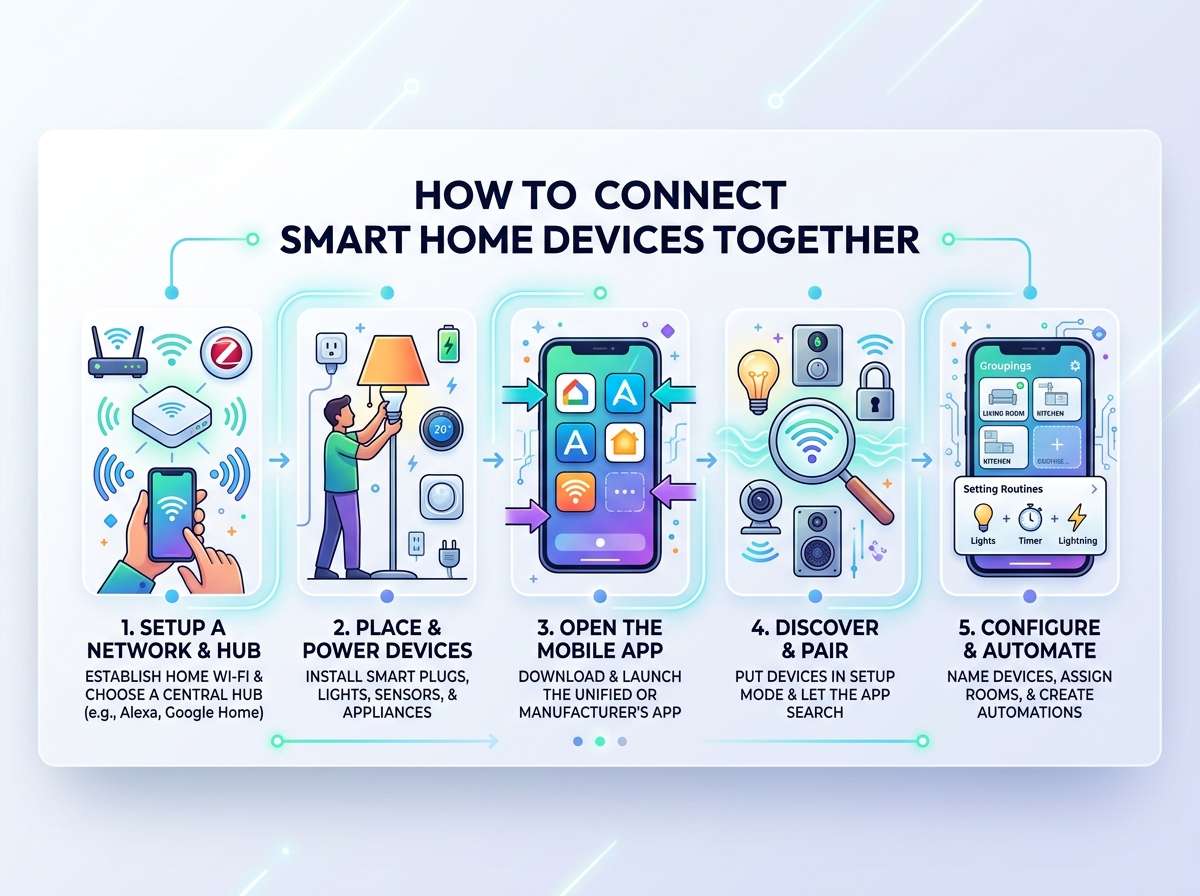
Step-by-Step: How to Connect Your First Device
Let’s walk through connecting your first smart device. We’ll use a smart light bulb as an example, but the basic process works for most WiFi-enabled devices.
Step One: Buy the Right Hub
Get a smart speaker that matches your chosen ecosystem. If you like Amazon, get an Echo. If you prefer Google, get a Home Hub. The device needs to support your smart light brand.
Step Two: Set Up the Hub
Plug in your hub and follow the manufacturer’s instructions. You’ll download an app (like Alexa or Google Home), sign in with your account, and connect the hub to your WiFi network. This usually takes five to ten minutes.
Step Three: Prepare Your Smart Device
Most smart devices come in a box with the device itself, a power adapter (if needed), and setup instructions. Read the instructions – they’re actually helpful! Many come with a simple quick-start card that shows you the basic steps.
Step Four: Download the Device App
You’ll need an app specific to your device. Search the app store for your smart light brand. Download it and log in or create an account if needed.
Step Five: Put Your Device in Pairing Mode
Most smart devices have a button you hold down for a few seconds. This puts the device into pairing mode, which means it’s looking for your network. Your device instructions will tell you how to do this. Often it’s a small button on the device itself.
Step Six: Connect Through the App
Open your device app and look for an option like “Add Device” or “Connect.” The app will search for your device. When it finds it, you’ll get a list of nearby WiFi networks. Select your home WiFi network and enter your password.
Step Seven: Name Your Device
The app will ask you to name your device. Give it a clear name like “Bedroom Light” or “Kitchen Bulb.” Good names make automation much easier later.
Step Eight: Connect to Your Hub
Some smart lights need an extra step to connect to your hub. Go back to your hub’s app (like the Alexa app) and look for “Add Device” there too. Search for the device type and follow the prompts. Your hub will discover the device and take control of it.
Step Nine: Test It
Now comes the fun part – test your device! Try turning it on and off from both the device app and your hub app. Try asking your smart speaker to control it if it supports voice commands. Success!
Building Your Network: Connecting Multiple Devices
Once you have one device working, adding more becomes much easier. You know the process now. But connecting multiple devices creates some interesting possibilities.
Creating Routines and Automations
Your hub’s real power shows up when you link devices together. Let’s say you have a smart light, a motion sensor, and a smart speaker. You can create a routine that says: “When the motion sensor detects movement after 10 PM, turn on the light at 20% brightness and play soft music.”
This is automation. No app taps needed. The devices just do it automatically. Most hubs call these “routines” or “automations,” and they’re found in the hub’s app.
Organizing Devices by Room
As you add more devices, organize them by room in your hub’s app. Create a bedroom group, a kitchen group, a living room group, and so on. This organization lets you control all devices in one room with a single command.
Building a Mesh Network
If you’re using Zigbee or Z-Wave devices, they form a mesh network automatically. Each device strengthens the network. Add a Zigbee smart plug in a hallway, and it extends range to your Zigbee lights in the far bedroom.
This is why mesh networks are so powerful – they get better as you add more devices of the same protocol.
Connecting Different Brands: The Compatibility Challenge
Here’s where things get tricky. What if your smart lights are from one brand, your thermostat is from another, and your door lock is from yet another?
The good news: modern smart hubs handle this. Amazon Alexa works with thousands of devices from hundreds of brands. Google Home is similarly flexible. These hubs act as translators, letting all your devices work together even though they’re from different manufacturers.
The key is checking compatibility before you buy. Go to your hub manufacturer’s website and search their device compatibility list. Make sure your desired device is listed as compatible.
Using Standards and Protocols
Some devices use Matter, a new smart home standard designed specifically to improve compatibility. Matter devices can talk to each other more easily, regardless of brand. As more manufacturers support Matter, it becomes easier to mix and match devices.
Other devices use Zigbee, Z-Wave, or WiFi directly. A quality hub supports multiple protocols, which lets you use different device types together.
Troubleshooting Common Connection Problems
Sometimes things don’t work on the first try. Here are the most common issues and how to fix them.
Device Won’t Connect to Network
First, check that your device is within range of your router. Move it closer and try again. Make sure you entered your WiFi password correctly – this is the most common mistake.
If it still won’t connect, restart both your device and your router. Unplug your router for 30 seconds, plug it back in, and wait for the lights to stop blinking. Then try adding your device again.
Device Connects But Won’t Show in Hub App
Make sure both your device app and your hub app are updated to their latest versions. Close and reopen both apps. Try “searching for new devices” in your hub app. Most hubs have this option buried in settings.
Connection Keeps Dropping
This usually means your device is too far from your router or there’s too much interference. Move the device closer, or add a Zigbee or Z-Wave repeater to extend range.
WiFi interference from microwaves, cordless phones, or neighboring networks can also cause drops. Change your router’s WiFi channel in settings if you have advanced WiFi options available.
Voice Commands Don’t Work
Make sure the device is actually connected in the hub app first. Then open the hub app and search the skills or integrations section. Many devices require you to enable a specific skill or integration before voice control works.
Creating Your Ideal Smart Home Setup
Now let’s talk about building the setup that works for you. Everyone’s needs are different.
The Minimal Setup
Want to keep it simple? Start with a smart speaker and a few smart plugs. Plug lamps and fans into smart plugs. Use your voice or phone to control them. This costs about $50-100 and gives you real convenience.
The Entertainment Setup
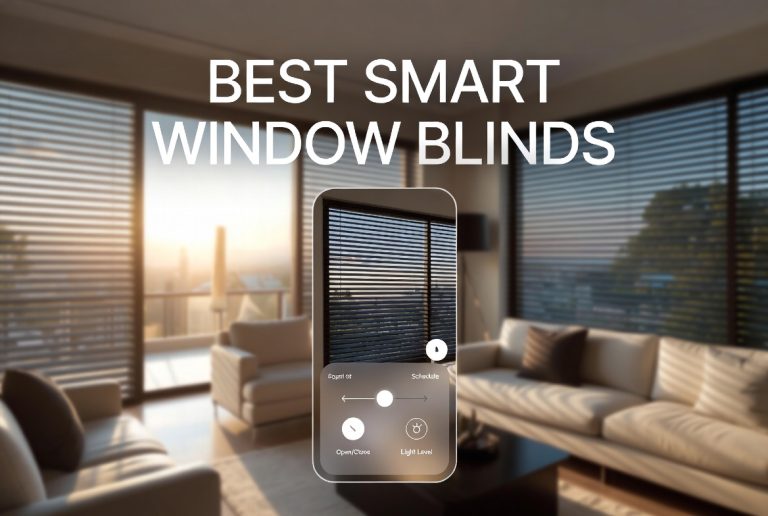
If you mostly want to control entertainment, get a smart TV, a smart speaker, and smart plugs for other devices. Create routines that dim lights and close smart blinds when you want to watch a movie.
The Energy-Saving Setup
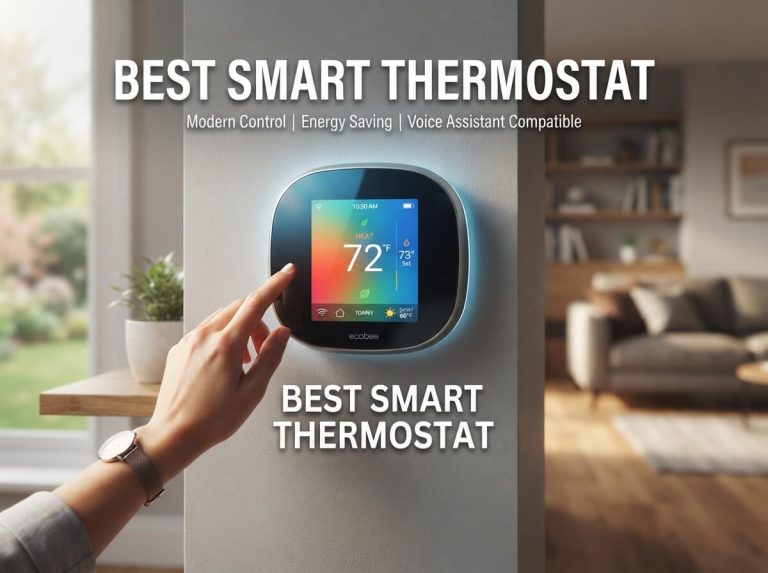
Install a smart thermostat, smart blinds, and smart lights. Set up automations that heat or cool only when needed. Close blinds during hot afternoons. Turn off lights in empty rooms automatically using motion sensors.
The Security-Focused Setup
Combine a smart hub, smart door locks, motion sensors, door/window sensors, and security cameras. Get notifications when doors open, record video of motion events, and use geofencing to lock your door automatically when you leave.
The Complete Smart Home
If you want everything, build up slowly over time. Add layers gradually: start with lighting and basic control, add smart climate control, add security features, add entertainment features. Each layer works independently but also works together.
Important Tips for Success
Tip One: Start Small and Expand
Don’t buy your entire smart home setup at once. Buy one device, master it, then add another. This approach prevents overwhelm and saves money.
Tip Two: Keep Your WiFi Strong
Your smart home is only as good as your WiFi. Make sure your router is in a central location and that you have good signal throughout your home. A mesh WiFi system helps if you have a large home.
Tip Three: Use Good Security Practices
Create a strong password for your hub account. Enable two-factor authentication if available. Don’t use simple passwords like “password123.” Your smart home is connected to the internet, so security matters.
Tip Four: Read the Instructions
I know, reading instructions sounds boring, but smart device instructions are actually helpful. They often contain important information about setup and limitations.
Tip Five: Give Devices Clear Names
Name your devices things like “Bedroom Main Light” instead of “Light One.” Clear names make automation easier and voice control more reliable.
Tip Six: Join Online Communities
Smart home communities on Reddit and other sites have tons of helpful people. When you get stuck, these communities can provide quick answers.
Tip Seven: Be Patient With Learning
Your first few automations might need tweaking. That’s normal. You’ll learn what works and what doesn’t. Each device teaches you something new.
The Future of Connected Homes
Smart home technology keeps getting better. More devices support Matter protocol, which makes everything work together more smoothly. Voice assistants understand more natural language. Artificial intelligence learns your patterns and adjusts automatically.
Privacy and security are becoming better built into devices from the start. Companies are recognizing that people want their smart homes to work reliably without worrying about data breaches.
You can feel confident starting your smart home journey now. The basic principles you learn today will still apply for years. Your devices might change, but the fundamental concept of devices working together stays the same.
Making the Decision: Is a Smart Home Right for You?
Smart homes aren’t necessary for a happy life. But they do offer real benefits. They save time by automating repetitive tasks. They save energy by controlling climate and lights intelligently. They improve security by letting you monitor and control your home remotely. They increase convenience in countless small ways.
The barrier to entry is low. You can start with a $30 smart speaker and a couple smart bulbs. Try it out. See if you like it. Expand if it works for you.
Conclusion: Your Connected Home Awaits
Connecting smart home devices together is genuinely easier than it used to be. Manufacturers have learned what beginners need, and they’ve built products that are simple to set up and use. Your hub, whether that’s an Echo, a Home, or a HomePod, does most of the heavy lifting.
Start with that first device. Follow the steps we covered. Get it working. Then add another device when you’re ready. Each addition teaches you more about your system and opens new possibilities.
Within a few weeks, you’ll have multiple devices working together automatically. Your lights will respond to motion. Your temperature will adjust on a schedule. Your home will feel more responsive to your needs. That’s the magic of a smart home – it works for you, not the other way around.
The technology isn’t intimidating once you understand the basics. You’ve got this. Grab that smart speaker, download that app, and take the first step toward your smart home. Your future self will thank you for the convenience.
Happy automating!

Hi, I’m Mary, the founder of Homygear.com. I’m passionate about creating a comfortable, smart, and beautiful home. I share practical insights and real-world experience on home gear that makes everyday life easier. Behind the scenes, my dedicated research team studies products in depth, and our writers craft honest reviews using trusted, authentic sources—so you can choose home gear with confidence.